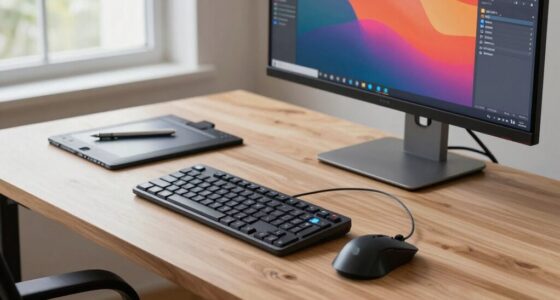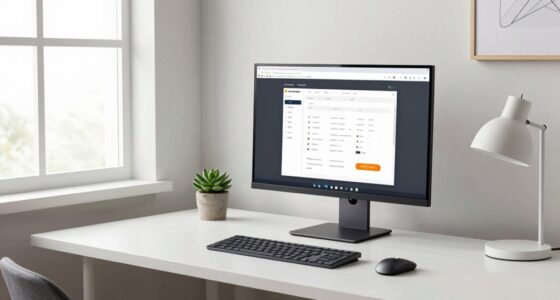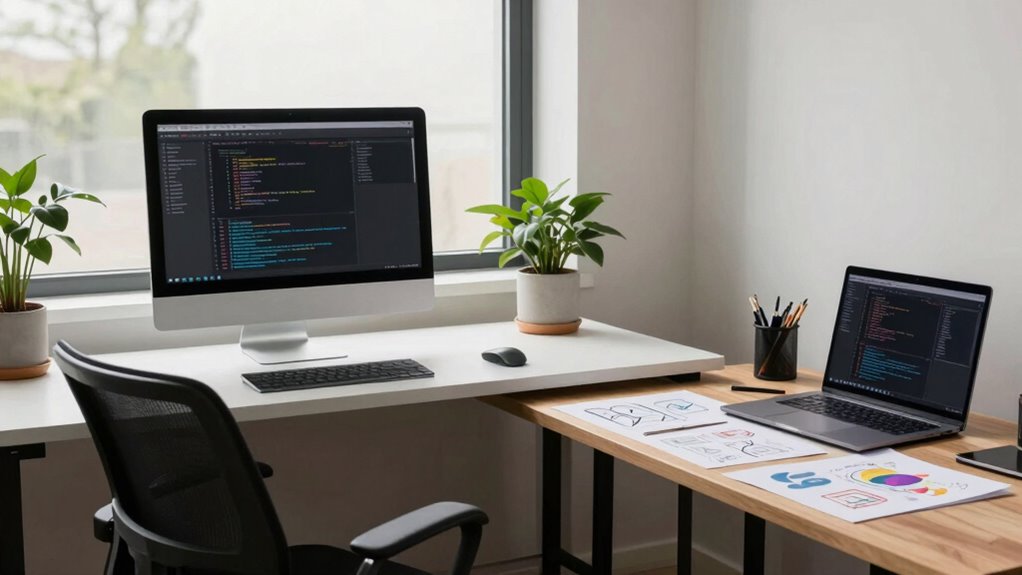
To design a workspace for both coding and design, create distinct zones for focused tasks and creative work using furniture and lighting. Use an adjustable ergonomic chair, sit-stand desks, and monitor risers to support comfort during long sessions. Position your monitors at eye level, incorporate natural light, and add task-specific lighting. Keep the space organized with storage solutions and arrange furniture to minimize distractions. If you continue, you’ll discover tips to optimize every aspect of your multi-purpose workspace.

Get your wardrobe favorites delivered free with Prime
- Fast, free delivery on millions of items
- Prime Video, Amazon Music and more included
- Member-only deals all year
Key Takeaways
- Create distinct zones for coding and design with different lighting, furniture, or color schemes to promote focus and creativity.
- Use a sit-stand desk to easily switch between tasks and accommodate different ergonomic needs.
- Position monitors at eye level with ergonomic accessories to support long coding and design sessions comfortably.
- Organize tools and materials with storage solutions to keep each zone clutter-free and accessible.
- Optimize lighting with natural sources and adjustable lamps to suit both detailed design work and focused coding.

Creating an effective workspace for coding and design begins with understanding how your environment impacts your productivity and creativity. When you set up your room thoughtfully, you’ll find it easier to stay focused and inspired. Start by prioritizing ergonomic furniture. An adjustable chair with good lumbar support keeps you comfortable during long work sessions, preventing fatigue and discomfort. Your desk should be at the right height to keep your wrists straight while typing and using your mouse. Consider a sit-stand desk to alternate between sitting and standing, reducing strain and boosting circulation. Having a dedicated, well-designed workspace encourages you to stay engaged and minimizes distractions, so invest in furniture that promotes good posture and long-term comfort.
Lighting optimization is equally important. Natural light is ideal because it reduces eye strain and enhances mood, so position your desk near a window if possible. If natural light isn’t enough, supplement with layered lighting options. Use adjustable LED desk lamps with a neutral or cool white tone to provide focused illumination on your work without causing glare. Avoid harsh, direct overhead lighting that can create unwanted shadows and eye fatigue. Proper lighting helps you see details clearly, which is *essential* for both coding and design work. Additionally, consider the color temperature and brightness of your lights to create a balanced environment that feels energizing yet calming. Incorporating ergonomic lighting into your setup can further improve comfort and reduce eye strain during extended work sessions. Creating a workspace that emphasizes ergonomic principles ensures you maintain comfort and productivity over long periods. To enhance your setup further, integrating adjustable lighting options can help tailor the environment to different tasks and times of day. Incorporating task-specific lighting can also make a significant difference in reducing eye fatigue and improving focus.
In a combined workspace, organization plays a *crucial* role. Keep your coding materials and design tools within reach but neatly stored to avoid clutter. Use storage solutions like shelves, drawers, or cable management systems to maintain a tidy environment. A clutter-free space minimizes distractions, allowing you to switch seamlessly between coding and designing without losing momentum. Incorporating effective storage solutions can help keep your workspace tidy and optimized for quick access. Personalize your setup with ergonomic accessories such as a wrist rest or monitor riser to improve comfort and ergonomics further. Make sure your monitors are positioned at eye level to prevent neck strain, and consider dual monitors to increase your efficiency when multitasking between coding and design tasks.
Finally, create zones within your room to differentiate between focused work and brainstorming or creative sessions. Use different lighting or furniture arrangements to signal these zones, helping your brain shift gears smoothly. When your space is well-organized, ergonomically sound, and lit properly, you set yourself up for productivity and creativity. Your environment becomes a tool that supports your work rather than a distraction, making it easier to *plunge into* complex coding or detailed design work with enthusiasm and clarity.
ergonomic adjustable office chair
As an affiliate, we earn on qualifying purchases.
As an affiliate, we earn on qualifying purchases.
Frequently Asked Questions
How Can I Maximize Space in a Small Combined Workspace?
To maximize space in your small combined workspace, choose light color schemes to make the room feel larger and more open. Use multi-functional furniture to save space, and incorporate smart storage solutions like wall-mounted shelves and under-desk drawers to keep clutter at bay. Keep your workspace organized and clutter-free, allowing you to focus on coding and design without feeling cramped. Efficient storage and thoughtful color choices are key to optimizing your space.
What Are the Best Ergonomic Practices for Dual-Purpose Desks?
You should prioritize ergonomic accessories like an adjustable monitor stand and keyboard tray to promote proper posture. Use adjustable furniture, such as height-adjustable desks, to easily switch between coding and designing tasks. Make sure your chair offers good lumbar support, and position your screen at eye level. Regularly take breaks and stretch to reduce strain. These practices help create a comfortable, efficient dual-purpose workspace that supports your health and productivity.
How Should I Organize Cables and Tech Equipment Effectively?
Did you know that cluttered cables can reduce productivity by up to 15%? To organize your tech equipment effectively, use cable management solutions like clips, sleeves, or under-desk trays to keep cables tidy. Invest in labeled storage containers or dedicated drawers for tech accessories, ensuring everything has a designated spot. This approach minimizes distractions, enhances your workspace aesthetics, and makes it easier to find what you need quickly.
What Lighting Solutions Suit Both Coding and Design Tasks?
You should opt for a mix of natural light and ambient lighting to suit both coding and design tasks. Position your desk near windows to maximize natural light, reducing eye strain and boosting focus. Add adjustable ambient lighting, like a dimmable overhead fixture or smart LED lamps, to create a comfortable atmosphere during late-night work. This combination guarantees ideal visibility and a pleasant environment for both detailed design work and focused coding sessions.
How Can I Create a Distraction-Free Environment in One Room?
Ever wonder how to block out distractions completely? You can start by implementing soundproofing techniques like adding rugs, curtains, or acoustic panels to absorb noise. Pair this with noise-canceling headphones for focused work sessions. Keep your workspace organized and designate specific zones for coding and designing, so your environment stays calm and clutter-free. These steps help create a distraction-free zone, boosting your productivity and concentration.
As an affiliate, we earn on qualifying purchases.
Conclusion
Creating a versatile workspace for coding and design isn’t just about furniture—it’s about fostering creativity and focus. Some believe that a well-organized environment sparks productivity, while others say the right ambiance elevates your work. The truth? A balanced space tailored to your needs boosts both efficiency and inspiration. So, experiment with your setup, trust your instincts, and watch your ideas come to life. Your perfect workspace might just be one thoughtful change away.
monitor riser for ergonomic setup
As an affiliate, we earn on qualifying purchases.
As an affiliate, we earn on qualifying purchases.
LED desk lamp with adjustable brightness
As an affiliate, we earn on qualifying purchases.
As an affiliate, we earn on qualifying purchases.
Fall Picks
fall essentials
As an affiliate, we earn on qualifying purchases.