
If you’re choosing between Notion, Evernote, and plain text for digital notes, consider what you value most. Notion offers extensive customization and seamless sync but has a learning curve. Evernote is simple, reliable, and quick to use for everyday notes. Plain text is minimalism at its best, giving you control but requiring manual management. We’ll explore how each balances features, ease, and synchronization so you can find your best fit.
Key Takeaways
- Notion offers extensive customization and real-time cloud sync, ideal for complex, organized notes; Evernote prioritizes quick access and simplicity.
- Plain text provides maximum control and minimalism but requires manual syncing and lacks advanced features.
- Notion’s flexible interface supports drag-and-drop and integrations, whereas Evernote has a straightforward, user-friendly experience.
- Cloud synchronization quality varies: Notion is seamless, Evernote may have delays, and plain text relies on third-party services.
- User priorities—such as customization, ease of use, or control—determine whether Notion, Evernote, or plain text best suits their needs.
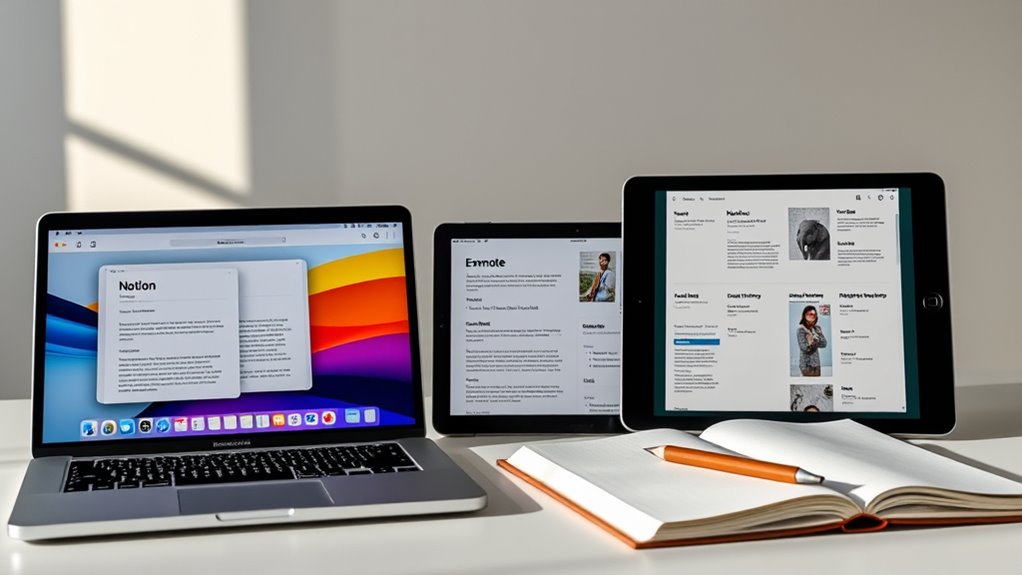
Have you ever wondered which digital note-taking app truly stands out in a crowded market? With so many options available, it’s easy to get overwhelmed trying to find the perfect fit. When comparing Notion, Evernote, and plain text, key factors like cloud synchronization and user interface design become vital in making your decision. These features directly impact how smoothly you can capture, organize, and access your notes across devices.
First, consider cloud synchronization. This feature allows you to access your notes anytime, anywhere, without the hassle of manual transfers. Notion excels here, offering seamless syncing across devices—your notes update instantly whether you’re on your phone, tablet, or desktop. Evernote also provides reliable cloud sync, ensuring your notes are always up-to-date, but some users report occasional delays or sync conflicts. Plain text files, on the other hand, rely on manual syncing methods, such as syncing folders via third-party cloud services like Dropbox or OneDrive. While this gives you control, it can be less convenient and more prone to user error. If you value effortless access and real-time updates, a platform with robust cloud synchronization like Notion or Evernote is likely your best choice.
Cloud sync ensures seamless, real-time access across devices in Notion and Evernote, unlike manual plain text methods.
Next, think about user interface design. Your experience hinges on how intuitive and visually appealing the app is. Notion offers a highly customizable interface, combining a sleek, modern look with flexible layouts that let you tailor your workspace. Its drag-and-drop functionality makes organizing complex notes straightforward, but the learning curve can be steep at first. Evernote boasts a clean, familiar interface that many users find easy to navigate, with a focus on simplicity and quick note creation. Its design is straightforward, helping you find what you need without fuss. Plain text, however, has no dedicated user interface—you’re working with a simple text editor, which means no bells or whistles. While this simplicity can be invigorating, it also means you miss out on the visual organization tools and integrations that make more feature-rich apps appealing. Additionally, the use of different display technologies in projectors significantly influences color accuracy and image quality, which are crucial for creating an engaging home cinema experience.
In the end, your choice depends on your priorities. If you want a highly customizable, feature-rich environment with reliable cloud sync, Notion could be your best bet. If you prefer simplicity and quick access with minimal fuss, Evernote’s straightforward design might suit you better. And if you’re comfortable managing your notes manually and prefer minimalism, plain text files offer ultimate control but lack the convenience features of dedicated apps. Whichever you choose, understanding how cloud synchronization and user interface design play into your workflow will help you pick the note-taking app that truly fits your needs.

XPPen Drawing Tablet with Screen Full-Laminated Graphics Drawing Monitor Artist13.3 Pro Graphics Tablet with Adjustable Stand and 8 Shortcut Keys (8192 Levels Pen Pressure, 123% sRGB)
PLEASE NOTE:XPPen Artist13.3 Pro drawing tablet Need to connect with computer,you need to use it with your computer...
As an affiliate, we earn on qualifying purchases.
Frequently Asked Questions
How Secure Is My Data on Each Platform?
Your data security varies across platforms. Notion and Evernote use data encryption both in transit and at rest, but their privacy policies differ—Evernote has had some breaches, while Notion emphasizes user control. Plain text files are inherently more secure since they lack encryption, but they’re vulnerable if your device is compromised. Always review each platform’s privacy policies and consider encrypting sensitive info yourself for added protection.
Can These Apps Work Offline Effectively?
You’ll find that all three apps offer decent offline functionality, letting you access and edit your notes without an internet connection. Notion, Evernote, and plain text files each have reliable sync features that update your notes once you’re back online. However, Evernote’s offline mode is particularly robust, while Notion’s offline capabilities are improving. Plain text files excel in offline use, with no sync issues at all.
Which App Offers the Best Collaboration Features?
You’ll find Notion offers the best collaboration features, with real-time editing and shared notebooks that make teamwork seamless. It lets you work simultaneously with others, see updates instantly, and organize projects in shared spaces. Evernote also supports collaboration but isn’t as robust in real-time editing. Plain text, while simple, lacks integrated collaboration tools. If collaboration is your priority, Notion’s features give you the most efficient experience.
Are There Any Costs Associated With Premium Features?
Yes, there are costs associated with premium features. You’ll find that subscription costs vary depending on the app and plan you choose. For example, Notion and Evernote offer tiered subscriptions, which unlock additional features and remove limitations. In contrast, plain text is free but lacks advanced features. Keep in mind that premium plans often address feature limitations, providing more storage, collaboration tools, and customization options to enhance your note-taking experience.
How Do I Transfer Notes Between Platforms Securely?
To transfer notes securely between platforms, start by enabling cross-platform syncing to guarantee your data moves smoothly. Export your notes in a common format like PDF or Markdown, then import them into your new app. Always prioritize data encryption; use services with end-to-end encryption or encrypt your files before transferring. This way, your notes stay safe and private during the entire transfer process.

XPPen Updated Deco 01 V3 Drawing Tablet-16384 Levels of Pressure Battery-Free Stylus, 10x6 Inch OSU Graphic Tablet, 8 Hotkeys for Digital Art, Teaching, Gaming Drawing Pad for Chrome, PC, Mac, Android
Word-first 16K Pressure Levels: The upgraded stylus features 16,384 levels of pressure sensitivity and supports up to 60...
As an affiliate, we earn on qualifying purchases.
Conclusion
Choosing between Notion, Evernote, and plain text is like picking a favorite star in the night sky—you’ll find what shines brightest for you. Each tool holds its own magic, whether it’s the versatility of Notion, the simplicity of Evernote, or the purity of plain text. Ultimately, your perfect note-taking partner depends on your needs. So, go ahead—dare to explore and let your notes light up your journey like constellations guiding your way.

HUION Inspiroy H1060P Graphics Drawing Tablet with 8192 Pressure Sensitivity Battery-Free Stylus and 12 Customized Hot Keys, 10 x 6.25 inches Digital Art Tablet for Mac, Windows PC and Android
Working Area Configuration - HUION art tablet equips with a 10 x 6.25 inches working area, providing the...
As an affiliate, we earn on qualifying purchases.

GAOMON M10K Drawing Tablet, 10x6 inch Large Graphics Tablet with Touch Ring, 8192 Levels Battery-Free Stylus, 10 Hot Keys, Art Tablet for Design, Writing, Editing, Work with Mac, Windows, Android
[Natural Pen Performance]: GAOMON M10K digital drawing tablet includes a battery-free stylus AP31 with 8192 levels of pressure...
As an affiliate, we earn on qualifying purchases.