To make file management easy, start by evaluating your storage needs and goals, considering cloud solutions for flexibility. Create a simple, hierarchical folder structure with clear categories like Work and Personal, using consistent naming conventions such as dates and descriptive titles. Tag files and add metadata to improve searchability. Regularly review and update your system, backing up important files to stay organized long-term. Keep learning how a minimalist setup can simplify your digital life.
Key Takeaways
- Use a simple main folder hierarchy like Work, Personal, and Projects, with clear subfolders for specific categories.
- Adopt consistent, descriptive naming conventions, including dates and version labels, for easy identification.
- Minimize folder depth by grouping related files together and regularly review to remove outdated items.
- Utilize tags and metadata for quick searchability and visual cues, enhancing organization without clutter.
- Schedule routine audits and backups to maintain a clean, secure, and efficient folder structure long-term.
Assessing Your Storage Needs and Goals

Before choosing a storage solution, you need to understand your current needs and future goals. Consider how much space you require now and how your storage needs might grow. Cloud storage offers flexibility and easy access across devices, making it ideal for dynamic or remote work environments. Think about whether you need to collaborate with others or keep files private. File versioning is also essential—this feature allows you to track changes and restore previous versions if needed. Assess what types of files you store most frequently and how often you’ll access them. Additionally, understanding your color accuracy requirements can help determine whether a digital or physical solution best suits your visual needs. It’s also helpful to evaluate your relationship with your current storage system to identify any frustrations or gaps. Recognizing the storage limitations of your current setup can guide you in selecting a more efficient and scalable solution. Incorporating market research into your decision-making process ensures you choose a solution that aligns with industry standards and innovations. Conducting a thorough performance assessment can also reveal potential bottlenecks and areas for improvement. By clearly defining your storage needs, you’ll select a solution that’s scalable, secure, and aligned with your long-term objectives, ensuring your files stay organized and accessible as your requirements evolve.
Designing a Hierarchical Folder System

Creating a well-organized hierarchical folder system is essential for efficient file management. It helps you quickly locate documents, stay consistent across devices, and leverage cloud storage seamlessly. When designing your structure, consider how it will work across platforms to guarantee compatibility. Incorporating organized zones within your folders can further improve accessibility and reduce clutter, making your system more intuitive. To keep things simple and effective, focus on:
- Grouping related files into main folders like Work, Personal, and Projects
- Using subfolders to break down categories further, such as Reports or Photos
- Ensuring your system supports cloud storage for easy access and synchronization across devices
- Additionally, understanding Gold IRA investment options can help diversify your financial assets and enhance your overall organization strategy. Regularly reviewing and updating your folder structure ensures it remains aligned with your evolving needs and prevents unnecessary clutter. Implementing a consistent naming convention can also streamline searches and improve overall organization.
Naming Conventions for Clarity and Consistency
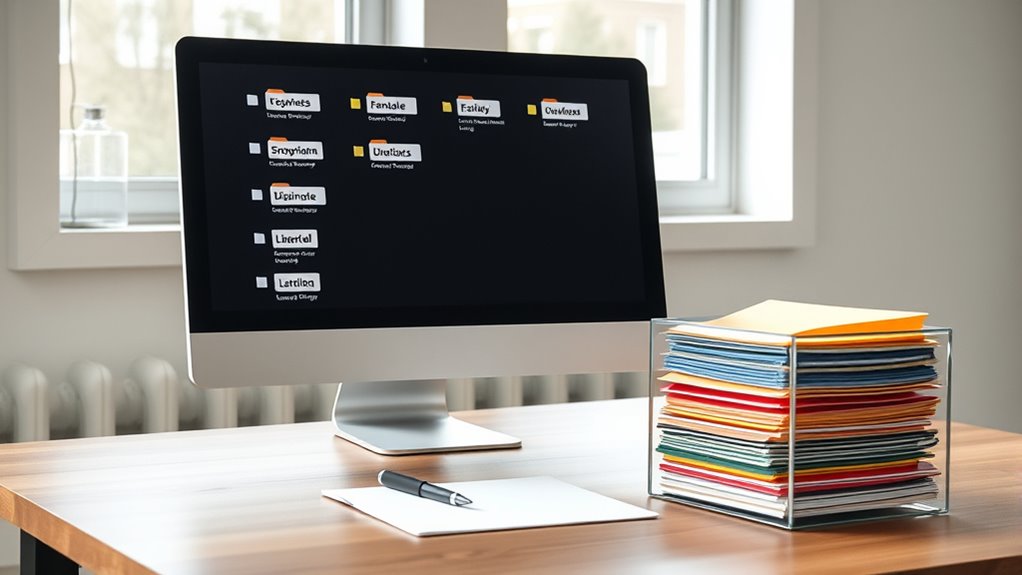
Using clear and consistent naming conventions is essential for maintaining an organized file system. To follow file naming best practices, choose descriptive yet concise names that reflect the file’s content. Use underscores or hyphens instead of spaces for better compatibility across systems. Incorporate dates in a standardized format (e.g., YYYY-MM-DD) to facilitate chronological sorting. When managing multiple versions, implement version control strategies by including version numbers or dates, such as v1 or 2024-04-27. This approach helps you quickly identify the most recent files and track revisions. Consistency is key; always apply the same naming pattern across similar files. Predictive analytics can also be integrated into file management workflows to anticipate organizational needs and streamline processes. Clear, systematic naming reduces confusion, saves time, and enhances overall file management efficiency. Additionally, understanding the cost variations of different electric bikes can help you choose the most suitable options for your needs and budget.
A well-structured naming convention can also assist in regulatory compliance, ensuring that files are prepared and categorized according to industry standards.
Categorizing Files for Easy Retrieval

To find files quickly, you need a clear system in place. Using consistent naming conventions, organizing folders hierarchically, and adding tags or metadata make retrieval much easier. These strategies help keep your digital workspace organized and accessible at a glance. Incorporating compatibility factors into your folder structure can further enhance the effectiveness of your organization system by aligning with your specific needs and workflows. Additionally, understanding digital footprints and their implications can help you manage your online presence more securely and efficiently. Being aware of regional legal resources can also assist in organizing documents related to local laws and services for easier access when needed.
Consistent Naming Conventions
Establishing consistent naming conventions is essential for organizing your files effectively. Well-defined file naming standards help you quickly identify and retrieve documents, saving time and reducing errors. To implement this, consider these best practices:
- Use clear, descriptive words to summarize the file’s content.
- Incorporate dates in a standard format (e.g., YYYYMMDD) for easy chronological sorting.
- Apply version control practices by adding version numbers or initials to track changes.
- Understanding security measures ensures that sensitive information remains protected even within organized file systems.
- Additionally, adopting naming conventions aligned with industry standards can facilitate collaboration and maintain consistency across different users and platforms. Incorporating file taxonomy strategies can further optimize your folder structure and enhance overall efficiency.
- Recognizing file types and their specific handling requirements can also improve your organizational system and streamline access to various documents.
- Being aware of metadata and its role in file management can further enhance searchability and categorization within your system.
Hierarchical Folder Organization
Organizing your files into a hierarchical folder structure makes it easier to locate and manage documents quickly. By establishing a clear visual hierarchy, you can see how folders relate to each other, reducing clutter and confusion. Folder nesting allows you to group related files within broader categories, streamlining your workflow. Start with broad categories, like Projects or Clients, then create subfolders for specific topics or dates. This layered approach helps you drill down to exact files without sifting through unrelated documents. Keep your structure simple and consistent, ensuring each level logically relates to the one above. A well-organized hierarchy minimizes search time and keeps your digital space tidy, making future retrieval straightforward and efficient. Additionally, understanding file management processes ensures your folder system remains aligned with best practices for organization. Incorporating digital organization principles can further enhance your efficiency and ensure your system adapts as your needs evolve, especially by applying meditation techniques to maintain focus and clarity in your organizational workflow.
Tagging and Metadata Use
Building on your folder structure, applying tags and metadata to your files enhances your ability to find and categorize documents quickly. Visual tagging lets you assign color codes or icons, making files stand out at a glance. Adhering to metadata standards guarantees consistency, so search tools can efficiently filter results. Use tags like project names, deadlines, or document types to streamline retrieval. Incorporating search functionality and keyword optimization further improves your ability to locate files efficiently.
Maintaining and Updating Your Structure
To keep your file system organized, you should regularly review and update your structure to prevent clutter. Streamlining naming conventions helps you find files quickly and reduces confusion. Consistent audits guarantee your system stays efficient and easy to maintain over time.
Regular Organization Audits
Have you ever wondered if your file system still serves your needs effectively? Regular organization audits help you stay on top of digital clutter and verify your structure remains efficient. During these audits, you can:
- Remove outdated or duplicate files, reducing clutter and making searches faster.
- Review your backup strategies, confirming your important files are protected.
- Reassess folder categories to match any changes in your projects or workflow.
These check-ins keep your system lean and functional, preventing disorganization from creeping back in. Plus, they give you peace of mind knowing your files are properly backed up and easy to find. Making this a routine habit ensures your minimalist structure continues to serve you well over time.
Streamlining Naming Conventions
Keeping your file names clear and consistent is essential for quick retrieval and long-term organization. To streamline naming conventions, establish simple naming patterns that everyone follows. Use abbreviation standards to keep names concise but meaningful. For example, use “Rpt” for reports or “Inv” for invoices. Consistent use of these patterns prevents confusion and makes searches easier. Regularly review and update your naming conventions as your system evolves, making sure they remain relevant and effective. Document your standards and communicate them clearly to anyone involved in file management. This way, everyone stays aligned, and your folder structure remains organized. By maintaining and refining your naming patterns and abbreviation standards, you ensure your file system stays efficient and easy to navigate over time.
Tips for Staying Organized Long-Term

Staying organized over the long term requires consistent effort and smart strategies. To maintain your minimalist folder structure, make digital backup and cloud storage part of your routine. Regularly review and declutter folders to prevent buildup. Use cloud storage for easy access and automatic syncing across devices. Keep naming conventions consistent to avoid confusion and streamline searches. Additionally, set reminders to back up important files, ensuring you don’t lose data unexpectedly.
Maintain organization with regular backups, consistent naming, and routine folder reviews to prevent clutter and data loss.
- Schedule weekly or monthly reviews of your files
- Use cloud storage for real-time backup and accessibility
- Maintain clear, uniform naming conventions for all files and folders
Frequently Asked Questions
How Often Should I Review and Reorganize My Folders?
You should review your folder organization schedule every three to six months to guarantee everything stays tidy and efficient. Regular folder review helps you identify clutter and reorganize files for better access. Set a reminder to evaluate your system periodically, adjusting as needed when your projects or priorities change. Staying proactive keeps your digital space streamlined, saving you time and frustration in the long run.
What Tools Can Help Automate File Sorting and Backups?
You might find that tools like Hazel for Mac or DropIt for Windows can automate your file sorting through rules for automatic sorting, saving you time. For backups, consider using software like Backblaze or Carbonite, which offer backup automation to keep your files safe without manual effort. These tools streamline your workflow, ensuring your files are organized and backed up effortlessly, so you stay focused on what’s important.
How Do I Handle Duplicate Files Efficiently?
You can handle duplicate files efficiently by using file deduplication tools that perform duplicate detection. These tools scan your folders, identify identical files, and allow you to delete or merge duplicates easily. Opt for software like CCleaner, Duplicate Cleaner, or dupeGuru, which automate the process and save you time. Regularly running these tools helps keep your storage clean and organized, preventing unnecessary clutter.
What Security Measures Should I Implement for Sensitive Files?
Think of your sensitive files like a secret treasure chest—you wouldn’t leave it unfastened. You should implement strong encryption protocols to protect data and set strict access controls so only authorized individuals can view or modify files. Regularly update passwords, enable multi-factor authentication, and keep backups secure. Remember, even in a digital age, good security practices are your best armor against unauthorized access and data breaches.
Can Cloud Storage Integrate Seamlessly With My Folder Structure?
Yes, cloud storage can seamlessly integrate with your folder hierarchy through cloud syncing. You simply organize your files within your minimalist folder structure, and the cloud service automatically syncs updates across devices. This keeps your folders consistent and easy to navigate, ensuring your files stay organized without extra effort. Just choose a reliable cloud provider that supports syncing and folder hierarchy to make your file management even smoother.
Conclusion
Now that you’ve set up a simple, effective folder system, you’re well on your way to staying organized. Remember, a cluttered desk is a cluttered mind—so keep your digital space tidy and up-to-date. By following these steps, you’ll avoid the chaos and keep everything within reach. Stay consistent, and don’t let organization fall by the wayside. With a little effort, you’ll find managing your files becomes second nature—making your digital life a whole lot easier.