If you’re considering ergonomic mice or trackballs, they’re definitely worth exploring. These classic devices reduce wrist strain, promote better posture, and can make long hours at your desk more comfortable. They’re space-efficient and customizable, helping you work more efficiently without sacrificing comfort. The resurgence shows they’re still relevant and beneficial. Curious about how they can improve your workspace? Keep exploring to discover how these old-school tools could be a game-changer for you.

Get your wardrobe favorites delivered free with Prime
- Fast, free delivery on millions of items
- Prime Video, Amazon Music and more included
- Member-only deals all year
Key Takeaways
- They promote natural hand positioning, reducing fatigue and preventing repetitive strain injuries.
- Classic devices save desk space and improve workspace ergonomics for better posture.
- Trackballs and ergonomic mice enhance comfort during long work or gaming sessions.
- Customizable buttons increase workflow efficiency and user convenience.
- Growing nostalgia and ergonomic benefits make these devices a worthwhile alternative to modern mice.
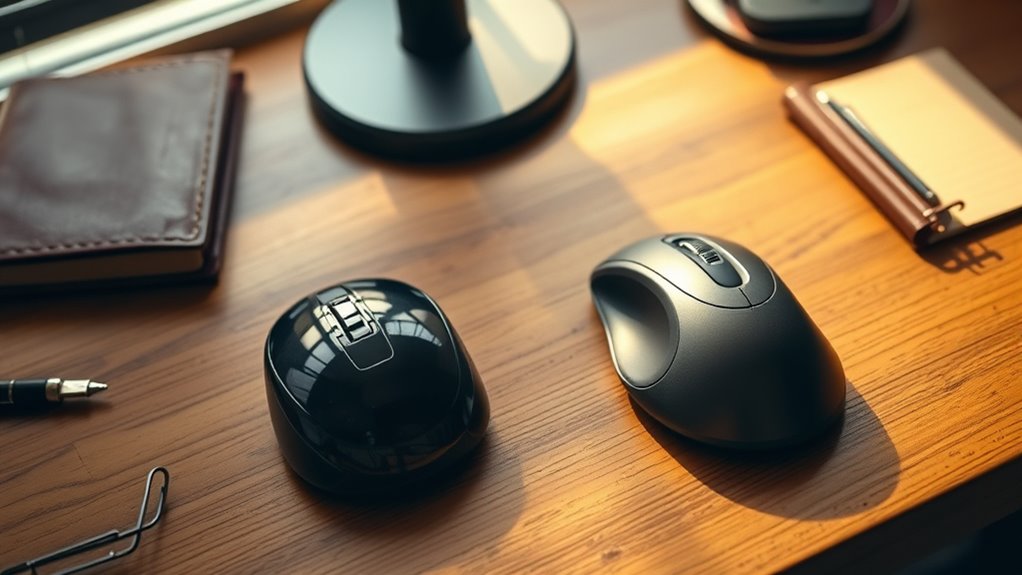
While modern gaming and office mice have dominated the market, there’s been a surprising resurgence of classic input devices like trackballs and ergonomic mice. If you spend long hours at your desk, you might notice discomfort or fatigue creeping into your hand and wrist. That’s where these older devices come into play, offering a different approach to navigation that can markedly improve your hand health. Unlike traditional mice, which require you to move your entire arm, ergonomic mice and trackballs allow you to keep your hand in a more natural position, reducing strain and preventing repetitive stress injuries. Your workspace setup becomes more efficient when you incorporate these devices—since they often take up less space and promote better posture, leading to fewer aches after a long day.
Using a trackball can be be a game changer. Instead of moving the device across your desk, you control the cursor by rotating a ball with your thumb or fingers. This means you don’t have to stretch your arm or reposition your hand frequently, which minimizes wrist rotation and alleviates pressure points. It’s especially beneficial if you have limited desk space or need to reduce arm movement. Ergonomic mice, on the other hand, are designed with a shape that fits your hand more naturally. They encourage a handshake grip or a vertical orientation that keeps your wrist in a neutral position—helping prevent carpal tunnel syndrome and other repetitive strain issues. When your workspace setup prioritizes hand health, you’re less likely to experience discomfort or fatigue, which means you can work longer and more comfortably.
Switching to these devices also influences your overall posture. When your hand and wrist are supported correctly, you tend to sit straighter rather than hunching over a traditional mouse. This better alignment reduces neck and shoulder tension too. For many users, the shift isn’t just about nostalgia but about improving their daily ergonomic routine. You’ll find that integrating a trackball or ergonomic mouse into your workspace setup makes a noticeable difference in how your hand feels at the end of the day. Plus, these devices often have customizable buttons and features that streamline your workflow, making your tasks more efficient and less taxing on your hand. Whether you’re a gamer, a professional, or someone who just wants to protect their hand health, exploring these classic input devices could be a smart move for a more comfortable, healthier work experience.
Additionally, choosing energy-efficient devices aligns with sustainable practices and can reduce your overall power consumption.
As an affiliate, we earn on qualifying purchases.
Frequently Asked Questions
How Do Trackballs Compare to Modern Optical Mice in Accuracy?
Trackballs often offer comparable or even better accuracy than modern optical mice, thanks to their precise tracking technology. You control the cursor by moving the ball, reducing hand movement and increasing precision during detailed tasks. While optical mice excel on smooth surfaces, trackballs remain reliable on various surfaces, providing a precision comparison that favors trackballs for steady, accurate control. If accuracy matters, consider a trackball for enhanced precision and comfort.
Are Ergonomic Mice Suitable for Gaming or Only Work Tasks?
Imagine a sleek ergonomic mouse fitting comfortably in your hand, its aesthetic design blending seamlessly with your setup. While it excels for work tasks, its gaming performance often falls short compared to specialized gaming mice. You might find it less responsive during fast-paced gameplay, but for long sessions and comfort, ergonomic mice are a smart choice. They’re more suited for productivity, not intense gaming, where precision and speed matter most.
What Is the Learning Curve for Switching to a Trackball?
The learning curve for switching to a trackball varies, but you’ll typically need a few days to a week for full user adaptation. At first, you might find it awkward as you adjust to controlling the cursor with your thumb or fingers rather than moving the entire mouse. With consistent use, you’ll become more comfortable, and your precision and efficiency will improve, making the progression worthwhile.
Do Ergonomic Mice Help Prevent Repetitive Strain Injuries?
Yes, ergonomic mice can help prevent repetitive strain injuries by promoting better hand posture and providing wrist support. They encourage a more natural position, reducing strain on your wrist and forearm. While some might worry about adaptation, investing in an ergonomic mouse can lead to long-term comfort and injury prevention, especially if you spend hours at your computer daily. Proper hand posture is essential for maintaining health and productivity.
Are There Budget-Friendly Options for Ergonomic and Trackball Mice?
Yes, you can find budget options for ergonomic and trackball mice. Look for models from brands like Logitech and Kensington, which often offer affordable yet comfortable choices. Use affordability tips like shopping during sales, checking refurbished units, or comparing prices online. These options help you enjoy ergonomic benefits without breaking the bank, making it easier to prioritize health and comfort without overspending.
As an affiliate, we earn on qualifying purchases.
Conclusion
Ultimately, choosing between traditional and old-school input devices comes down to personal comfort and preference. If you’re willing to give it a try, keep in mind that sometimes, the best tools are the ones that stand the test of time. Like an old friend, a well-made trackball or ergonomic mouse can become a trusted companion in your daily tasks. Remember, “old habits die hard,” but they might just lead to a more comfortable, productive workday.
As an affiliate, we earn on qualifying purchases.
As an affiliate, we earn on qualifying purchases.
Fall Picks
fall essentials
As an affiliate, we earn on qualifying purchases.