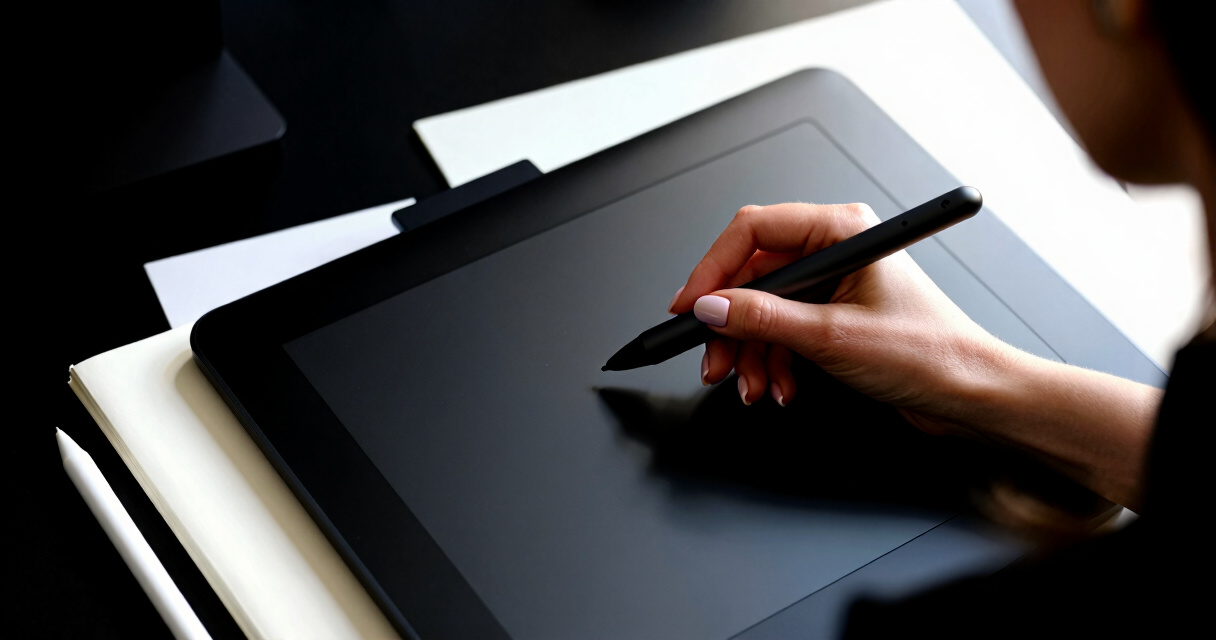
Finding the best pen display for digital artists involves balancing screen quality, responsiveness, and affordability. The Wacom Cintiq Pro 24 stands out as the overall top choice thanks to its stunning 4K display and ultra-responsive pen. For those seeking a more budget-friendly option, the HUION Kamvas 13 offers impressive specs at a lower price, making it ideal for newcomers. Meanwhile, the XPPen Artist 16 Gen2 provides a larger drawing area with high-resolution visuals for serious creators. These options highlight the key tradeoffs: screen size versus portability, price versus features, and high-end tech versus beginner-friendly design. Continue reading for a full breakdown of these and other top picks to help you find the perfect pen display for your needs.
Key Takeaways
- High-resolution displays (2.5K or 4K) significantly enhance detail and clarity for professional work.
- Laminated screens reduce parallax and improve drawing accuracy, a key factor for precision artists.
- Size varies widely; larger screens offer more workspace but sacrifice portability and increase cost.
- Stylus responsiveness and pressure sensitivity are critical for natural drawing experiences, especially 8192 or 16384 levels.
- Budget options can deliver great value, but often lack the build quality and features of premium models.


More Details on Our Top Picks
XPPen 4K UHD Artist Pro 19 Gen2 Drawing Tablet with Screen
The XPPen Artist Pro 19 Gen2 sets itself apart with its expansive 18.4-inch 4K UHD display, delivering stunning detail and remarkable color accuracy, supporting 1.07 billion colors across multiple gamuts. It’s tailored for professionals who demand precise visual fidelity, surpassing smaller or lower-resolution models like the XPPen Artist 13.3 Pro V2. Its dual styluses with 16,384 pressure levels and tilt support facilitate nuanced control, ideal for detailed artwork and advanced digital illustration. The complex setup and premium price may be barriers for hobbyists or beginners, but for those needing high-end performance, it offers unmatched clarity and versatility. Its size and configuration make it better suited for dedicated studio environments.
Pros:- Exceptional 4K UHD resolution with vibrant color accuracy
- Dual styluses with customizable buttons and tilt support
- Versatile connectivity including USB-C and HDMI
- VESA mount compatibility for flexible workspace setup
Cons:- Premium price may be prohibitive for hobbyists
- Large footprint requires substantial desk space
- Setup complexity might challenge beginners
Best for: Professional artists and designers seeking large-scale, high-resolution displays for detailed work.
Not ideal for: Hobbyists or users with limited desk space, due to its large size and high cost.
- Display Resolution:3840×2160 (4K UHD)
- Screen Size:18.4 inches
- Color Gamut:99.8% sRGB, 96% Adobe RGB, 98% Display P3
- Color Depth:1.07 billion colors
- Pen Pressure Levels:16,384
- Connectivity:USB-C, HDMI
- VESA Mount:75x75mm
Bottom line: This display is best suited for serious professionals who prioritize image fidelity and screen real estate.
XPPen Artist 13.3 Pro V2 Drawing Tablet with Screen and Stylus
The XPPen Artist 13.3 Pro V2 offers a compelling balance of size, resolution, and color accuracy, with a 13.3-inch full-laminated display that minimizes parallax and enhances drawing precision. Its support for 125% sRGB and 16,384 pressure levels makes it highly capable for detailed work, comparable to larger models like the XPPen Artist Pro 19 Gen2, but in a more compact form. The adjustable stand and wide OS compatibility extend its usability for both hobbyists and professionals. However, it’s not standalone—requiring a computer or laptop—and the setup complexity might challenge absolute beginners. Still, it strikes a good mid-range balance for versatile use.
Pros:- High color accuracy with 125% sRGB
- Vibrant, sharp visuals with full-laminated display
- Customizable shortcut keys and ergonomic stand
- Wide OS compatibility including Android and Linux
Cons:- Requires connection to a computer—no standalone mode
- Setup can be complex for complete beginners
Best for: Artists and designers who need high-quality visuals in a portable, manageable size.
Not ideal for: Those seeking a standalone device or extremely large workspace, due to its size and connectivity needs.
- Screen Size:13.3 inches
- Color Gamut:125% sRGB, 107% Adobe RGB
- Resolution:Full HD
- Pen Pressure Levels:16,384
- Brightness:250 cd/m²
- Compatibility:Windows 7+, macOS 10.13+, Chrome OS 88+, Android, Linux
Bottom line: Ideal for artists who want a portable yet powerful display with excellent color performance.
XPPen Artist Pro 14 Gen2 Drawing Tablet with Screen, 14-inch Full Laminated Anti-Glare Display, 16384 Pressure Levels, X3 Pro Battery-Free Stylus, Tilt Stand, Mini Keydial
The XPPen Artist Pro 14 Gen2 combines a 14-inch full laminated, anti-glare display with a high-precision stylus, making it a versatile choice for artists who value comfort and portability. Its 16,384 pressure levels and tilt support enable detailed, nuanced strokes comparable to larger, more expensive models like the XPPen Artist Pro 19 Gen2. The included foldable stand and wrist rest improve ergonomics during long sessions, and its wide OS compatibility ensures flexibility. However, it isn’t a standalone device, requiring a connection to a computer. Setup can be complex for newcomers, and its relatively small size may be less suitable for those used to larger screens. It’s a solid mid-range option for mobile professionals.
Pros:- High-precision stylus with 16,384 pressure levels
- Full laminated anti-glare screen enhances visual clarity
- Ergonomic accessories like foldable stand and wrist rest
- Compatible across multiple OS and art software
Cons:- Requires connection to a computer—no standalone operation
- Setup may be challenging for users new to digital art devices
Best for: Artists seeking a portable, ergonomic drawing solution with professional-grade features.
Not ideal for: Beginners or those preferring a standalone device, as it needs a computer connection.
- Display Size:14 inches
- Color Gamut:99% sRGB, 123% sRGB area ratio
- Pressure Levels:16,384
- Screen Technology:Full laminated, anti-glare
- Aspect Ratio:16:10
- Connectivity:USB-C
Bottom line: Best suited for professionals who need portability and comfort without sacrificing drawing precision.
XPPen Deco 01 V3 Drawing Tablet with Battery-Free Stylus, 10×6 Inch, 16,384 Pressure Levels, 8 Hotkeys, Compatible with Windows, Mac, Android, Chrome OS, Linux
The XPPen Deco 01 V3 stands out as an accessible choice for artists seeking a large drawing area without breaking the bank. Its 10×6 inch active zone offers ample space for detailed work, surpassing smaller tablets like the Artist 15.6 Pro but at a more affordable price point. The 16,384 pressure sensitivity levels provide a natural feel, rivaling more premium models like the Artist Pro 22 Gen2, yet it lacks the high-end color accuracy and display features. Its lightweight, portable design makes it ideal for artists who need to sketch or work remotely, despite requiring driver setup which can be cumbersome for new users. The limited hotkeys (8) may frustrate advanced workflows, but for casual or beginner artists, this tradeoff is manageable.
Pros:- Large active drawing area for detailed work
- High pressure sensitivity for natural strokes
- Compatible with multiple operating systems and software
- Lightweight and portable for mobile use
Cons:- Driver setup can be time-consuming and complex
- Limited to 8 hotkeys which may restrict workflow customization
Best for: Budget-conscious beginners or artists on the move needing a large drawing surface
Not ideal for: Advanced professionals requiring extensive hotkey customization or integrated display features
- Pressure Sensitivity:16,384 levels
- Active Area:10 x 6 inches
- Hotkeys:8 customizable
- Connectivity:USB-C, adapters included
- Compatibility:Windows 7+, macOS 10.13+, Android 10+, Chrome OS 88+, Linux
- Stylus:Battery-free, tilt support up to 60°
Bottom line: A solid, affordable choice for artists who need a versatile, portable tablet with a large workspace.
XPPen Artist Pro 22 Gen2 2.5K QHD Drawing Tablet with Screen and Wireless Keydial
The XPPen Artist Pro 22 Gen2 makes a compelling case for artists seeking a high-resolution screen with vibrant colors. Its 21.5-inch display at 2560×1440 QHD resolution surpasses the 15.6-inch Artist 15.6 Pro in visual clarity and color richness, with 99% Adobe RGB coverage that ensures accurate color work. This model is ideal for detailed illustrations, photo editing, or animation, especially compared to non-screen tablets which require a separate monitor. The 16K pressure sensitivity paired with tilt support delivers a highly responsive drawing experience. However, its large size demands significant desk space and a powerful system, and the premium price tag may deter casual users. Its wireless keydial and customizable shortcuts boost efficiency but add complexity for beginners.
Pros:- Vibrant 2.5K display with 99% Adobe RGB coverage
- High resolution for detailed work
- Wireless shortcut keydial enhances workflow
- Large screen offers immersive drawing experience
Cons:- Expensive compared to smaller or non-screen tablets
- Requires considerable desk space and a compatible system
- Complex setup for some users
Best for: Professional artists and designers prioritizing color accuracy and high-resolution display
Not ideal for: Artists with limited workspace or those on a tight budget who prefer basic tablets
- Display Size:21.5 inches
- Resolution:2560 x 1440 (QHD)
- Color Coverage:99% Adobe RGB
- Color Accuracy:Delta E<1
- Pen Pressure Levels:16K
- Connectivity:USB-C, HDMI, Bluetooth 5.0
Bottom line: Ideal for professionals who need precise, color-rich visuals and are willing to invest in a large, high-quality display.
HUION Kamvas 13 (Gen 3) Drawing Tablet with Screen, 13.3-inch Full-Laminated Art Tablet, PenTech 4.0, 16384 Pressure Sensitivity, Dual Dials, Black
The HUION Kamvas 13 (Gen 3) strikes a balance between portability and professional features. Its 13.3-inch full-laminated screen with anti-glare glass offers a sharp, color-accurate workspace, with 99% sRGB and 90% Adobe RGB coverage. Its high 16384 pressure sensitivity and PenTech 4.0 technology provide precise control comparable to larger, more expensive models like the Artist Pro 22. The dual dials and customizable shortcuts streamline workflows, especially suited for artists who frequently switch tools. While it requires connection to a computer or compatible device, its lightweight design makes it easy to carry. The main tradeoff is that it’s not standalone, so users needing a tablet that functions independently should consider alternatives like the Artist Pro 22.
Pros:- Compact, lightweight design suitable for travel
- High color accuracy with 99% sRGB coverage
- Precise pen control with tilt support
- Dual dials and customizable shortcuts improve workflow
Cons:- Requires connection to a computer or device
- No standalone mode, limiting flexibility
- Driver setup may be challenging for some users
Best for: Professionals and serious hobbyists needing a portable, high-precision drawing tablet
Not ideal for: Artists seeking a standalone device or those with very limited desk space
- Screen Size:13.3 inches
- Display Technology:Full-laminated anti-glare Canvas Glass
- Color Coverage:99% sRGB, 90% Adobe RGB
- Pen Sensitivity:16384 levels
- Weight:865g
- Connectivity:USB-C to USB-C, dual-interface
Bottom line: A portable, high-precision tablet perfect for artists who need mobility without sacrificing control.
XPPen Artist 15.6 Pro Drawing Tablet with Screen, 15.6-inch Full HD, 8192 Pressure Levels, 8 Shortcut Keys, Red Dial, Tilt Support
The XPPen Artist 15.6 Pro offers a versatile balance of size, features, and affordability. Its 15.6-inch full HD display delivers vivid images, with 120% sRGB coverage ensuring color accuracy suitable for online teaching and creative projects. The 8192 pressure levels and tilt support make drawing and painting more natural, comparable to higher-end models like the Artist Pro 22 but with a smaller footprint. The inclusion of a red dial and 8 shortcut keys facilitates workflow, though its connection-dependent operation limits flexibility for mobile artists. This tablet fits well for hobbyists, students, or educators who want a manageable size without sacrificing key features, but it may fall short for those needing a standalone device or more extensive customization.
Pros:- Vivid, full HD display with strong color accuracy
- Responsive stylus with tilt support
- Workflow-enhancing Red Dial and shortcut keys
- Full-laminated screen reduces glare
Cons:- Requires connection to a computer, no standalone mode
- Limited to 8192 pressure levels compared to higher-end models
- Learning curve for new users unfamiliar with shortcut customization
Best for: Artists and educators seeking a mid-size, color-accurate display with workflow tools
Not ideal for: Professionals requiring high-end color precision or standalone operation
- Screen Size:15.6 inches
- Resolution:1920×1080 Full HD
- Color Gamut:120% sRGB
- Pressure Sensitivity:8192 levels
- Features:Red Dial, 8 shortcut keys, tilt support
- Connectivity:Requires connection to Windows, Mac, Chrome OS
Bottom line: A practical choice for users who want a compact, well-equipped drawing monitor for creative and teaching tasks.
XP-PEN Artist12 11.6 Inch FHD Drawing Monitor with Battery-Free Pen, Holder, and Glove
The XP-PEN Artist12 stands out for its portability and affordability, making it an excellent choice for beginners or artists with limited space. Compared to larger models like the Artist Pro 16, it sacrifices screen size but offers a highly responsive FHD IPS display in a compact form. Its battery-free stylus with 8192 pressure levels provides precise control, though the need for external connections via HDMI and USB-A may be inconvenient for some users without compatible ports. This device is ideal for students or hobbyists who need a reliable, portable solution without the complexity of larger screens. However, it’s not suitable for artists seeking a standalone device or larger workspace.
Pros:- Compact size with a vivid 11.6-inch FHD IPS display
- Battery-free stylus with high pressure sensitivity and eraser
- Customizable shortcut keys and touch bar for workflow efficiency
Cons:- Requires HDMI and USB-A ports, possibly needing adapters
- Must connect to a computer—no standalone operation
Best for: Beginners and students who want a portable, budget-friendly drawing monitor for casual use.
Not ideal for: Professional artists or users seeking a standalone device with a larger, more immersive display.
- Display Size:11.6 inches
- Resolution:1920×1080 FHD
- Color Gamut:72% NTSC (100% sRGB)
- Compatibility:Windows 7/8/10/11, Mac 10.10+, Linux
- Pen Sensitivity:8192 levels
- Included Accessories:Battery-free stylus, glove, holder, 8 nibs
Bottom line: This is a smart pick for beginners or students who prioritize portability and affordability over screen size.
HUION Kamvas 13 (Gen 3) Drawing Tablet with Screen, 13.3-inch Full-Laminated Art Tablet with Anti-Glare Canvas Glass 2.0, 99% sRGB, PenTech 4.0, 16384 Pen Pressure, Dual Dial, Compatible with PC, Mac, Android
The HUION Kamvas 13 (Gen 3) excels in delivering high color fidelity and flexible device support, making it ideal for artists who work across multiple platforms. Its 99% sRGB coverage and full lamination with anti-glare glass reduce glare and parallax, providing a natural drawing feel that rivals larger, more expensive screens like the Artist Pro 16. Unlike the Artist12, it supports Android and Linux, broadening its usability. However, it requires connection to a computer or compatible device, and its price may be prohibitive for hobbyists. This model makes sense for digital artists needing a professional-quality display that adapts to various workflows, but it’s less suited for those seeking a standalone or budget-friendly option.
Pros:- High 99% sRGB color coverage with accurate color reproduction
- Fully laminated, anti-glare screen for natural drawing experience
- Supports multiple platforms including Android and Linux
Cons:- Requires connection to a computer or compatible device
- Higher price point may be a barrier for casual users
Best for: Professional or serious hobbyist artists needing high color accuracy and multi-device support.
Not ideal for: Casual users or those who prefer standalone tablets without needing external connections.
- Display Size:13.3 inches
- Resolution:1980×1080
- Color Coverage:99% sRGB
- Pen Pressure Levels:16384
- Connectivity:USB-C, 3-in-1 cable
- Additional Features:Adjustable stand, 2 dials, full lamination
Bottom line: A versatile, color-accurate display best suited for professional artists who work across various systems.
XPPen Artist Pro 16 Gen2 2.5K QHD Drawing Tablet with Stylus and Full Laminated Screen
The XPPen Artist Pro 16 Gen2 offers a spacious 16-inch display with a stunning 2.5K QHD resolution, making it ideal for artists who prioritize detailed work. Its full laminated screen with anti-glare glass minimizes parallax, providing a more precise drawing experience than smaller or lower-resolution models like the Artist12. The 16K pressure sensitivity of its stylus enables incredibly nuanced control, suitable for professional fine art or illustration. Compared to the HUION Kamvas 13, it’s larger and more detailed but requires a wired connection, making it less portable. This device is perfect for artists who want a large, high-res workspace and are okay with a setup that needs to be plugged in, though it may be overkill for casual or mobile artists.
Pros:- Large 16-inch display with 2.5K QHD resolution for detailed work
- High 16K stylus sensitivity with full laminated, anti-glare screen
- Wide compatibility with multiple operating systems and software
Cons:- Requires connection to a computer, reducing portability
- Higher cost and complexity may intimidate casual users
Best for: Professional digital artists and illustrators needing a large, high-resolution workspace.
Not ideal for: Artists who need a portable solution or prefer a standalone device with built-in display.
- Display Size:16 inches
- Resolution:2560×1600 QHD
- Color Gamut:99% sRGB
- Pen Sensitivity:16K levels
- Connectivity:3-in-1 cable
- Additional Features:Full laminated, anti-glare, foldable stand
Bottom line: This is a solid choice for professional artists seeking a large, precise workspace, accepting the need for a wired setup.

How We Picked
The products in this roundup were evaluated based on performance, display quality, stylus responsiveness, build quality, and value for money. We prioritized screens with high resolution, minimal parallax, and reliable stylus tracking, as these directly impact an artist’s workflow. Compatibility with common operating systems and ease of use also influenced rankings. To ensure relevance, we focused on models that balance professional-grade features with accessible pricing, and we compared user feedback to identify common strengths and weaknesses. The ranking reflects a mix of high-end options for professionals and budget-friendly choices for aspiring artists, aiming to guide different buyer profiles effectively.Factors to Consider When Choosing Best Pen Displays For Digital Artists
Choosing the right pen display depends on several key factors that impact your creative process and budget. Beyond just screen size or resolution, understanding how features like stylus technology, screen lamination, and connectivity influence usability can prevent costly mistakes. This guide highlights the most important considerations to help you select a model that fits your specific needs and skill level, avoiding common pitfalls like overspending on unnecessary features or buying a device incompatible with your setup.Display Resolution and Screen Quality
Higher resolution screens, such as 2.5K or 4K, deliver sharper images and finer detail, which is essential for professional illustration and editing. Laminated screens reduce parallax, providing a more natural drawing experience by aligning the stylus tip with the cursor. When choosing, consider whether your work benefits from high clarity and accuracy or if a standard Full HD display suffices, especially if budget is a concern.
Size and Portability
Screen size impacts both workspace and portability. Larger displays (15 inches and above) offer more room for intricate work but are heavier and less portable. Smaller models facilitate on-the-go work but might limit your drawing space. Think about your typical working environment—studio or mobile—and pick a size that balances comfort with practicality.
Stylus Sensitivity and Responsiveness
Artists rely heavily on stylus responsiveness. Devices with 8192 or 16384 pressure levels provide nuanced control, capturing subtle variations in pressure and tilt. A stylus with battery-free technology reduces maintenance and latency, creating a more natural drawing experience. Prioritize models with proven stylus performance to ensure your digital art feels as intuitive as traditional media.
Connectivity and Compatibility
Ensure the pen display supports your preferred devices and operating systems. Whether via USB, HDMI, or wireless connections, compatibility can vary, so check requirements beforehand. Some models also support Android or Linux, expanding flexibility. Consider your existing setup to avoid connectivity issues that could hinder your workflow.
Price and Value
Premium models offer advanced features like 4K screens and large work areas but come at a higher cost. Budget-friendly options can still deliver solid performance for beginners or casual users but might lack some professional-grade attributes. Weigh your budget against the features most relevant to your work to avoid overspending on unnecessary specs or compromising on essential performance.
Frequently Asked Questions
Is a 4K pen display worth the extra cost for hobbyists?
For hobbyists, a 4K pen display can enhance visual clarity, but it may not be necessary if your projects do not demand ultra-fine detail. While it offers greater precision and a more immersive experience, the price premium might outweigh benefits for casual use. Consider your typical workload and whether higher resolution will significantly improve your art before investing in a 4K model.
Can I use a pen display with my laptop or desktop easily?
Most pen displays are designed with compatibility in mind, supporting popular operating systems like Windows and Mac. However, some models require specific ports or adapters, so checking connectivity options beforehand is wise. Wireless models add convenience but might introduce latency or connection stability issues. Verify your device’s ports and system requirements to ensure seamless integration.
How important is screen lamination for my workflow?
Screen lamination reduces parallax and enhances accuracy, making it easier to draw precisely. If you work on detailed illustrations or need tight control over your strokes, laminated screens are highly beneficial. On the other hand, non-laminated screens are usually cheaper but can feel less natural, as the gap between the stylus and cursor is more noticeable. Weigh the importance of accuracy against your budget to choose appropriately.
Should I prioritize size over portability?
Deciding between size and portability depends on your typical workspace and mobility needs. Larger screens provide more drawing space, which is essential for detailed work, but they are heavier and less convenient for travel. Smaller models are easier to carry but can limit your workspace. Think about whether your primary use is in a fixed studio or on the go to make the best choice.
Is it better to buy a standalone pen display or a pen monitor?
Standalone pen displays are all-in-one devices with integrated screens, offering a more natural drawing experience, but they tend to be pricier. Pen monitors are usually connected to a computer, making them more flexible if you already own a capable setup. Your decision should depend on whether you need portability and dedicated screen space or prefer to integrate with existing hardware for cost savings.
Conclusion
For most artists, the Wacom Cintiq Pro 24 remains the best overall choice thanks to its superb display and responsiveness. Beginners or those on a tighter budget will find the HUION Kamvas 13 delivers excellent value without sacrificing essential features. Professionals seeking premium features and larger workspaces should consider the XPPen Artist 16 Gen2. For artists prioritizing portability, smaller models like the XP-PEN Artist 12 are compelling. Ultimately, your ideal pen display depends on your budget, workflow, and how much you value screen quality versus portability—use this guide to match your needs with the right device.