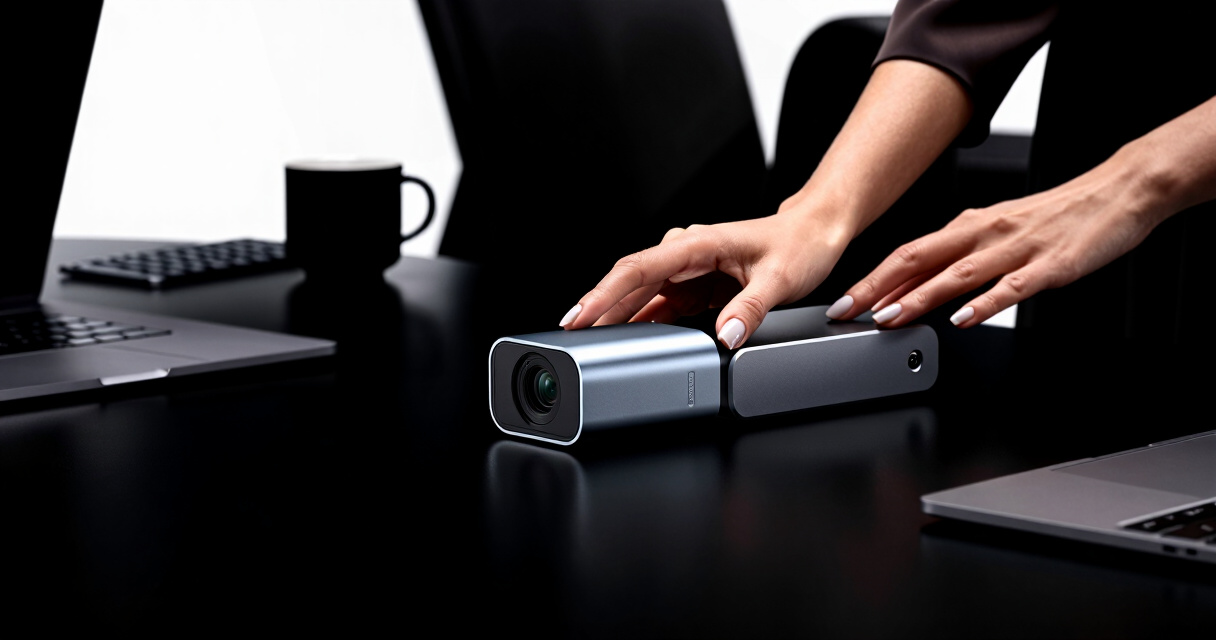
Choosing the best conference camera for your desk setup depends on your specific needs, whether it’s crystal-clear video, wide-angle views, or smart tracking. The Logitech Brio 4K stands out as the overall favorite for its exceptional image quality and versatility. For those prioritizing large room coverage, the Meeting Owl 3 offers 360° views and AI-driven speaker tracking that can transform a typical desk into a conference hub. However, tradeoffs include higher costs and setup complexity for premium features. Keep reading for a detailed breakdown of each option and how to pick the perfect camera for your workspace.
Key Takeaways
- The highest-quality video often comes with a higher price point, as seen with the Logitech Brio 4K, which provides impressive clarity and HDR support.
- Wide-angle and 360° cameras like the Meeting Owl excel in multi-person setups but may be overkill for individual desks.
- Ease of use and compatibility with common video conferencing apps remain critical; some cameras are more plug-and-play than others.
- Design and size matter—compact models are ideal for cluttered desks, while larger units fit better in dedicated conference spaces.
- Balancing features like autofocus, microphone quality, and smart tracking against budget constraints is key to making the right choice.
| Logitech Brio 4K Webcam with HDR, Autofocus, and Privacy Shutter |  | Best Overall for Professional Quality and Versatility | Resolution: 4K at 30 fps | Field of View: 65°, 78°, 90° presets | Autofocus: Yes | VIEW LATEST PRICE | See Our Full Breakdown |
| Owl Labs Meeting Owl 3 – 360° HD Conference Room Camera with AI-Driven Speaker Tracking and 18-Foot Microphone Pickup |  | Best for Hybrid Meetings and Larger Rooms | Video Resolution: 1080p HD | Audio Pickup Range: 18 feet | Field of View: 360° | VIEW LATEST PRICE | See Our Full Breakdown |
| Logitech C920e HD 1080p Webcam with Microphone, Certified for Zoom and Microsoft Teams |  | Best Value for Reliable 1080p Video and Security Features | Resolution: Full HD 1080p | Field of View: 78° | Microphones: Dual omnidirectional | VIEW LATEST PRICE | See Our Full Breakdown |
More Details on Our Top Picks
Logitech Brio 4K Webcam with HDR, Autofocus, and Privacy Shutter
The Logitech Brio 4K Webcam stands out for delivering stunning Ultra HD video with adjustable field of view options, making it the top pick for those who prioritize image clarity and flexibility. Compared with the Logitech C920e, it offers 4K resolution and intelligent light correction, which can significantly improve image quality in varying lighting conditions. However, this comes with a higher price and complexity in setup, especially if your system lacks a USB 3.0 port. Its built-in noise-canceling microphones and Windows Hello support add to its appeal for professional environments. The tradeoff is that it might be more than needed for casual or infrequent use, where simpler webcams could suffice.
Pros:- Excellent 4K video quality with auto light correction
- Flexible field of view presets for different framing needs
- Built-in noise-canceling microphones for clearer audio
- Supports Windows Hello for quick login
Cons:- Higher price point compared to standard webcams
- Requires USB 3.0 port for optimal performance
- Setup process can be complex for some users
Best for: Professionals who need high-resolution video, flexible framing, and integrated security features
Not ideal for: Casual users or those on a tight budget who only need basic video quality
- Resolution:4K at 30 fps
- Field of View:65°, 78°, 90° presets
- Autofocus:Yes
- Digital Zoom:5x
- Microphones:Dual omnidirectional with noise cancellation
- Light Correction:RightLight 3
- Compatibility:Windows, Mac, ChromeOS
Bottom line: This webcam is best suited for professionals seeking premium video quality and advanced features, despite its higher cost and setup complexity.
Owl Labs Meeting Owl 3 – 360° HD Conference Room Camera with AI-Driven Speaker Tracking and 18-Foot Microphone Pickup
The Meeting Owl 3 is designed for immersive hybrid collaboration, offering 1080p HD video and 360° audio coverage that captures every participant. Its AI-driven speaker tracking automatically focuses on active speakers, making it ideal for dynamic meetings. Compared to traditional webcams like the Logitech C920e, it provides a much broader view and better engagement in larger spaces, but the higher price can be a barrier for small setups. Its plug-and-play USB connection simplifies deployment, though larger rooms might require additional microphones for optimal audio coverage. This makes it a strong choice for organizations prioritizing a natural, inclusive meeting experience in medium to large conference rooms.
Pros:- Provides immersive 360° video and audio for hybrid meetings
- Automatically focuses on active speakers to enhance engagement
- Plug-and-play setup for quick deployment
- Expandable with additional microphones
Cons:- May require additional audio equipment for larger rooms
- Higher price compared to basic webcams
- Dependent on platform compatibility for full feature access
Best for: Teams conducting hybrid meetings in medium to large conference spaces seeking immersive and engaging communication
Not ideal for: Solo professionals or small teams using compact desk setups, due to its size and cost
- Video Resolution:1080p HD
- Audio Pickup Range:18 feet
- Field of View:360°
- Speaker Tracking:Yes
- Compatibility:Microsoft Teams, Zoom, Google Meet, Webex
- Setup:Plug-and-play USB
Bottom line: This device excels for organizations needing a comprehensive, inclusive meeting experience in larger or hybrid environments, despite its premium price.
Logitech C920e HD 1080p Webcam with Microphone, Certified for Zoom and Microsoft Teams
The Logitech C920e balances solid 1080p HD video with reliable auto light correction and dual microphones, making it a dependable choice for professional settings. Its fixed 78° field of view is suitable for most desk setups, offering consistent framing without the complexity of adjustable views found in the Brio. Compared to the Brio, it lacks 4K resolution but benefits from a lower price point and proven compatibility with Zoom and Microsoft Teams. The built-in privacy shutter adds a security layer, yet its fixed view and lack of zoom may limit flexibility in framing. Overall, this webcam suits those who want dependable quality without over-investing, especially in smaller or more controlled environments.
Pros:- High-quality 1080p video with automatic light correction
- Clear audio with dual omnidirectional microphones
- Privacy shutter enhances security
- Versatile mounting options including tripod compatibility
Cons:- Fixed 78° view may not suit all setups
- No zoom feature for framing flexibility
- Requires USB connection, limiting mobility
Best for: Business professionals seeking a reliable, easy-to-use webcam for routine meetings and security
Not ideal for: Users needing ultra-wide or adjustable views, or those who prioritize 4K resolution
- Resolution:Full HD 1080p
- Field of View:78°
- Microphones:Dual omnidirectional
- Autofocus:Yes
- Light Correction:Automatic
- Privacy Cover:Yes
Bottom line: This webcam offers dependable 1080p quality with security features, ideal for routine professional use in smaller setups.

How We Picked
Products in this roundup were selected based on performance, usability, build quality, and compatibility with popular video conferencing platforms. Priority was given to cameras that deliver clear, sharp video with minimal setup, along with features like autofocus, microphone quality, and smart tracking when available. Price was also a factor, ensuring options for different budgets without sacrificing core functionality. Each product was evaluated to determine whether it offers true value for its price and whether it suits a typical desk setup or requires a dedicated conference room environment. The ranking reflects a balance of quality, features, and affordability, with the top picks excelling across these areas.Factors to Consider When Choosing Best Conference Cameras For Desk Setups
When selecting a conference camera for your desk, consider several key factors to ensure your setup meets your needs. Your choice should align with your meeting style, space constraints, and desired video quality. Understanding these considerations can help you avoid common pitfalls like overspending on unnecessary features or choosing a model incompatible with your preferred conferencing app.Video Quality and Resolution
High video resolution, such as 4K or 1080p, significantly improves clarity and professionalism during meetings. While 4K cameras like the Logitech Brio offer exceptional detail, they also demand more bandwidth and processing power. For most desk setups, 1080p models provide sharp images with less strain on your system and a smoother experience overall. Consider your internet speed and hardware capabilities before opting for ultra-high resolutions.
Field of View and Coverage
The camera’s field of view (FOV) determines how much of your workspace is captured. Wide-angle lenses and 360° cameras can include multiple people or show more of your environment, which is useful for collaborative work or sharing your workspace. However, a wider FOV can sometimes distort images or include unwanted background clutter. For solo desk setups, a narrower FOV focused on you may be preferable for a professional appearance.
Ease of Use and Compatibility
Simplicity matters—plug-and-play models that work seamlessly with platforms like Zoom, Teams, or Skype reduce setup time and frustration. Features like automatic focus, plug-and-play USB connectivity, and clear driver support help ensure your camera functions reliably. Be cautious of models that require complicated drivers or proprietary software, which can complicate updates or troubleshooting.
Built-In Microphone Quality
Audio quality is just as important as video. Cameras with integrated microphones, especially those with noise suppression and wide pickup angles, improve overall communication. However, built-in mics can sometimes pick up background noise or be of inconsistent quality. If clear audio is a priority, consider pairing your camera with a dedicated microphone or choosing a model with high-quality integrated audio features.
Design and Size
The physical footprint of your camera affects your workspace aesthetics and flexibility. Compact models are unobtrusive and ideal for small desks, while larger, feature-rich cameras can be more visible but may require dedicated space. Consider cable management, mounting options, and how the camera blends with your setup to maintain a professional look.
Additional Features and Future-Proofing
Features like AI-based speaker tracking, automatic framing, and HDR support can enhance your conference experience but often come at a higher cost. Think about which features will genuinely improve your workflow and whether they justify the investment. Also, check for compatibility with future software updates and whether the camera supports the resolutions and frame rates you might need later.
Frequently Asked Questions
Is 4K resolution necessary for my desk setup?
While 4K resolution offers superior clarity, it is not always essential for a typical desk setup. 1080p cameras often provide sharp enough video quality for most meetings, with less demand on your system and internet bandwidth. If you frequently present detailed visuals or want the highest possible image quality, a 4K camera like the Logitech Brio could be worth the extra investment. Otherwise, a high-quality 1080p model will usually suffice.
Should I prioritize a wide-angle or a standard lens?
The choice depends on your workspace and meeting style. Wide-angle lenses are great if you often host multiple people or want to show more of your environment, but they can sometimes distort images. For solo desk setups, a standard or narrower lens that focuses on you tends to produce more flattering and professional images. Consider how much background you want visible and whether your space allows for a wider view without cluttering the frame.
How important is microphone quality in a conference camera?
Good microphone quality can significantly improve your meeting experience by capturing clear audio and reducing background noise. Many conference cameras include built-in mics, but their performance varies. If communication is critical, look for models with noise suppression, wide pickup angles, and echo cancellation. Alternatively, investing in a dedicated microphone can deliver even better sound quality, especially in noisy environments.
Are smart tracking features worth paying for?
Smart tracking, such as AI-driven speaker tracking, can be a game-changer in dynamic meetings or when moving around your desk. However, these features add to the cost and may require more setup. For most desk setups where you remain seated, they may be less necessary. If you frequently switch between speaking positions or want a more automated experience, investing in a camera with smart tracking makes sense.
Can I use a standard webcam for professional meetings?
Yes, a good-quality standard webcam can suffice for most professional meetings, especially models with 1080p resolution and autofocus. However, dedicated conference cameras often include additional features like wider FOV, better microphones, and smart framing that enhance the overall experience. If your meetings are high-stakes or involve sharing detailed visuals, investing in a specialized conference camera can provide a noticeable upgrade.