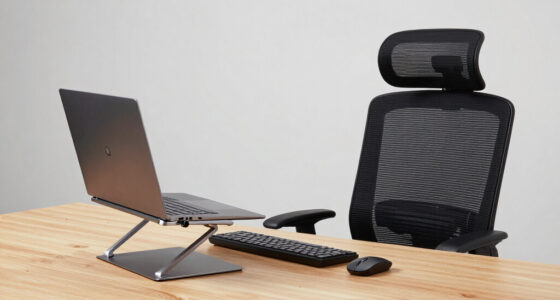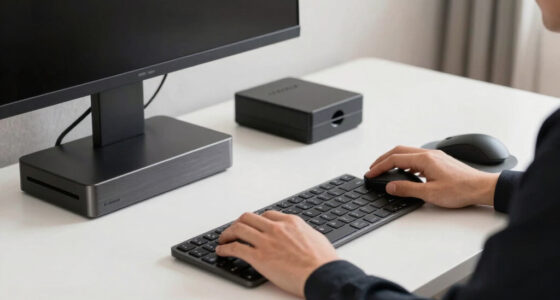

Choosing the best premium upgrades for a remote office involves balancing quality, functionality, and style. The FLEXISPOT EN1 stands out as the overall winner with its seamless electric height adjustment and spacious desktop, ideal for those wanting a versatile workspace. For those prioritizing communication, the Wireless Headset with Mic offers superior noise cancellation and comfort. Meanwhile, the Vaydeer Mouse Mover provides a unique way to keep your PC active during long work sessions. However, more premium features often come with higher costs, and not all upgrades deliver immediate value for every user. Continue reading for a detailed breakdown of each product and what makes them a best fit for different remote work needs.

Get your wardrobe favorites delivered free with Prime
- Fast, free delivery on millions of items
- Prime Video, Amazon Music and more included
- Member-only deals all year
Key Takeaways
- The top-ranking desks combine height adjustability with large surfaces for ergonomic flexibility and workspace expansion.
- High-quality audio accessories, like noise-cancelling headsets, significantly improve remote communication and reduce fatigue.
- Specialized accessories such as silent mouse jigglers can enhance productivity by maintaining system activity without constant input.
- Price often correlates with build quality and feature set, but the most expensive options are not always necessary for every user.
- Choosing the right upgrades depends heavily on your specific remote work tasks, space constraints, and budget.


More Details on Our Top Picks
FLEXISPOT EN1 One-Piece Standing Desk, 48″x24″, Electric Height Adjustable, Maple Desktop with White Frame
The FLEXISPOT EN1 stands out for its seamless, one-piece maple desktop, which offers superior stability compared to multi-piece designs like the ErGear Electric Standing Desk. Its electric height adjustment with four memory presets simplifies transitioning between sitting and standing, making it ideal for those who switch frequently. While it supports up to 176 lbs, this may limit users with heavier multi-monitor setups, unlike some larger models. Its sturdy construction and easy assembly justify the higher price point, especially for users prioritizing stability and design. However, the limited color options and the slightly higher cost compared to manual desks are tradeoffs. This desk makes the most sense for professionals needing a reliable, elegant workspace that can handle multiple monitors without wobble.
Pros:- Seamless, sturdy one-piece desktop improves stability
- Electric height adjustment with four memory presets for quick ergonomic changes
- Supports up to 176 lbs, accommodating multiple monitors and accessories
- Easy to assemble with clear instructions
Cons:- Maximum weight capacity of 176 lbs may be limiting for very heavy setups
- Price is higher compared to manual or smaller desks
- Limited color options available
Best for: Remote workers who need a stable, spacious desk with advanced height customization and a sleek look.
Not ideal for: Users with exceptionally heavy equipment or those seeking a budget-friendly manual option.
- Dimensions:48″ x 24″
- Desktop Material:Maple
- Frame Color:White
- Height Adjustment Range:28.9″–46.5″
- Maximum Load:176 lbs
- Assembly:Required
- Warranty:Limited
Bottom line: This desk is best for those seeking a stylish, reliable, and adjustable workspace with ample load capacity.
Wireless Headset with Mic for Work, Bluetooth Headset with Microphone, Noise Cancelling & Mute Button
This wireless headset excels for remote workers who spend hours in virtual meetings, thanks to its AI noise cancelling that outperforms basic models like the Wireless Bluetooth Earbuds. Its impressive 65-hour battery life ensures uninterrupted use across busy workdays, a significant advantage over shorter-lasting headsets. Dual connectivity via Bluetooth 5.2 and USB offers flexibility, though it limits simultaneous connections. The adjustable headband and soft earmuffs provide all-day comfort, making it a suitable upgrade for those tired of ear fatigue. The main tradeoff is that only one device can connect at a time, which might inconvenience users needing multi-device access. If clarity and comfort are priorities, this headset makes a compelling case for premium remote communication.
Pros:- Excellent noise cancelling for clear calls in noisy environments
- Long battery life of up to 65 hours for extensive use
- Dual connectivity options for versatile pairing
- Comfortable fit with adjustable headband and soft earmuffs
Cons:- Limited to one device connection at a time
- Some users may find the headband slightly tight over extended periods
- Lack of detailed weight information
Best for: Remote professionals who require high-quality audio and all-day comfort during frequent calls and meetings.
Not ideal for: Users needing multi-device simultaneous connections or on a tight budget.
- Model Number:LE-HS013
- Battery Life:65 hours
- Connectivity:Bluetooth 5.2, USB dongle
- Range:49 feet
- Microphone:Rotatable 270°
- Earmuff Material:Protein leather
- Weight:Not specified
Bottom line: This headset is ideal for remote workers seeking premium audio quality and all-day comfort for frequent virtual meetings.
Vaydeer Undetectable Mouse Mover M3 with ON/OFF Switch – Silent Mouse Jiggler Device for Computer Wake-up
The Vaydeer M3 Mouse Jiggler caters to remote workers and presenters who need to keep their computers active without raising suspicion, much like the Undetectable Mouse Mover. Its ultra-silent operation—less than 45dB—ensures it remains discreet during meetings, and its compatibility with multiple operating systems makes it versatile. The device’s ON/OFF switch adds convenience, and its undetectability by hardware scans is a major advantage over software-based solutions. However, its effectiveness depends on proper placement and it only simulates physical mouse movement, not keyboard activity. Power must be supplied via external adapter or USB, which might be less convenient than integrated options. This device makes a strong choice for those who need to keep their systems awake discreetly.
Pros:- Ultra-silent operation with noise below 45dB
- Undetectable by hardware scans, preserving security compliance
- Easy to use with ON/OFF switch and broad OS compatibility
- Flexible power options via external adapter or USB
Cons:- Requires correct placement for effectiveness
- Limited to simulating mouse movement only
- Power source needed for operation
Best for: Remote workers or presenters needing a silent, undetectable way to prevent sleep mode or system locking.
Not ideal for: Users seeking a full automation solution or those who prefer software-based wake-up tools.
- Model:M3
- Color:River Blue
- Power:5V/2A external adapter or USB
- Noise Level:Less than 45dB
- Compatibility:Windows 7/8/10, Linux, Mac
- Features:ON/OFF switch, driver-free, undetectable
Bottom line: This device suits users who need a discreet, hardware-based solution to keep their computers active without detection.
ErGear Height Adjustable Electric Standing Desk, 48 x 24 Inches Sit Stand up Desk, Memory Computer Home Office Desk, Black
The ErGear Electric Standing Desk offers many premium features at a more accessible price point, making it suitable for those upgrading from basic desks. Its smooth electric height adjustment from 28.35″ to 46.46″ allows seamless transitions between sitting and standing, similar to the FLEXISPOT EN1 but at a lower cost. The desk’s heavy-duty steel frame and aerospace-grade lifting columns ensure stability even at maximum height, comparable to higher-end models. The inclusion of four memory presets simplifies ergonomic shifts, while its low-VOC materials contribute to a healthier workspace. The main tradeoff is that it might lack some aesthetic refinement or additional customization options found in pricier options. This pick is perfect for budget-conscious remote workers seeking a durable, feature-rich sit-stand solution.
Pros:- Powerful, quiet motor for smooth height adjustments
- Supports up to four memory presets for quick ergonomic changes
- Stable, heavy-duty steel frame with aerospace-grade columns
- Made with low-VOC materials for healthier indoor air quality
Cons:- Limited aesthetic customization compared to higher-end models
- Assembly may be somewhat involved for some users
Best for: Home office users wanting a reliable, adjustable desk without the premium price tag.
Not ideal for: Those needing extremely high weight capacities or seeking ultra-lightweight portability.
Bottom line: This desk provides a well-rounded, durable upgrade for remote workers who want premium features at a more accessible price.

How We Picked
We evaluated each product based on performance, build quality, usability, and value. Priority was given to items that deliver tangible improvements to remote work efficiency, comfort, and ergonomics. We also considered ease of setup, durability, and user reviews to ensure reliability. Products were ranked by combining these factors with practical tradeoffs—like cost versus features—to help readers identify options that balance premium quality with real-world utility.Factors to Consider When Choosing Best Premium Office Upgrades For Remote Work
When selecting premium upgrades for your remote office, it’s important to consider how each product complements your specific workflow and space. Investing in quality can boost comfort and productivity, but it’s easy to overspend on features you don’t need. Carefully weighing factors like ergonomics, compatibility, and long-term durability will help you make smarter choices that truly elevate your home workspace.Ergonomics and Adjustability
Ergonomic furniture, like height-adjustable desks, reduces strain and supports long hours of work. Look for features such as smooth electric height adjustment and sturdy construction. Avoid desks or chairs that lack stability or don’t support your preferred working posture, as this can cause discomfort over time. Prioritize products with adjustable components to adapt to your evolving needs and maximize comfort.
Build Quality and Durability
Premium office upgrades should withstand daily use without degradation. Materials like solid wood, high-grade metals, and quality plastics not only look better but last longer. Cheaper components might save money upfront but can lead to frequent replacements or repairs. Investing in durable products ensures your home office remains functional and attractive for years, justifying the higher upfront cost.
Technological Compatibility
Compatibility with your existing devices is essential. For example, wireless headsets should support your computer’s Bluetooth version, and standing desks need to fit your workspace dimensions. Consider whether accessories like mouse movers or audio devices integrate seamlessly with your setup to avoid frustration. A mismatch can negate the benefits of premium features and create additional costs or inconvenience.
Price and Value
While premium upgrades tend to be more costly, they should deliver proportional benefits. Assess whether a feature genuinely enhances your productivity or comfort before investing. Sometimes, spending more on a high-quality desk or headset results in long-term savings through durability and improved work quality. Be cautious of overpaying for unnecessary bells and whistles that don’t align with your work style.
Aesthetic and Space Considerations
The visual appeal and size of upgrades impact the overall look and feel of your home office. Choose products that complement your decor and fit comfortably within your space. Overly large or bulky items can clutter a small room, while sleek, minimalist designs help maintain a tidy, professional environment. Balance aesthetics with functionality to create a workspace that motivates and inspires you.
Frequently Asked Questions
How do I know if a premium desk is worth the investment?
A premium desk can be worth it if you spend many hours working at home and need ergonomic support to prevent discomfort or injury. Features like electric height adjustment, sturdy construction, and ample surface area improve comfort and productivity, especially during long work sessions. However, if your tasks are simple or your space is limited, a basic desk might suffice. Consider your daily workload and space constraints to determine if the investment aligns with your needs.
Are noise-cancelling headsets necessary for remote work?
Noise-cancelling headsets significantly improve focus by reducing background distractions, which is especially valuable in noisy environments or shared spaces. They also enhance communication clarity during virtual meetings, making collaboration easier. While they are an investment, their benefits in reducing fatigue and improving concentration often justify the cost for remote workers who attend frequent calls or need a quiet environment. If your work involves multiple calls or requires deep focus, a quality headset is a worthwhile upgrade.
Should I prioritize aesthetics or functionality when choosing premium office upgrades?
Both aspects are important, but your choice depends on your priorities. If your workspace doubles as a visible part of your home, aesthetics can boost motivation and create a professional appearance. Functionality, however, should never be sacrificed—upgrades must serve your work needs effectively. Striking a balance by selecting sleek, well-designed products that also meet ergonomic and technical requirements offers the best long-term value and satisfaction.
Can investing in premium tech accessories improve my productivity?
Yes, high-quality accessories like noise-cancelling headsets, ergonomic mice, or advanced webcams can make a notable difference in your workflow. They often provide better comfort, reliability, and audio/video quality, reducing frustrations and technical issues. While they tend to cost more initially, these tools can lead to clearer communication, faster task completion, and less fatigue, which collectively enhance overall productivity during remote work.
Are all premium upgrades compatible with any home office setup?
Not all upgrades are universal; compatibility depends on your existing furniture, space, and devices. For instance, a large standing desk may not fit into a small room, or a wireless headset might require specific Bluetooth versions. It’s important to measure your space and check technical specifications before purchasing. Prioritizing adaptable, versatile products can ensure they integrate smoothly into your setup and deliver the intended benefits.
Conclusion
For those seeking the best overall upgrade, the FLEXISPOT EN1 offers a versatile, durable standing desk that adapts to most work styles. Budget-conscious buyers or those new to premium setups might prefer high-quality accessories like the Wireless Headset with Mic for immediate communication improvements. For users who want to elevate their entire office aesthetic and functionality, investing in premium desks like the ErGear Height Adjustable Desk makes sense. Remote workers with specific needs, such as frequent video calls or ergonomic concerns, should focus on tailored accessories that enhance comfort and productivity. Ultimately, choosing the right upgrades depends on your work habits, space, and budget—select the options that deliver the most value for your specific setup and needs.
Fall Picks
fall essentials
As an affiliate, we earn on qualifying purchases.