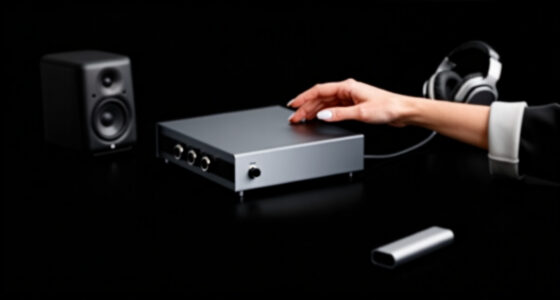
Choosing the best docking station for a minimalist desk involves balancing sleek design with robust connectivity. The Anker 13-in-1 USB-C Docking Station stands out for its extensive port selection and clean look, making it ideal for those who need versatility without clutter. The Ugreen 7-in-1 Dual Monitor Dock offers a more streamlined, space-saving design perfect for compact setups, but with fewer ports. Many options face tradeoffs between size, port variety, and power delivery, often forcing compromises. Continue reading for a detailed breakdown of these top picks and what makes each one unique.
Key Takeaways
- The top picks balance port variety with a slim profile to maintain a minimalist aesthetic.
- Power delivery capacity varies significantly, impacting compatibility with high-performance laptops.
- Dual or triple monitor support is a common feature, but not all docks support 4K at 60Hz on multiple displays simultaneously.
- Build quality and materials often reflect the intended aesthetic, with aluminum finishes favored for sleekness.
- Price differences often reflect the number of ports, power capabilities, and brand reputation, making value a key consideration.


More Details on Our Top Picks
Anker 13-in-1 USB-C Laptop Docking Station with Triple Display, 85W Charging, Ethernet, SD Card Reader
The Anker 13-in-1 stands out for offering a broad range of ports including dual HDMI and a DisplayPort, making it ideal for users who need multiple displays without clutter. Compared with the Acer dock, Anker’s support for three monitors is more flexible, though it only supports 1080p resolution, which could be limiting for high-resolution workflows. Its extensive USB ports and Ethernet support enhance overall versatility, but the mirrored display limitation on macOS can be frustrating for Mac users aiming for extended desktops. The dock’s compatibility with various operating systems broadens its appeal, yet requires a compatible USB-C or Thunderbolt port. Overall, this model suits those who prioritize multiple connections and multimedia capabilities over 4K resolution.Pros:- Supports triple monitor setup for enhanced productivity
- High-speed data transfer with multiple USB ports
- Simultaneous charging for laptop and mobile devices
Cons:- Displays on macOS and iPadOS are mirrored only
- Not compatible with Linux systems
- Supports only 1080p resolution on displays
Best for: Professionals who need a multi-monitor setup with extensive USB and Ethernet ports for multimedia and productivity tasks.
Not ideal for: Mac users who require extended desktop support at 4K resolution, as macOS only mirrors displays on this device.
- Number of USB-C ports:3
- Number of USB-A ports:3
- HDMI ports:2
- DisplayPort:1
- Ethernet port:1
- Charging power:85W
- Supported resolutions:1080p@60Hz
Bottom line: This dock is best for users needing broad connectivity and multiple screens, but not for those requiring high-resolution or Linux compatibility.
Baseus Spacemate 11-in-1 Docking Station for Windows and Mac
The Baseus Spacemate’s upright, aluminum design makes it a natural choice for minimalist desks seeking a sleek, space-saving solution. Unlike the Anker dock, it offers a more compact footprint, ideal for tight setups, though its triple display support on MacOS is limited to a single extended display—less than the triple 4K support on the Acer or Plugable docks. The inclusion of 100W power delivery and fast data transfer up to 10Gbps makes it practical for high-performance workflows, but the need for additional cables and the absence of an included power adapter may complicate setup. Its LED screen and magnetic base add modern touches, yet the MacOS limitation could be a drawback for Apple-centric users. Overall, this is a strong pick for those wanting a stylish, space-efficient dock with solid performance, particularly on Windows.Pros:- Supports triple 4K displays on Windows for multitasking
- Compact upright design saves desk space
- Fast data transfer speeds up to 10Gbps
Cons:- Limited display support on MacOS, only extended single display
- Power adapter not included, requires additional purchase
- Additional cables needed for full functionality
Best for: Creative professionals and remote workers who need a small footprint but reliable multi-display support with fast data transfer.
Not ideal for: Mac users who require triple external displays at full 4K resolution, as MacOS support is limited to a single extended display.
- Number of Ports:11
- HDMI Ports:2
- DisplayPort Ports:2
- USB-C Ports:2 (including 10Gbps and 100W PD)
- USB-A Ports:3 (including 10Gbps and 2.0)
- Ethernet:Gigabit
- Power Delivery:100W
Bottom line: This dock excels for Windows users seeking a minimal footprint with high-performance connectivity, but Mac users should note display limitations.
Acer 13-in-1 USB-C Docking Station with 110W Power Delivery and Triple 4K Monitor Support
The Acer dock offers robust connectivity with two HDMI and one DisplayPort, supporting triple 4K monitors at 30Hz with DSC, making it ideal for high-resolution workflows. Compared to the Plugable station, Acer’s 110W power delivery is more powerful, ensuring your laptop stays charged under heavy loads. The inclusion of a security lock slot and multiple ports—including SD card reader and Ethernet—makes it suitable for demanding professional environments. However, its triple 4K output relies on specific GPU support and DSC, limiting universal compatibility. Extended desktop mode on macOS is not available, and some features require particular host laptops. This model suits power users needing a professional-grade, reliable dock with high-quality video support.Pros:- Supports triple 4K monitors at 30Hz with DSC
- Includes a 110W power adapter for reliable charging
- Multiple ports including SD card reader and Ethernet
Cons:- Requires specific GPU support for triple 4K output
- Limited macOS support for extended desktops
- Some features depend on host laptop compatibility
Best for: Designers, video editors, and professionals with compatible GPUs who need high-res multi-monitor setups and reliable power delivery.
Not ideal for: Mac users without compatible GPU support or those seeking higher refresh rates for gaming or fast-paced media.
- Number of Ports:13
- HDMI Ports:2
- DisplayPort:1
- USB Ports:3 USB-A, 1 USB-C
- Power Delivery:110W
- Max Triple Monitor Support:3x 4K @ 30Hz (with DSC)
Bottom line: This dock is tailored for professionals needing triple 4K displays and high power delivery, but requires compatible hardware and GPU support.
Plugable USB-C Triple Display Docking Station with 100W Power Delivery, 3 HDMI Ports, 6 USB 3.0 Ports, Ethernet, Audio, Compatible with Windows, macOS, ChromeOS
The Plugable dock offers a versatile solution with three HDMI ports supporting up to three monitors, including a 4K at 30Hz option, making it flexible across different setups. Its broad compatibility with Windows, macOS, and ChromeOS makes it appealing for mixed-device environments, unlike the more Windows-centric options. With a 100W power delivery, it maintains your laptop’s charge during intensive work. The six USB 3.0 ports and Ethernet add to its expandability, though the 4K support at 30Hz on one display and 1080p on others can be limiting for high-refresh-rate needs. Driver installation may be required on some systems, and HDCP is not supported. Overall, it suits users who need a reliable, cross-platform multi-monitor dock with wide connectivity options.Pros:- Supports up to three HDMI monitors for multitasking
- Compatible across Windows, macOS, and ChromeOS
- Includes six USB 3.0 ports and Ethernet
Cons:- Limited to 4K @ 30Hz on one display
- Requires driver installation for some systems
- No HDCP support for protected content
Best for: Users with mixed operating systems and multiple monitors who need a flexible, high-capacity dock without high resolution demands.
Not ideal for: Power users requiring 4K at 60Hz or high-refresh-rate gaming setups, as the dock limits to 30Hz on 4K.
- Display Outputs:3 HDMI (1x 4K@30Hz, 2x 1080p@60Hz)
- Power Delivery:100W
- USB Ports:6x USB 3.0
- Ethernet:Gigabit
- Compatibility:Windows, macOS 11+, ChromeOS
- Supported Systems:Various laptops including Dell XPS, MacBook M series
Bottom line: This dock delivers broad compatibility and multiple displays for productivity, though it sacrifices higher refresh rates and some content protections.
MOKiN 13-in-1 USB-C Laptop Docking Station with Dual HDMI, LCD Display, 160W Power Delivery
This dock stands out for supporting dual 4K displays, making it ideal for users who need expansive screens without clutter. Compared to the UGREEN 7-in-1, it offers more ports and a higher 160W power output, which simplifies charging multiple devices simultaneously. Its compact upright design with an LCD display helps maintain a clean desk, but the high power capacity and extensive port selection come with a tradeoff: it’s bulkier and less portable than smaller hubs like the USB C Stand with Dual 4K HDMI. Notably, macOS users face limitations, as extended desktop support is restricted to one display. This product suits power users who need maximum connectivity and charging capacity in a tidy form factor, but those with Linux systems or limited space might find it less ideal.
Pros:- Supports dual 4K@60Hz displays for seamless multitasking
- High 160W power delivery simplifies charging multiple devices
- Compact upright design saves desk space
- Includes an LCD display for connection status
Cons:- Heavier and less portable than simpler docks like the UGREEN 7-in-1
- Limited support for macOS extended mode on both displays
- No mention of Linux compatibility
Best for: Power users and professionals needing multiple 4K displays and high wattage charging in a tidy setup.
Not ideal for: Linux users or those with limited desk space who prefer a more lightweight, less feature-heavy dock.
- Number of ports:13
- HDMI ports:2
- USB-C ports:3 (including host port)
- Max power output:160W
- Display resolution:4K (via dual HDMI)
- Data transfer speed:10Gbps
Bottom line: This dock makes the most sense for busy professionals seeking maximum connectivity with minimal desk clutter and high power needs.
UGREEN 7-in-1 Dual Monitor USB-C Docking Station with 4K@60Hz HDMI, 10Gbps USB Ports, 100W PD, Aluminum
The UGREEN 7-in-1 dock offers dual 4K@60Hz HDMI outputs, making it an excellent choice for users who want crisp visuals without a bulky setup. Its 100W power delivery supports most laptops, but it falls short for power users who need more—especially compared to the MOKiN, which provides 160W. The aluminum build keeps the desk looking sleek, yet some Mac users may encounter mirrored display limitations, and the need for compatible cables adds complexity. It’s a strong pick for those who prioritize reliable 4K visuals and a slim profile, but less suitable for high-power or Linux environments where compatibility may be limited.
Pros:- Supports dual 4K@60Hz HDMI output for sharp multitasking
- Lightweight, aluminum design integrates well with minimalist desks
- High-speed USB 10Gbps ports for fast data transfer
- Provides up to 100W charging for most laptops
Cons:- Limited to 100W power delivery, less than some competitors like MOKiN
- Mac users may experience mirrored displays only
- Cables for full performance require additional purchase
Best for: Professionals seeking dependable dual 4K displays with a slim, attractive profile for everyday use.
Not ideal for: Power users needing more than 100W charging or Linux users who require broader OS support.
- Number of HDMI ports:2
- HDMI resolution:4K@60Hz
- USB-A ports:2 x 10Gbps
- Power Delivery:100W
- Material:Aluminum
Bottom line: Ideal for users prioritizing dual 4K visuals and a sleek, compact desk footprint without demanding high wattage charging.
USB C Laptop Docking Station Stand with Dual 4K HDMI, 9-in-1 USB C Hub, and Adjustable Laptop Stand
This hybrid product combines a portable, adjustable laptop stand with a 9-in-1 docking station, making it a smart choice for those who want a clutter-free workspace with ergonomic benefits. Its support for dual 4K@60Hz displays on Windows (via MST) surpasses many single-function hubs, while the adjustable height and lightweight design enhance comfort and portability. Compared with the MOKiN, it sacrifices some port quantity—offering fewer USB ports—but gains versatility as a stand and dock in one. Mac users should note that it only supports mirror mode, which limits display flexibility. This setup is perfect for mobile professionals who need a minimal footprint and ergonomic positioning but might not suit those needing extensive port options or Linux compatibility.
Pros:- Combines laptop stand with docking station for space efficiency
- Supports dual 4K@60Hz displays for productivity
- Adjustable height for ergonomic comfort
- Lightweight and portable for travel
Cons:- Limited USB port options compared to larger docks
- Requires a full-featured USB-C port with DP Alt Mode and Power Delivery
- Dual monitor support varies depending on laptop compatibility
Best for: Travelers or remote workers seeking a compact, ergonomic solution that combines a stand and dual-monitor support.
Not ideal for: Users needing a large number of USB ports or full Linux compatibility for complex workflows.
- Ports:2 HDMI, 2 USB 3.0, 1 USB-C PD 3.0, SD, TF
- Display Support:Dual 4K@60Hz (MST on Windows, mirror on macOS)
- Compatibility:MacBook, Windows, Linux, ChromeOS
- Adjustable Height:9 levels
- Weight:0.7 lbs
Bottom line: This solution suits those who want a portable, ergonomic, dual-monitor setup that minimizes desk clutter but can compromise on port variety.

How We Picked
These products were evaluated based on a combination of port selection, design aesthetics, build quality, power delivery, and compatibility. Given that minimalist desks prioritize simplicity and space-efficiency, docks with a slim profile and clean lines were favored. Performance factors like multi-display support and charging capacity were critical, as these influence daily usability. We ranked products not only on feature set but also on how well they integrate into a clutter-free workspace, ensuring each option offers a balance of form and function that appeals to minimalists.Factors to Consider When Choosing Best Docking Stations For Minimalist Desks
When selecting a docking station for a minimalist desk, it’s important to consider how each factor impacts both aesthetics and functionality. A cluttered or bulky dock can ruin a sleek setup, so size and design matter alongside performance. Understanding your specific needs—whether you require multiple monitors, high wattage charging, or a compact form factor—will guide your choice and help avoid costly mistakes or compromises.Size and Design
Minimalist setups benefit from docks that are compact and unobtrusive. Look for models with slim profiles and aluminum or matte finishes that blend seamlessly with modern desks. Larger docks with excessive ports or bulky construction can undermine the clean aesthetic, so prioritize streamlined designs that offer only the connectivity you need.
Port Selection and Versatility
Evaluate your workflow to determine necessary ports—USB-C, HDMI, Ethernet, SD card reader, etc. While more ports provide flexibility, they can also add clutter if not well-organized. Dual or triple monitor support is common, but ensure the dock supports your preferred resolutions and refresh rates to avoid performance compromises.
Power Delivery Capacity
High wattage charging (generally 85W or more) is essential for powering high-performance laptops without additional chargers. However, docks with higher power delivery might be larger or more expensive. Consider your device’s power needs and whether you’ll need fast charging or just basic power support.
Build Quality and Materials
Aluminum and metallic finishes often look more refined and resist fingerprints better, aligning with minimalist aesthetics. Avoid plastic docks that may feel cheap or look out of place on a sleek desk. Durability matters for long-term usability, especially if the dock will be moved frequently.
Price and Value
While premium docks offer extensive features and build quality, they come at a higher cost. For most minimalist setups, a mid-range dock that balances ports, power, and design will suffice. Be wary of paying for features you don’t need; focus on essential connectivity and aesthetics to get the best value.
Frequently Asked Questions
Can I use a docking station with any laptop?
Most modern docking stations rely on USB-C or Thunderbolt ports, making compatibility broad with many recent laptops. However, it’s essential to verify that your device supports the required standards—such as Power Delivery or multiple display outputs—since not all USB-C ports are equal. Checking your laptop’s specifications will prevent connectivity issues and ensure you get the full feature set from your chosen dock.
Will a docking station clutter my minimalist desk?
Not if you choose a compact, well-designed model that complements your aesthetic. Many docks are now slim and feature a clean finish, often aluminum or matte black, which blends into a minimalist setup. Positioning the dock strategically—such as behind the monitor or under the desk—can further reduce visual clutter without sacrificing accessibility.
Do I need a docking station with multiple monitor support?
If your workflow depends on multiple screens, investing in a dock with dual or triple monitor support is worthwhile. Ensure the dock supports your preferred resolutions and refresh rates, especially if you work with high-definition content or creative applications. However, for single-monitor setups, a simpler, more affordable dock may be sufficient and less visually intrusive.
How important is build quality for a minimalist desk?
Build quality directly impacts the dock’s visual appeal and longevity. A well-made, metallic dock feels more premium and resists wear better than plastic alternatives. Since minimalist desks rely heavily on visual harmony, choosing a high-quality finish ensures your setup remains sleek and durable over time.
Should I prioritize price or features?
While budget considerations are important, prioritizing features that match your needs can prevent future limitations. For example, investing in a dock with sufficient power delivery, multiple ports, and quality construction ensures your setup remains functional and clutter-free without needing frequent upgrades. Balance your budget with your specific connectivity and aesthetic requirements for the best long-term value.