
To upgrade your workspace in stages, start by decluttering to reduce distractions and clear physical and mental space. Then, make ergonomic adjustments for comfort and efficiency. Next, add minimalist accessories that serve a purpose and keep the area organized. Establish routines like daily tidying to sustain progress and celebrate small wins along the way. Taking gradual steps helps prevent overwhelm and makes lasting change easier—if you want to learn how to implement each phase, keep exploring.
Key Takeaways
- Start with an honest assessment to identify clutter and prioritize areas for decluttering and organization.
- Make ergonomic adjustments gradually, focusing on one improvement at a time for comfort and efficiency.
- Incorporate minimalist accessories step-by-step, choosing purpose-driven items to streamline your workspace.
- Establish daily routines like end-of-day tidying to maintain a clutter-free environment and reinforce new habits.
- Celebrate small wins at each stage to stay motivated and ensure sustainable, lasting change in your workspace.

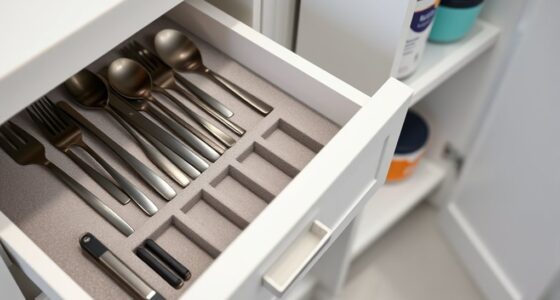
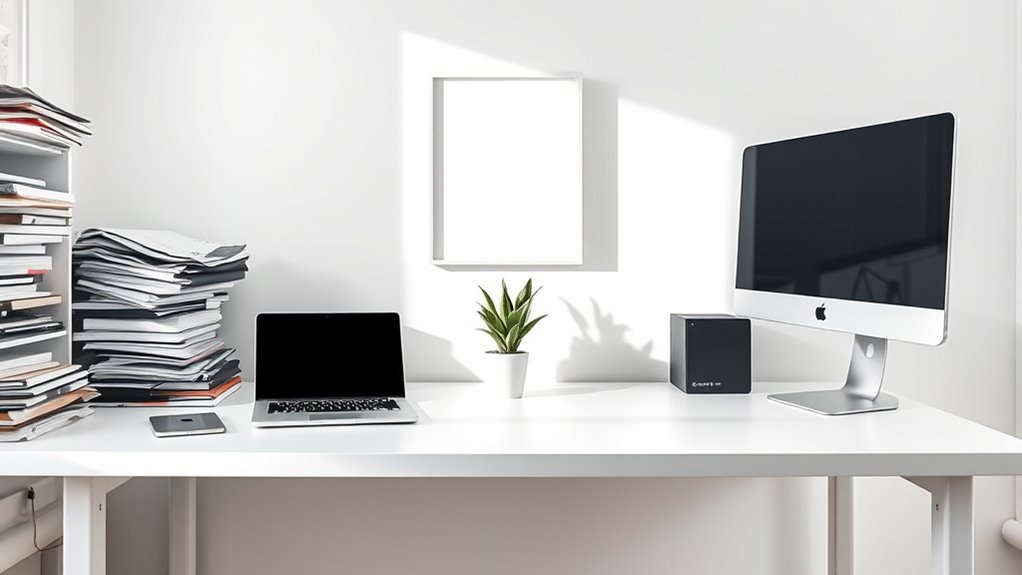
Upgrading a system or process in stages can make the progression smoother and more manageable. When it comes to transforming your workspace into a minimalist haven, taking it step by step helps you avoid feeling overwhelmed and ensures lasting change. The first step is to assess what’s currently occupying your space and identify what truly adds value and what’s just clutter. Using decluttering techniques like sorting items into keep, donate, or discard piles allows you to make clear decisions, freeing up physical and mental space. This process not only clears your desk but also creates a sense of control and clarity, making subsequent upgrades easier to implement. Incorporating simple organizational strategies can further streamline your workspace and help maintain your progress over time. Once you’ve pared down your belongings, you can focus on ergonomic improvements. Ergonomics play a critical role in creating a workspace that promotes comfort and productivity. Begin by adjusting your chair height so your feet rest flat on the floor and your knees are at a 90-degree angle, reducing strain during long work sessions. Ensure your monitor is at eye level to prevent neck strain, and position your keyboard and mouse so your wrists stay straight and relaxed. Small modifications like these can dramatically enhance your comfort and efficiency, making your workspace feel less cluttered and more purposefully organized. As you incorporate these ergonomic improvements, consider investing in simple, minimalist accessories that serve a purpose. For example, a sleek monitor stand can elevate your screen, while a single, organized drawer or tray can hold essential supplies without cluttering your desk surface. Over time, these intentional choices create a more streamlined environment that encourages focus and reduces distractions. It’s also helpful to establish daily routines, such as tidying up at the end of each day, so clutter doesn’t build up again. Consistency reinforces your new minimalist setup and prevents regression into old habits. Taking the upgrade in stages means you can celebrate small wins along the way, which keeps you motivated. After decluttering, making ergonomic adjustments, and adding thoughtful accessories, you’ll notice a more functional and calming workspace. This gradual approach allows you to adapt comfortably, ensuring each change sticks. Remember, transforming your workspace isn’t about perfection but about creating an environment that supports your work and wellbeing. By breaking the process into manageable steps, you stay focused and avoid burnout. Over time, these incremental improvements build a minimalist workspace that feels natural, organized, and conducive to productivity, all without feeling like an insurmountable overhaul.

MDOZQ Office Desk Accessories 2pcs Computer Monitor Memo Board Message Board Supplies for Women Men Sticky Note Holder Home Desktop Decor
[MULTIFUNCTIONAL]You'll get 2 pieces computer monitor memo boards that you can stick on the left and right edges...
As an affiliate, we earn on qualifying purchases.
Frequently Asked Questions
How Long Does Each Transition Stage Typically Take?
The timing expectations for each shift stage vary based on your workspace size and complexity, but generally, you can expect each phase to take from a few days to several weeks. Your transition pacing should be flexible to guarantee smooth progress without feeling rushed. Focus on completing one step thoroughly before moving to the next, allowing you to adapt the timing as needed and maintain momentum throughout your minimalist workspace upgrade.
What Tools Are Essential for a Minimalist Workspace?
You need essential tools like desk organizers to keep clutter at bay and ergonomic essentials such as a comfortable chair and adjustable monitor stand for proper posture. A clean workspace promotes focus and efficiency, so invest in cable management solutions and minimal accessories. These tools help you create a streamlined environment, making it easier to maintain a minimalist workspace and boost productivity every day.
How to Handle Emotional Attachment to Workspace Items?
To handle emotional attachment to workspace items, start by recognizing that sentimental items symbolize memories, not the items themselves. Practice emotional detachment by slowly letting go of things that no longer serve your productivity or well-being. Keep a few meaningful items, but prioritize decluttering to create a cleaner, more focused workspace. This process helps you feel more in control and reduces emotional clutter, making your environment more inspiring and efficient.
Can a Small Space Still Be Effectively Minimalist?
Yes, a small space can still be effectively minimalist. You choose to limit decorative clutter and keep only sentimental items that truly matter, creating a clean, calming environment. Use multi-functional furniture to maximize space and make certain each item serves a purpose. Regularly reassess your belongings, removing anything unnecessary. This approach helps you maintain a minimalist workspace that feels open and organized, even in a compact area.
What Are Common Pitfalls During Staged Workspace Upgrades?
Are you risking increased workspace clutter or awkward furniture rearrangement? Common pitfalls include rushing upgrades, which can lead to disorganized spaces, and neglecting proper planning, causing furniture to feel mismatched or crammed. You might also overlook storage solutions, making clutter inevitable. To avoid these, plan each stage carefully, prioritize essential items, and stay consistent with your minimalist goals—this keeps your workspace functional and clutter-free as you upgrade.

Taja To Do List Notepad - To Do List Notebook for Work with 52 Sheets, 9.8" x 6.5", Undated Daily Planner Perfect for Daily Tasks and Goal Setting, Notepad Suitable for Office, Home & School - Greenery Sway
Stay Organized with Ease: Our To Do List Notepad provides multiple sections with plenty of space to jot...
As an affiliate, we earn on qualifying purchases.
Conclusion
Remember, upgrading your workspace is like planting a garden—each small step nurtures growth. I once started with just a simple desk organizer, and over time, it became a clutter-free zone that boosted my focus. Data shows that minimalism can increase productivity by up to 20%. So don’t rush; every step you take, no matter how small, brings you closer to a clearer, calmer workspace. Keep tending to it, and watch your productivity flourish.

gianotter Dual Monitor Stand Riser, Desk Organizer With Drawer and 2 Pen Holders, Computer Monitor Stand, Desk Shelf for Top of Desk (Black)
【Ample Storage Space】The dual monitor stand features two magnetic pen holders and a drawer, allowing you to easily...
As an affiliate, we earn on qualifying purchases.

Leather Desk Pad Protector, Mouse Pad, Office Desk Mat, Non-Slip PU Leather Desk Blotter, Laptop Desk Pad, Waterproof Desk Writing Pad for Office and Home (Beige, 31.5" x 15.7")
Protect Your Desk:Durable PU Leather material adapted, which can protect your desk from scratches, stains, spills, heat and...
As an affiliate, we earn on qualifying purchases.