
TL;DR
Building your own AI workstation used to save money but now often costs more due to shortages and prices. Prebuilt systems offer validated thermals, support, and quick setup, making them a smart choice for many. Your decision depends on your timing, expertise, and how much you value support versus control.
Build vs buy
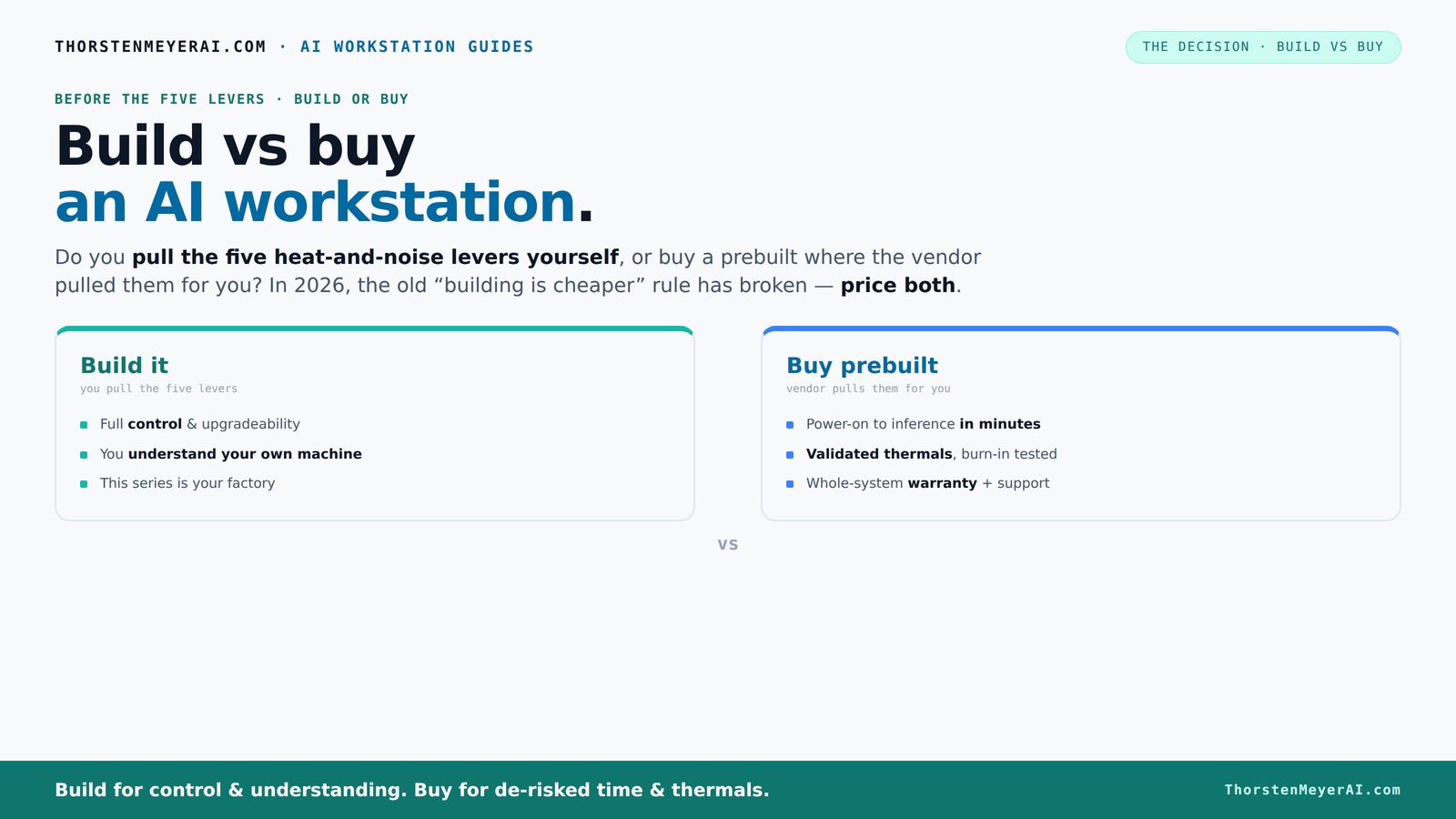
an AI workstation.
The real question behind this whole series: do you pull the five heat-and-noise levers yourself, or buy a prebuilt where the vendor pulled them for you? And in 2026, the old “building is cheaper” rule has broken. Match your situation in Part 3.
Key Takeaways
- Recent component shortages have made prebuilt AI workstations as affordable as DIY builds, sometimes even cheaper, especially for high-end setups.
- Prebuilts save hours of setup, testing, and troubleshooting, plus they come with support and warranties—ideal if you need quick deployment and peace of mind.
- Building your own rig offers maximum customization and upgrade flexibility but requires time, technical skill, and patience for tuning thermals and fixing issues.
- The choice depends on your workload, budget, technical comfort, and whether you prioritize speed or control.
- Evaluate long-term support, upgrade paths, and software setup when making your decision—what works today might not be best tomorrow.

Dell ECT1250 Tower Desktop Computer - Intel Core Ultra 5 225 Processor, 16GB DDR5 RAM, 512GB NVMe SSD, Intel UHD Graphics, Wi-Fi 6 & Bluetooth 5.4, Keyboard & Mouse, AI Copilot, Windows 11 Pro
- Processor: Intel Core Ultra 5-225 10-Core
- Memory: 16GB DDR5 RAM
- Storage: 512GB NVMe SSD
As an affiliate, we earn on qualifying purchases.
As an affiliate, we earn on qualifying purchases.
What Does Building or Buying an AI Workstation Actually Mean?
Building your AI workstation is like assembling a custom car—you choose each part based on your specific needs, from the GPU to the cooling system. Learn more about build vs buy options. This process allows you to optimize for performance, noise levels, and thermals tailored precisely to your workload. Buying prebuilt? That’s like purchasing a luxury car from a dealer—ready to drive, tested for quality, and backed by a warranty. It’s designed to work out of the box with minimal fuss.
For AI tasks, this choice impacts how well your system manages heat during intensive training, how loud it runs under load, and how stable it remains over long periods. Explore more tech insights. Building offers the flexibility to select high-end components or experimental cooling solutions—like choosing a custom turbocharged engine—giving you maximum control. Prebuilts, on the other hand, are like factory-tuned vehicles—optimized for reliability and performance but with limited customization. The key is understanding what tradeoffs matter most: do you want absolute control and learning, or convenience and guaranteed support?
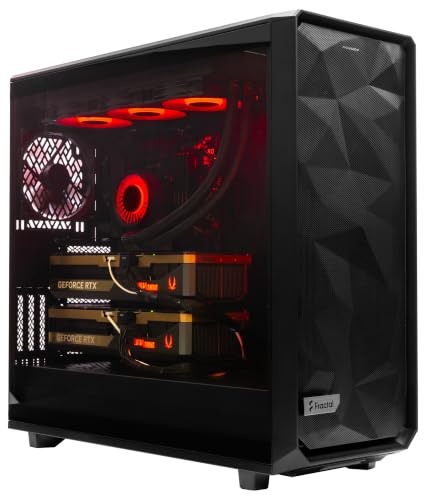
ArsenalPC MES2X Dual GPU AI Workstation - AMD Ryzen 9-9950X3D2 16 core 4.3GHz - Dual GPU GeForce RTX 5090-8TB (2x4TB RAID) NVMe SSD - 256GB DDR5-1600W - Windows 11 Pro - Liquid Cooled
- Processor: AMD Ryzen 9-9950X3D2 16-core 4.3GHz
- Memory: 256GB DDR5 RAM
- Graphics: Dual NVIDIA GeForce RTX 5090 64GB
As an affiliate, we earn on qualifying purchases.
As an affiliate, we earn on qualifying purchases.
Why Has the Cost of Building Your Own AI Rig Changed So Much?
Building your own AI system used to be significantly cheaper because component prices were stable and supply was plentiful. For example, a mid-range GPU like an NVIDIA RTX 3080 could be found at reasonable prices, making a DIY build attractive for budget-conscious enthusiasts. However, in 2026, this landscape has shifted dramatically. Major shortages of high-performance GPUs, RAM, and SSDs—driven by supply chain disruptions and increased demand from AI and gaming markets—have caused prices to soar. See how trends impact tech prices. A GPU that once cost around $700 now often exceeds $1,200, and high-end models like the A100 or H100 can reach over $10,000 in some cases.
Imagine you’re trying to build an AI workstation for research or commercial use; the cost difference between a DIY and prebuilt system has narrowed or even reversed. For instance, a vendor might buy large quantities of GPUs at a discounted rate and assemble systems that cost the same or less than sourcing individual parts. The tradeoff here is clear: while building offers customization, the financial advantage has diminished, and in some cases, the complexity and risk of sourcing parts during shortages outweigh potential savings.

msi Aegis R2 AI Gaming Desktop: Intel Core Ultra 9 285, Geforce RTX 5070Ti, 32GB DDR5, 2TB M.2 NVMe SSD, Air Cooling, USB Type C, VR-Ready, Window 11 Home: C2NVR9-1452US
- Processor: Intel Core Ultra 9 285
- Design: Simplistic, modern design
- Operating System: Windows 11 Home
As an affiliate, we earn on qualifying purchases.
As an affiliate, we earn on qualifying purchases.
Who Pulls the Five Levers of Heat and Noise — You or the Vendor?
Managing heat and noise in a high-performance AI workstation is like tuning a race car—it requires understanding and adjusting several variables to achieve optimal performance without overheating or excessive noise. Check out community tips for optimal setups. The five levers are: undervolting the GPU to reduce power consumption, matching the cooling solution to the thermal load, optimizing airflow within the case, tuning fan curves for efficiency, and positioning the system for proper heat dissipation. When you build your own system, you control these levers directly—adjusting fan speeds, choosing cooling methods, or even modulating power settings to balance performance and acoustics. This is akin to customizing your car’s exhaust or suspension for the perfect ride.
Prebuilt systems from reputable vendors like Lambda or Puget Labs undergo rigorous testing, where they fine-tune fans, apply custom water-cooling solutions, and validate thermal profiles before shipping. This process ensures the system remains cool, quiet, and stable during demanding workloads—much like a dealership setting up a vehicle for optimal performance before delivery. For example, a prebuilt might include a custom liquid cooling loop that keeps the GPU under 70°C even during extended training sessions, while a self-built system might require hours of trial and error to reach the same level of thermal management. The tradeoff: building offers full control but demands expertise, whereas prebuilts provide ready-to-run reliability with less effort. Visit for more tech guides.

E5 2667 V4 2667V4 3.2GHz 8-Core 16-Thread Processor L3=25M 135W LGA 2011-3 CPU
- Processor Model: E5 2667 V4
- Base Clock Speed: 3.2GHz
- Cores and Threads: 8-Core, 16-Thread
As an affiliate, we earn on qualifying purchases.
As an affiliate, we earn on qualifying purchases.
Frequently Asked Questions
Is it cheaper to build or buy a prebuilt AI workstation?
It used to be cheaper to build, but recent shortages and price spikes have made prebuilt systems just as affordable or even cheaper in some cases. Always compare the latest prices for your specific configuration before deciding.What hidden costs come with a prebuilt system?
Prebuilts usually include support and warranty, but they might limit upgrade options or add costs for extended support plans. Also, if you want custom cooling or hardware upgrades later, you'll need to pay extra.When does a prebuilt workstation make more sense than DIY?
When you need a system ready to run immediately, want validated thermals, or prefer support and warranty coverage. For complex multi-GPU setups or if you lack technical skills, prebuilts save a lot of hassle.Which GPUs should I prioritize for AI workloads?
Look for GPUs with high VRAM (like 24GB or more) and good tensor performance—NVIDIA’s RTX 40 series or A100/H100 from Nvidia are popular choices for training and inference.Can a prebuilt workstation be upgraded later?
Yes, many prebuilts allow upgrades like adding RAM or swapping GPUs, but some designs limit compatibility or upgradeability. Check with the vendor before buying if future upgrades matter to you.Conclusion
Choosing between build and buy isn’t just about initial cost. It’s about how much effort, support, and control you want in your AI journey. Compare build vs buy options. In 2026, smart buyers weigh price, time, and confidence equally—then pick the system that keeps you moving forward, not stuck troubleshooting.Think of your AI workstation as a reliable partner: built for your needs, tuned to perform, and ready when you are. The right choice will make your work smoother, faster, and more satisfying—so pick wisely, and get to building or buying with confidence.