
To work remotely with just a backpack, focus on essential, multi-purpose tech like a lightweight laptop, noise-canceling headphones, and a universal or multi-adapter charger. Use cloud storage to reduce physical gear and choose compact accessories like foldable keyboards or portable mice for versatility. Select gear that’s lightweight, durable, and serves multiple functions, helping you stay agile on the move. Keep exploring to discover tips that’ll maximize your minimalist travel setup.

Get your wardrobe favorites delivered free with Prime
- Fast, free delivery on millions of items
- Prime Video, Amazon Music and more included
- Member-only deals all year
Key Takeaways
- Choose lightweight, multi-purpose devices like a tablet with keyboard for versatile productivity in limited space.
- Use universal chargers and all-in-one adapters to reduce cable clutter and handle international power needs.
- Rely on cloud storage and digital files to minimize physical gear and maximize remote access.
- Pack compact accessories such as foldable keyboards and noise-canceling earbuds to enhance efficiency on the go.
- Opt for a minimalist backpack with organized compartments for quick access and streamlined travel.

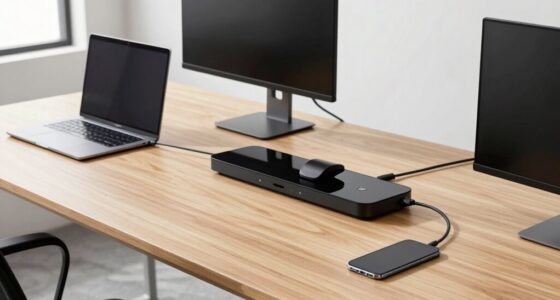
Ever wonder how to travel lighter without sacrificing essential tech? As a digital nomad, you understand that having the right gear can make or break your remote work experience. The key is focusing on minimalist tech for travel—tools that are versatile, lightweight, and durable. To do this effectively, you need to master packing light strategies that prioritize quality over quantity. Your goal should be to bring just enough to stay productive while avoiding the burden of excess gear. The first step is selecting multi-use devices that serve multiple functions, reducing the number of items you carry. For instance, a compact laptop that balances power and portability can handle everything from writing to video calls, eliminating the need for a separate tablet or extra device. Pair this with a lightweight, universal charger to ensure your devices stay powered without clutter.
Choose versatile, compact devices like a lightweight laptop and universal charger to stay productive while traveling light.
Incorporate a portable external hard drive or a cloud storage subscription into your digital nomad gear. This allows you to carry essential files without packing multiple storage devices, keeping your setup lean. Also, consider a slim, all-in-one adapter or power strip that can handle different plug types, especially if you’re traveling internationally. This minimizes the number of chargers and cables you need to pack, aligning with your packing light strategies. When it comes to accessories, choose a minimalist backpack that’s organized and comfortable, with dedicated compartments for your tech gear. This way, you can quickly access what you need without rummaging through clutter.
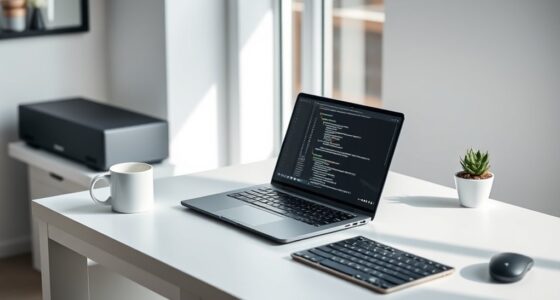
Don’t overlook the importance of a reliable pair of noise-canceling headphones or earbuds. They’re compact and versatile, perfect for focusing in noisy environments or enjoying entertainment during downtime. A portable keyboard or a foldable mouse can also boost your productivity without taking up much space. Remember, every item should serve a purpose and be easy to pack away.
Additionally, selecting energy-efficient cloud solutions can help you access files remotely without carrying physical storage devices, enhancing your minimalist setup. Finally, think about the environment you’ll be working in. If you’ll be in cafes or co-working spaces, a compact, all-in-one device like a tablet with a keyboard attachment could replace your laptop, saving weight and space. Keep your digital nomad gear minimal but efficient, sticking to essentials that support your work and lifestyle. With smart packing light strategies, you’ll stay agile, adaptable, and ready for whatever your travels bring—without the bulk of unnecessary tech. Ultimately, mastering minimalist tech for travel means making intentional choices that keep you connected and productive while maintaining the freedom to explore.
lightweight portable laptop for travel
As an affiliate, we earn on qualifying purchases.
As an affiliate, we earn on qualifying purchases.
Frequently Asked Questions
How Do I Protect My Tech Devices From Theft During Travel?
To safeguard your tech devices from theft during travel, prioritize travel security by keeping your devices close and within sight. Use discreet device concealment, like hidden pockets or a secure bag with lockable zippers. Avoid flashing expensive gadgets in public, and stay aware of your surroundings. Consider anti-theft accessories such as cable locks or RFID-blocking sleeves. Staying vigilant ensures your devices stay safe while you enjoy your trip.
What Insurance Options Are Available for Stolen or Damaged Tech Gear?
Did you know that nearly 60% of travelers experience theft or damage to their gear? You should consider tech insurance options for gear protection, which cover stolen or damaged devices during your trips. Many providers offer plans tailored for travelers, giving you peace of mind. Compare policies that include worldwide coverage and quick claims processes, so you’re prepared for any mishap. Protect your tech gear and travel confidently knowing you’re covered.
How Do I Ensure Reliable Internet Access While Traveling Remotely?
To guarantee reliable internet access while traveling, you should rely on Wi-Fi hotspots and Data SIMs. Always carry a portable Wi-Fi device or use your phone’s hotspot feature for quick, secure internet. Purchase local Data SIMs to avoid expensive roaming charges and keep multiple options handy. This way, you stay connected easily, whether you’re in a café, hotel, or on the move, making remote work seamless.
What Are the Best Power Solutions for Minimal Tech Setups?
You should prioritize compact, reliable power solutions like solar chargers and portable batteries. Solar chargers harness sunlight to keep your devices charged, ideal for extended trips without access to power. Portable batteries offer quick, convenient charging on the go, ensuring your tech stays powered during busy days. Combining these options provides flexibility and peace of mind, so you can focus on your travels without worrying about running out of power.
How Can I Troubleshoot Tech Issues While Abroad Without Professional Support?
When troubleshooting tech issues abroad, rely on DIY repairs and troubleshooting apps to get quick solutions. First, research common problems online and consult your device’s user manual. Use troubleshooting apps to diagnose issues or reset settings. Keep basic tools like a portable screwdriver and spare cables handy. If problems persist, check local tech stores or online forums for advice. Staying prepared and resourceful helps you resolve issues without professional support efficiently.
noise-canceling earbuds for travel
As an affiliate, we earn on qualifying purchases.
As an affiliate, we earn on qualifying purchases.
Conclusion
Think of your minimalist tech setup as a trusted compass, guiding you smoothly through your remote work journey. With just a few sleek gadgets, you’re equipped to navigate any destination without the baggage of excess. Embrace simplicity, and let your lightweight gear be the steady hand on your travel map. When you travel light, every adventure becomes more flexible, more freeing—like sailing on open waters with only the essentials to steer you forward.
universal international travel charger
As an affiliate, we earn on qualifying purchases.
As an affiliate, we earn on qualifying purchases.
compact foldable wireless keyboard
As an affiliate, we earn on qualifying purchases.
As an affiliate, we earn on qualifying purchases.
Halloween Picks
halloween
As an affiliate, we earn on qualifying purchases.