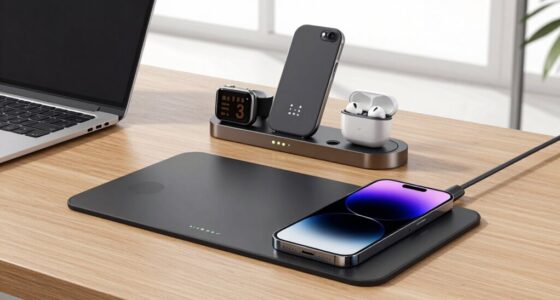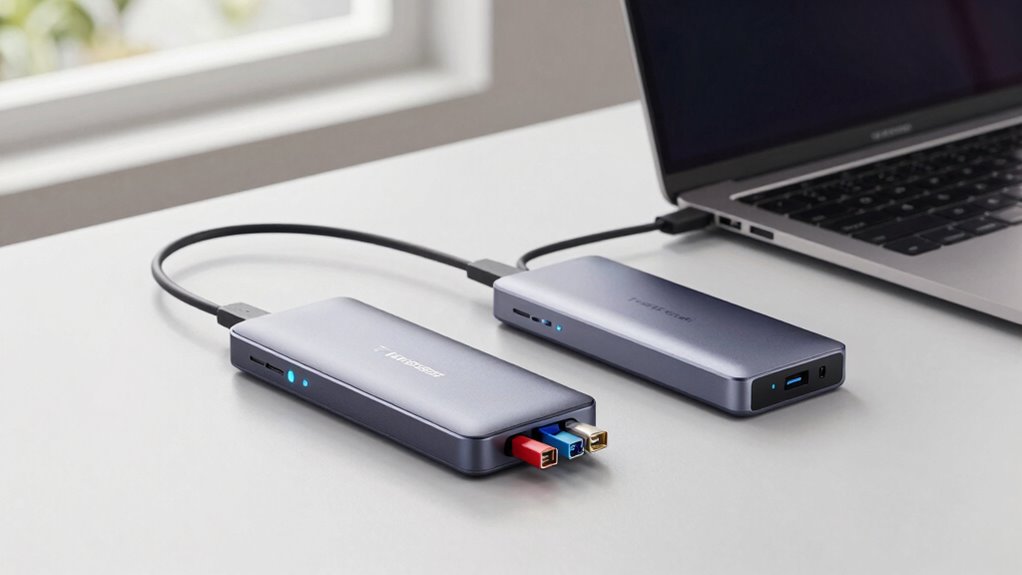

If you want a simple, clutter-free desk, USB-C hubs are a practical choice—they’re affordable, portable, and handle basic connectivity like USB-A, HDMI, and SD card readers. However, if you need high-speed data transfer, multiple 4K displays, and power delivery to charge your laptop, a Thunderbolt dock is a better long-term solution. To discover which option suits your needs best, keep exploring the differences and features.

Get your wardrobe favorites delivered free with Prime
- Fast, free delivery on millions of items
- Prime Video, Amazon Music and more included
- Member-only deals all year
Key Takeaways
- Thunderbolt docks offer more ports, higher data transfer speeds, and better support for multiple high-resolution displays, reducing desk clutter.
- USB-C hubs are simpler, more affordable, and portable, suitable for basic connectivity needs with less desk space.
- Thunderbolt docks provide higher power delivery (85W+), enabling charging of laptops and power-hungry devices directly from the dock.
- USB-C hubs typically deliver up to 60W, sufficient for light workloads but may require separate charging solutions.
- Choose Thunderbolt for advanced performance and future-proofing; opt for USB-C hubs for cost-effective, minimal setups.

Choosing the right docking solution can considerably simplify your workspace, but with so many options, it’s easy to get overwhelmed. When deciding between Thunderbolt docks and USB-C hubs, you need to take into account how each enhances your daily workflow. First, think about port compatibility. Thunderbolt docks are known for their high-speed data transfer and broad compatibility with a variety of peripherals, including multiple 4K monitors, external GPUs, and fast storage devices. If your work involves heavy data tasks or multiple high-resolution screens, a Thunderbolt dock guarantees you won’t run out of ports or face slow transfer speeds. On the other hand, USB-C hubs typically offer a more basic array of ports—USB-A, HDMI, SD card readers, and Ethernet—making them suitable for everyday use but less capable of handling demanding setups.
Thunderbolt docks excel with high-speed data transfer and broad peripheral compatibility for demanding setups.
Power delivery is another important factor. Thunderbolt docks often provide higher wattage output, which means you can charge your laptop while connected, eliminating the need for a separate charger. This is especially valuable if you work on the go and want to keep your workspace clutter-free. Many Thunderbolt docks support power delivery of 85W or more, enough to keep most laptops charged during intensive tasks. USB-C hubs usually deliver less power, often around 60W, which might be sufficient for lighter workloads but could fall short if you have a power-hungry device or need to charge quickly. If seamless, all-in-one connectivity and charging are priorities, a Thunderbolt dock offers a significant advantage. Additionally, understanding the technology standards behind these devices can help you make a more informed decision for future-proofing your setup. Considering compatibility standards is crucial as well, since they influence how well your devices will perform together over time. Moreover, compatibility with peripherals can vary significantly, so it’s essential to ensure your specific devices will work optimally with your chosen dock. Investing in a device with future-proof features can save you from needing an upgrade in the near future. Furthermore, understanding the industry trends can help you anticipate how these devices will evolve and support your long-term needs.
You should also ponder your future needs. Thunderbolt docks tend to be more future-proof, supporting faster data transfer standards and higher resolution displays, making them a better investment if you plan to upgrade your equipment down the line. USB-C hubs, while more affordable and portable, may not keep pace with evolving technology standards or support the same level of performance, especially for power delivery and high-bandwidth peripherals.
Ultimately, your choice depends on your specific setup and how much you rely on high-speed data, multiple displays, and fast charging. If you need maximum performance, port compatibility, and power delivery, a Thunderbolt dock is the way to go. If your needs are simpler or budget is a concern, a USB-C hub can still provide a tidy, functional solution. Either way, selecting the right docking device helps streamline your workspace, reducing clutter and boosting productivity.
Popular right now

iRobot Roomba Max 715 Pet Robot Vacuum with AutoEmpty Dock

Breville Bambino Espresso Machine, Brushed Stainless Steel

Roborock Robot Vacuum and Mop with LiDAR Navigation and 10,000 Pa Suction
As an affiliate, we earn on qualifying purchases.
Frequently Asked Questions
Can I Use a Thunderbolt Dock With Non-Thunderbolt Laptops?
You can generally use a Thunderbolt dock with non-Thunderbolt laptops, but compatibility concerns arise, especially with features like data transfer speeds and Power Delivery. Many Thunderbolt docks are backward compatible via USB-C, but they might not deliver full capabilities. Check your laptop’s specs to verify it supports Thunderbolt or at least USB-C with Power Delivery. Without proper support, you might miss out on ideal performance or charging features.
Are USB-C Hubs Compatible With All Operating Systems?
USB-C hubs are generally compatible with most operating systems like Windows, macOS, and Linux, making wireless connectivity and data transfer speeds more seamless across devices. However, some features, especially advanced ones like high-speed data transfer or external display support, may require specific drivers or OS updates. Always check the hub’s specifications to confirm it meets your needs, and verify compatibility with your OS for maximum performance.
Do Thunderbolt Docks Require Specific Power Adapters?
Thunderbolt docks are like high-maintenance pets—they do require specific power adapters to function properly. You need to match the dock’s power requirements to avoid compatibility issues, ensuring it gets enough power without overload. Many docks come with their own power adapters, but always double-check the specifications. Using the wrong adapter can lead to performance problems or damage, so it’s important to follow the manufacturer’s recommendations carefully.
Can I Connect Multiple Monitors via a Single USB-C Hub?
Yes, you can connect multiple monitors via a single USB-C hub, but be aware of USB-C limitations. Many hubs support dual or even triple monitor setups, yet they might struggle with higher resolutions or refresh rates. Your device’s graphics capabilities and the hub’s bandwidth are essential. For seamless multiple monitor setups, especially with high performance needs, a Thunderbolt dock often offers better support and fewer limitations than standard USB-C hubs.
What Is the Durability Difference Between Thunderbolt Docks and USB-C Hubs?
Thunderbolt docks generally have better durability than USB-C hubs because they feature more robust port designs and higher quality components. You’ll find that cable compatibility is also more reliable, reducing wear and tear over time. With a Thunderbolt dock, the ports tend to withstand frequent plugging and unplugging better, making them a smarter choice if you want long-term durability and consistent performance for your desk setup.
Conclusion
Ultimately, choosing between a Thunderbolt dock and a USB-C hub depends on your needs. Do you want sleek, high-speed connectivity that keeps your desk tidy and future-proof? Or are you fine with a more affordable, versatile option that handles your everyday devices? Imagine your workspace—would you rather have a streamlined setup with blazing-fast data transfer or a flexible hub that adapts to your evolving tech needs? The choice is yours to make.