
You need NAS storage in your home office when you handle large files regularly or want to keep your data secure and organized. If you work across multiple devices and need instant access to the latest versions of your files, a NAS makes collaboration easier. It also offers local control over security, reducing reliance on third-party cloud services. To discover more about how NAS can transform your workspace, keep exploring the benefits it offers for your needs.

Get your wardrobe favorites delivered free with Prime
- Fast, free delivery on millions of items
- Prime Video, Amazon Music and more included
- Member-only deals all year
Key Takeaways
- When multiple devices need shared access to files, ensuring centralized storage and easy collaboration.
- If data security and control are priorities, avoiding reliance solely on external cloud services.
- For backing up important files automatically and maintaining data redundancy locally and offsite.
- When handling large files or multimedia content that require high storage capacity.
- To extend hardware lifespan and simplify system maintenance through lifecycle management features.
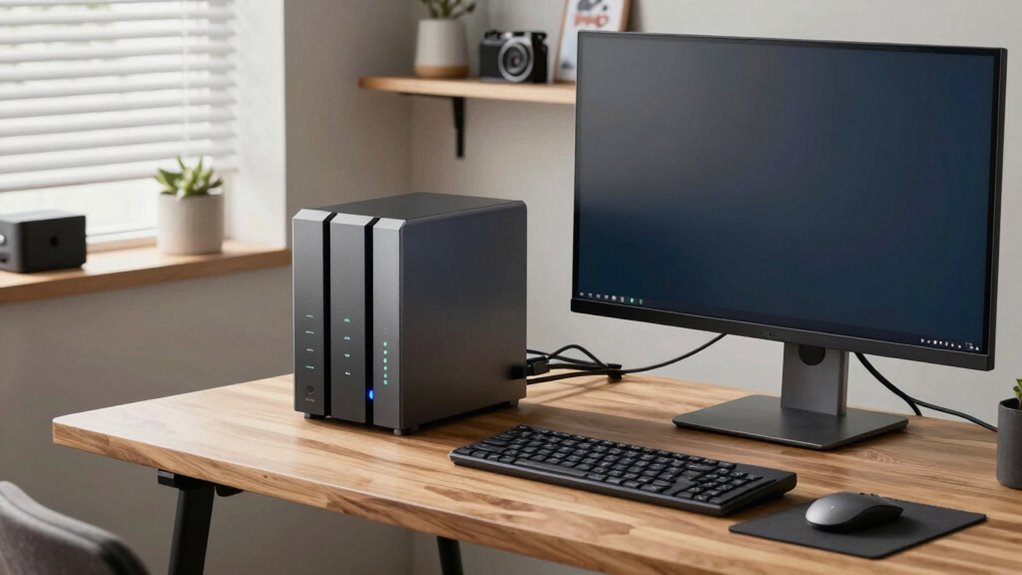
Are you looking for a reliable way to store and access your files at home? If so, a home office NAS (Network Attached Storage) device might be just what you need. Unlike external hard drives or cloud-only solutions, NAS provides a centralized storage system that you and your family or coworkers can access from multiple devices. It’s especially useful if you handle large files regularly or want to keep everything organized in one place. One of the key advantages of having a NAS is that it enhances your data security because it offers local control over your files. You don’t need to rely solely on third-party cloud services, which can sometimes be vulnerable to breaches or outages. With a NAS, you can implement your own security measures, like encrypted drives and user access controls, giving you peace of mind that your sensitive information stays protected. Additionally, NAS devices often include lifecycle management features that help prolong the lifespan of your storage hardware. This not only ensures your data remains safe but also maximizes the longevity of your investment. Incorporating local control over your data also allows for tailored security protocols aligned with your specific needs. Moreover, many NAS units support automated updates, which help keep the system secure against emerging threats. Regular firmware updates are crucial for maintaining the integrity of your data and device security.
Another reason a home office might genuinely need NAS storage is for efficient data management and collaboration. If you work with others or share files with family members, having a dedicated device allows everyone to access the latest versions instantly. It simplifies workflows, especially when dealing with multimedia files, business documents, or backups of important data. Plus, many NAS units come with built-in features for automatic cloud backup, meaning your data is duplicated securely offsite, further safeguarding against hardware failures or theft. This hybrid approach combines the benefits of local storage and cloud backup, ensuring your files are always available and protected. Investing in a NAS also supports remote access, allowing you to manage your files from anywhere with an internet connection. This flexibility is particularly valuable for remote work or accessing files while traveling. Additionally, choosing a NAS with redundant storage options can provide an extra layer of protection against drive failures, ensuring your data remains accessible and safe.
Popular right now

Philips 2200 Series Fully Automatic Espresso Machine with Classic Milk Frother

Bose QuietComfort Wireless Earbuds with Active Noise Cancellation, Dewdrop Mint

Bose QuietComfort Wireless Noise-Cancelling Headphones, Petal Pink
As an affiliate, we earn on qualifying purchases.
Frequently Asked Questions
How Secure Is NAS Storage Against Cyber Threats?
NAS storage can be quite secure if you implement proper encryption protocols and access controls. You should enable encryption to protect your data from unauthorized access, especially during transmission and storage. Additionally, set up strong access controls with unique passwords and user permissions to restrict who can view or modify your files. Regular updates and monitoring also help safeguard your NAS from cyber threats, keeping your home office data safe.
Can NAS Handle Professional Video Editing Workflows?
Yes, NAS can handle professional video editing workflows, especially if it supports remote collaboration and has strong hardware compatibility. It allows you to access large video files quickly from multiple devices, streamlining your editing process. Make sure the NAS offers fast data transfer rates, ample storage, and compatibility with editing software. This setup helps you work efficiently, collaborate remotely, and manage high-resolution video projects smoothly.
What Is the Average Lifespan of a NAS Device?
On average, a NAS device lasts about 3 to 5 years, but this can vary depending on usage and maintenance. In your home office, investing in a reliable NAS guarantees data redundancy and protects your files longer. Regular updates and proper cooling can extend its lifespan. If you notice slow performance or frequent crashes, it might be time to upgrade, safeguarding your valuable data well beyond the average.
Is It Possible to Expand NAS Storage Easily Later?
Yes, expanding NAS storage later is usually straightforward thanks to its expandability options. Many devices offer hardware upgradeability, allowing you to add more drives or replace existing ones with larger capacity drives. Check your NAS model’s specifications for compatible expansion units or drive bays. This flexibility helps you adapt your storage needs over time without replacing the entire system, making it a practical long-term solution for your home office.
How Does NAS Compare to Cloud Storage for Backups?
NAS offers more control and cost-effectiveness for backups compared to cloud storage. You can easily access your files remotely, ensuring your data is safe and available from anywhere. Unlike cloud services, NAS eliminates ongoing subscription fees, making it a more economical choice over time. Plus, with local backups, you reduce dependency on internet speed and service stability, giving you quicker, more reliable remote access and peace of mind.
Conclusion
Think of your home office NAS as the backbone of your digital world—like a reliable highway that keeps your data moving smoothly. When I set up mine, I felt like I’d finally built a secure, efficient conduit for my files, just like a well-paved road keeps traffic flowing. Investing in NAS means you’re not just storing files; you’re creating a resilient, organized system that keeps your work running seamlessly, no matter what surprises come your way.