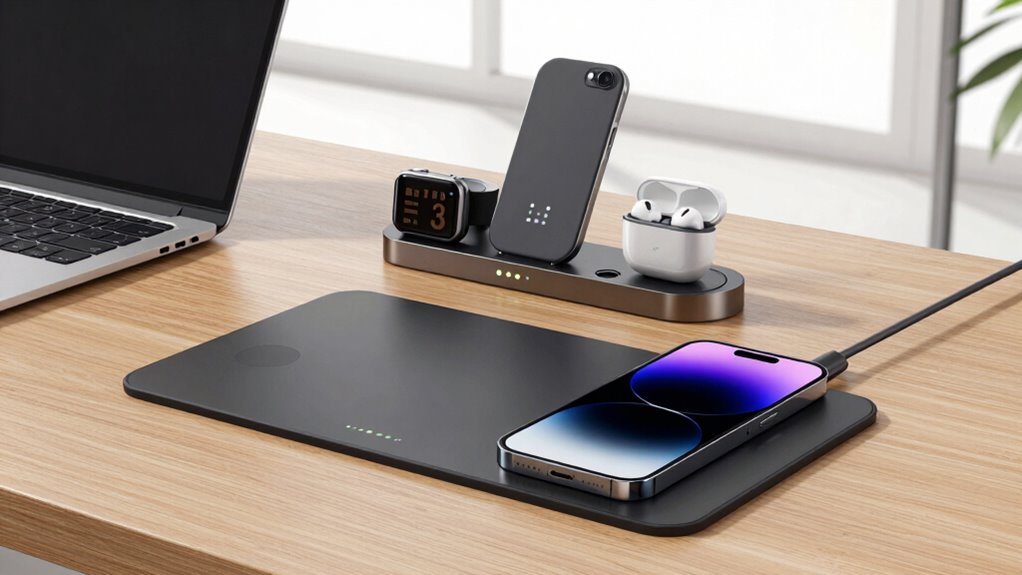

If you want a sleek, minimalist look and need quick device access, wireless chargers are a great choice—they support fast charging and are easy to use. However, if your setup includes multiple gadgets, a charging station offers better organization and support for several devices at once. Both options help reduce cable clutter, but choosing the right one depends on your workspace style and device collection. Keep exploring to discover which fits your needs best.

Get your wardrobe favorites delivered free with Prime
- Fast, free delivery on millions of items
- Prime Video, Amazon Music and more included
- Member-only deals all year
Key Takeaways
- Charging stations support multiple devices simultaneously, ideal for multi-gadget setups; wireless chargers typically charge one device at a time.
- Wireless chargers offer sleek, minimalist designs that seamlessly blend into modern workspaces, while stations may be bulkier but customizable.
- Charging stations provide better heat management and power distribution, helping preserve battery health for multiple devices.
- Wireless chargers are simpler to use with drop-and-charge functionality, enhancing convenience for quick device access.
- Future-proof compatibility and modular configurations in charging stations support evolving device needs and workspace longevity.
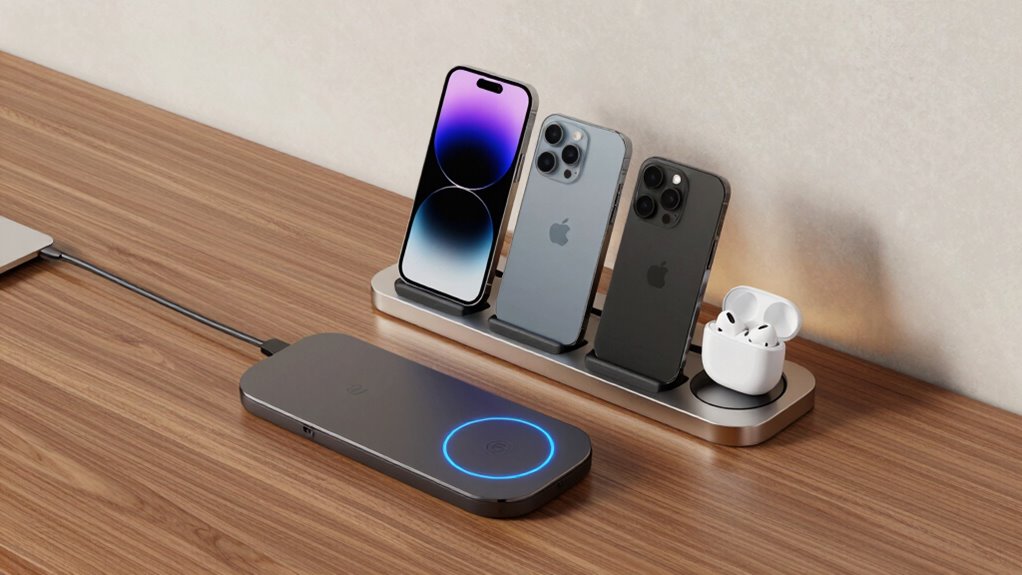
When setting up a multi-device desk, choosing the right charging solution can considerably impact your workspace’s efficiency and convenience. Whether you opt for wireless chargers or a dedicated charging station, understanding how each affects your devices and overall aesthetic is key. Wireless chargers are sleek, often designed to seamlessly blend into your workspace, giving you a clean and modern look. They typically feature a flat pad or stand where you place your device, making it easy to grab and go. This aesthetic integration not only keeps your desk uncluttered but also elevates the style of your setup. Plus, many wireless chargers support fast charging, ensuring your devices power up quickly, which can be especially handy during busy days.
Wireless chargers offer sleek, seamless integration and quick, modern device charging for a tidy workspace.
However, when considering battery longevity, wireless chargers have both pros and cons. The convenience of dropping your device onto a pad might lead to more frequent charging, but it also means your device gets a consistent charge cycle. That said, some wireless chargers can cause heat buildup during charging, which may impact your device’s battery health over time. If you’re concerned about maximizing battery longevity, it’s worth choosing a high-quality charger with built-in temperature regulation. On the other hand, a dedicated charging station offers multiple ports or wireless pads, often designed with better heat dissipation and power management. These stations can support several devices simultaneously without overheating, which helps preserve battery health over the long run. Additionally, proper heat management is crucial for maintaining device longevity when using multi-device setups. Incorporating advanced cooling technology can further enhance the safety and efficiency of your charging setup.
Charging stations tend to be bulkier but more functional, especially if you need to keep several devices powered throughout the day. They often come with adjustable or modular designs, allowing you to customize your setup and keep everything organized. This flexibility can improve your workflow by reducing the need to hunt for cables or switch chargers. While they may not always match the sleek aesthetic of a wireless pad, many modern stations are designed with minimalist appeal, blending well into professional or home offices. Additionally, the power capacity of charging stations can be a significant advantage for busy users with multiple gadgets. Considering device compatibility is also important to ensure all your devices can be efficiently charged from a single station, preventing the need for multiple chargers. Ensuring your chosen setup supports future device upgrades can help maintain a versatile and long-lasting workspace.
wireless charging pad for smartphones
As an affiliate, we earn on qualifying purchases.
As an affiliate, we earn on qualifying purchases.
Frequently Asked Questions
Can Wireless Chargers Charge Multiple Devices Simultaneously?
Yes, wireless chargers can charge multiple devices simultaneously, but it depends on the charger’s design. Multi-device charging is possible with certain models that have multiple charging pads or zones. However, wireless charging limits mean each device must be within the required distance and wattage capacity. Keep in mind, charging efficiency may decrease when multiple devices are connected, so choose a station or charger designed specifically for multi-device use for maximum performance.
Are Charging Stations Compatible With All Device Brands?
Charging stations generally support multiple device compatibility, but brand restrictions can vary. You need to check if your devices are compatible with the station’s charging standards, like Qi wireless charging. Some stations might work with popular brands, but others may have limitations. To avoid issues, look for a station that explicitly states it supports a wide range of device brands and guarantees device compatibility before purchasing.
What Safety Features Should I Look for in Charging Devices?
You should look for safety features like overheating protection, which prevents your devices from damage during prolonged charging, and power surge protection, shielding your gadgets from unexpected voltage spikes. Imagine a charging device that automatically shuts off if it gets too hot or detects a surge—giving you peace of mind. These features are essential to avoid overheating risks and guarantee your multi-device setup remains safe and reliable.
Do Wireless Chargers Affect Device Battery Lifespan?
Wireless chargers can affect your device’s battery lifespan if they cause frequent or high heat, leading to battery degradation over time. However, modern chargers with good charging efficiency minimize heat and guarantee safer, slower charging, which helps preserve your battery. To protect your device, choose high-quality chargers with built-in safety features, and avoid leaving your device on the charger continuously once fully charged.
How Do Charging Stations Impact Desk Organization and Aesthetics?
A cluttered desk can quickly become chaos, but a charging station transforms that chaos into visual harmony. By consolidating multiple devices, it dramatically reduces cable clutter, making your workspace cleaner and more organized. This sleek setup not only enhances aesthetics but also streamlines your workflow. With everything in one place, you’ll feel less distracted, more focused, and proud of your tidy, efficient workspace.
As an affiliate, we earn on qualifying purchases.
Conclusion
Choosing between wireless chargers and charging stations depends on your needs, but either way, you’re upgrading your desk to a powerhouse of productivity. Wireless chargers offer sleek convenience, while charging stations keep all your devices in one epic hub—like a command center for your tech. Whichever you pick, you’ll transform your workspace into an unstoppable force of efficiency. Say goodbye to clutter and hello to a new level of organization—your desk deserves nothing less than legendary!
fast wireless charger for iPhone and Android
As an affiliate, we earn on qualifying purchases.
As an affiliate, we earn on qualifying purchases.
modular charging station for desk
As an affiliate, we earn on qualifying purchases.
As an affiliate, we earn on qualifying purchases.
Halloween Picks
halloween
As an affiliate, we earn on qualifying purchases.