

If your cloud storage is filling up unexpectedly, files are hard to find, or you notice many duplicates and outdated versions, you might be a digital hoarder. Cluttered folders that no longer serve a purpose can cause frustration and slow down your device. This digital chaos can reduce productivity and threaten your security. Keep going to discover practical tips that can help you reclaim your digital space and stay organized.

Get your wardrobe favorites delivered free with Prime
- Fast, free delivery on millions of items
- Prime Video, Amazon Music and more included
- Member-only deals all year
Key Takeaways
- Cloud storage unexpectedly fills up, indicating excessive or unnecessary files accumulated over time.
- Difficulty finding important files due to disorganized folders and duplicate or outdated versions.
- Presence of cluttered folders and unneeded files suggests poor digital organization habits.
- Slower device performance and reduced productivity often result from excessive digital clutter.
- Regularly auditing and deleting duplicates, creating organized folders, and scheduling cleanup sessions help restore order.
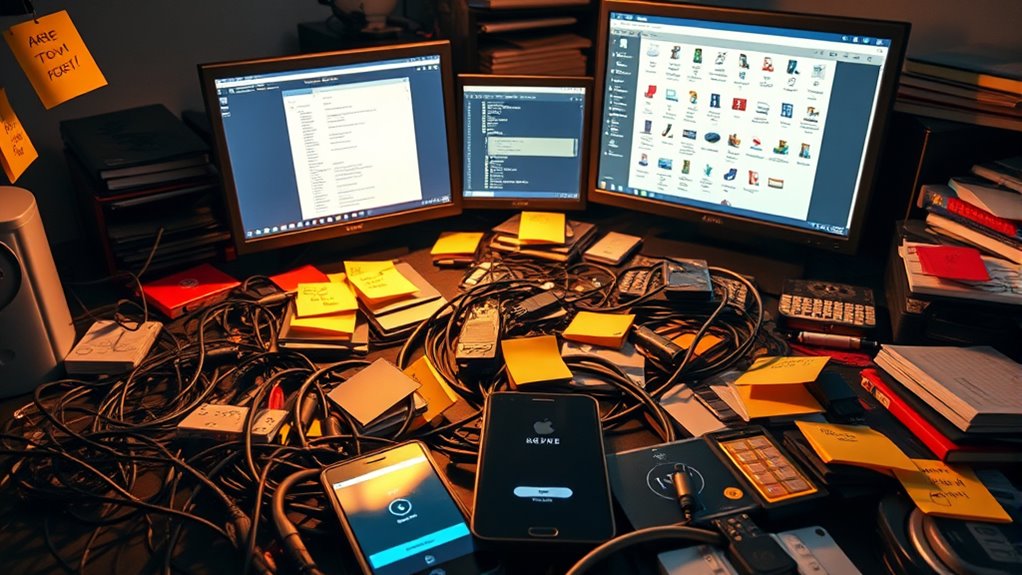
In today’s digital age, it’s easy to accumulate countless files, emails, and apps without realizing how cluttered your online space has become. You might think that saving everything is harmless, but over time, this habit can turn into a digital hoarding problem. The first sign is often when your cloud storage starts to fill up unexpectedly, and you struggle to find important files amid the chaos. Cloud storage was meant to make life easier, providing a centralized place for your documents, photos, and work projects. But if you’re not practicing proper file organization, it quickly becomes a digital landfill. You may notice duplicate files, outdated versions, or folders that no longer serve a purpose. When your digital space is disorganized, it’s harder to locate what you need, leading to frustration and wasted time.
You might also find yourself hesitating to delete anything, fearing you might need it someday. This leads to an ever-growing mountain of data, much of which is rarely accessed or outdated. Over time, this clutter can slow down your devices, affect your productivity, and even compromise your security. Cluttered files make it difficult to back up your data efficiently, increasing the risk of losing important information in case of a system failure. It’s a clear sign that you need to evaluate your digital habits and start implementing better file organization strategies. Proper file management can significantly enhance your digital experience and reduce stress.
Taking control begins with a quick audit of your files and emails. Delete duplicates, outdated drafts, and files that no longer serve a purpose. Create a logical naming system for your folders and files, making it easier to locate things later. Use cloud storage effectively by setting up folders for different categories—work, personal, photos—and stick to a routine that keeps your digital space tidy. Regularly scheduled cleanup sessions can prevent clutter from building up again. Consider using tools or apps designed to identify duplicate files or large, unnecessary data. These can save you time and effort in sorting through your digital clutter.
As an affiliate, we earn on qualifying purchases.
Frequently Asked Questions
How Do I Prevent Digital Clutter From Accumulating Again?
To prevent digital clutter from piling up again, regularly organize your files using clear file naming conventions and delete duplicates. Use cloud storage to keep essential files accessible yet tidy, avoiding local overload. Set aside time each week to review and clean your folders, ensuring only necessary documents remain. This habit helps you maintain a clutter-free digital space while making it easier to find what you need quickly.
What Tools Can Help Automate File Organization?
Imagine you’re constantly overwhelmed by files, but tools like Hazel automate sorting based on rules, making file management seamless. You can set up automatic sorting for downloads, images, or documents, reducing clutter. Cloud management platforms like Google Drive or Dropbox also sync and organize files automatically. These tools save you time, keep your digital space tidy, and prevent clutter from piling up again, making your digital life more efficient.
How Often Should I Review and Delete Unnecessary Files?
You should review and delete unnecessary files at least once a month to maintain a tidy digital space. Establish a regular file review routine within your digital decluttering schedule, so clutter doesn’t pile up. During these sessions, sort through your files, remove duplicates, and organize important documents. Consistent reviews help you stay on top of your digital clutter, making it easier to find what you need and freeing up storage.
Can Digital Hoarding Impact My Device’s Performance?
Digital hoarding can considerably impact your device’s performance, with studies showing cluttered storage slowing down processing speeds by up to 50%. When you don’t practice storage optimization, excessive files lead to file fragmentation, making your device work harder. This slows everything down and reduces efficiency. Regularly cleaning and organizing files prevents this, keeps your device running smoothly, and preserves its lifespan. Don’t let clutter compromise your device’s performance—stay organized!
Is There a Psychological Aspect to Digital Hoarding?
Yes, there’s a psychological aspect to digital hoarding. You might keep files due to mental clutter or emotional attachment, making it hard to delete digital items, even if they’re unnecessary. This behavior can stem from fear of losing important information or nostalgia. Recognizing these feelings helps you understand why you hold onto digital clutter, and tackling emotional attachments can make cleaning up your files easier and more effective.
As an affiliate, we earn on qualifying purchases.
Conclusion
If your digital space feels like an overflowing closet, it’s time to clear out the clutter. Think of your files as seeds—when carefully curated, they can grow into something meaningful; when neglected, they just take up space. By decluttering, you’re planting a garden of clarity and calm. Take control now, and let your digital life blossom with purpose. A tidy digital world isn’t just organized—it’s a reflection of a peaceful mind.
As an affiliate, we earn on qualifying purchases.
As an affiliate, we earn on qualifying purchases.
Fall Picks
fall essentials
As an affiliate, we earn on qualifying purchases.