
Switching to monochrome icons and themes can instantly give your phone a sleek, minimalist look that helps cut down visual clutter and distractions. By simplifying visuals with shades of a single color or grayscale, you create a cohesive, modern interface that’s easier to focus on what’s important. This streamlined style reduces cognitive load and makes navigation more effortless, all while offering customization options. Stay with us to discover how adopting this clean aesthetic can transform your device’s entire experience.
Key Takeaways
- Monochrome icons and themes create a minimalist, cohesive look that reduces visual clutter and distraction on your device.
- Simplified monochrome designs promote visual consistency, helping you focus on content rather than busy interface elements.
- Customizable shades of gray or single-color schemes allow you to set a calming, distraction-free environment.
- Adopting monochrome themes enhances modern aesthetics and streamlines navigation for a cleaner user experience.
- Reducing colorful and complex visuals lowers cognitive load, making device interaction more efficient and less overwhelming.
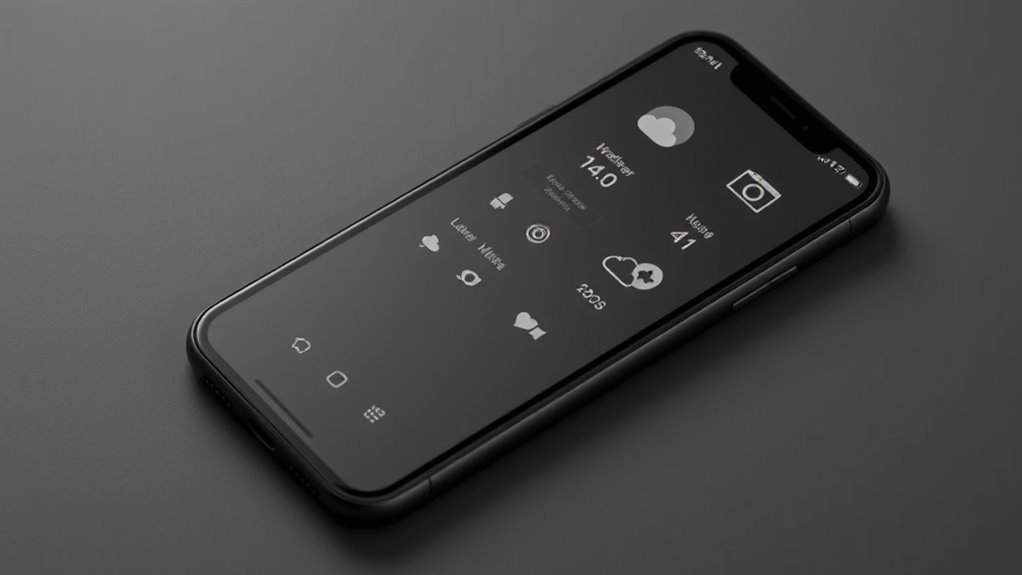
Have you ever noticed how monochrome icons and themes can instantly transform the look of your device or app? Switching to a monochrome palette isn’t just about aesthetics; it’s a way to streamline your interface and make your device feel more cohesive. When you opt for monochrome icons, you’re engaging in icon customization that emphasizes simplicity over complexity, helping you focus on what truly matters without the distraction of colorful clutter. This uniformity guarantees your icons don’t stand out unevenly, creating a harmonious visual flow across your home screen or app interface.
Switching to monochrome icons creates a cohesive, minimalist look that simplifies your device’s interface and enhances focus.
By choosing monochrome themes, you’re promoting visual consistency, which plays a vital role in reducing visual noise. When all icons and interface elements share the same color scheme, your eyes aren’t constantly darting around trying to differentiate between bright, contrasting visuals. Instead, your attention can be directed toward the content or tasks at hand, making your interaction with your device more efficient. This consistency isn’t just about aesthetics; it’s a functional choice that can decrease cognitive load, making your device easier to navigate and less overwhelming.
Implementing monochrome icons allows you to tailor your device’s appearance to your preferences while maintaining a clean, unified look. Many customization options are available that let you choose different shades of a single color or even grayscale themes, giving you control over the mood and tone of your interface. You can opt for subtle greys to keep things understated or bold blacks and whites for a striking, minimalist aesthetic. The key is that this form of icon customization helps eliminate unnecessary visual distractions, leading to a more calming and focused user experience.
Furthermore, monochrome themes can help your device appear more modern and sophisticated. They’re especially helpful if you want a clutter-free workspace that minimizes interruptions from overly vibrant or animated icons. As you adopt these themes, you’ll notice your device looks more unified, which can also make app switching smoother because the visual cues are more consistent. The overall effect is a cleaner, more organized interface that’s easier on your eyes and mind. Using visual harmony in your device customization further enhances this effect by creating a seamless visual flow.
monochrome icon packs for Android
As an affiliate, we earn on qualifying purchases.
As an affiliate, we earn on qualifying purchases.
Frequently Asked Questions
Do Monochrome Icons Work With All Smartphone Models?
Monochrome icons generally work with most smartphone models, but icon consistency and color contrast can vary. You might need to adjust your theme or icon pack to match your device’s settings. Some phones allow for easy customization, guaranteeing a uniform look. However, older models or certain operating systems may have limitations. Check your device’s customization options to ensure monochrome icons will display correctly and maintain visual harmony.
Can I Customize Monochrome Themes Easily?
A picture is worth a thousand words, so yes, you can customize monochrome themes easily. Most smartphones allow color customization during theme installation, letting you pick shades that suit your style. With simple steps, you can change icons and backgrounds to achieve a sleek, distraction-free look. Just follow your device’s theme settings, and you’ll have a minimalist phone that’s both functional and visually calming in no time.
Will Switching to Monochrome Icons Affect App Functionality?
Switching to monochrome icons won’t affect app functionality, but you might notice some app color mismatch that affects icon visibility. The apps will still work normally, but their icons will look uniform, making it easier to focus. Keep in mind, some icons may blend into your background if their shapes aren’t distinctive enough. Overall, it’s a simple change that can reduce distraction without impacting how your apps perform.
Are Monochrome Themes Compatible With Third-Party Apps?
Yes, monochrome themes are generally compatible with third-party apps, but app icon consistency might vary. Some apps may not fully support monochrome app design, leading to mismatched icons or inconsistent appearances. However, most modern apps adapt well, creating a more streamlined and distraction-free interface. If you notice issues, you can often manually customize icons or choose specific themes to enhance app icon consistency across your device.
How Do Monochrome Icons Impact Device Battery Life?
They say “less is more,” and monochrome icons can boost your device’s battery efficiency by reducing power consumption. Since these icons use fewer colors, especially on OLED screens, they require less energy to display. This means your phone conserves battery life, making it last longer throughout the day. So, switching to monochrome icons not only simplifies your look but also helps you keep your device charged longer.
minimalist phone themes grayscale
As an affiliate, we earn on qualifying purchases.
As an affiliate, we earn on qualifying purchases.
Conclusion
Think of your phone as a garden. Monochrome icons and themes are like pruning away colorful blooms and distractions, leaving only the essential plants. This simpler landscape helps your focus grow and prevents chaos from overwhelming your space. By removing unnecessary colors, you’re cultivating clarity and calm. Embrace this minimalist approach, and watch your digital garden flourish—less clutter, more peace. Sometimes, stripping things back lets the beauty of simplicity truly shine.
customizable monochrome app icons
As an affiliate, we earn on qualifying purchases.
As an affiliate, we earn on qualifying purchases.
sleek monochrome launcher themes
As an affiliate, we earn on qualifying purchases.
As an affiliate, we earn on qualifying purchases.