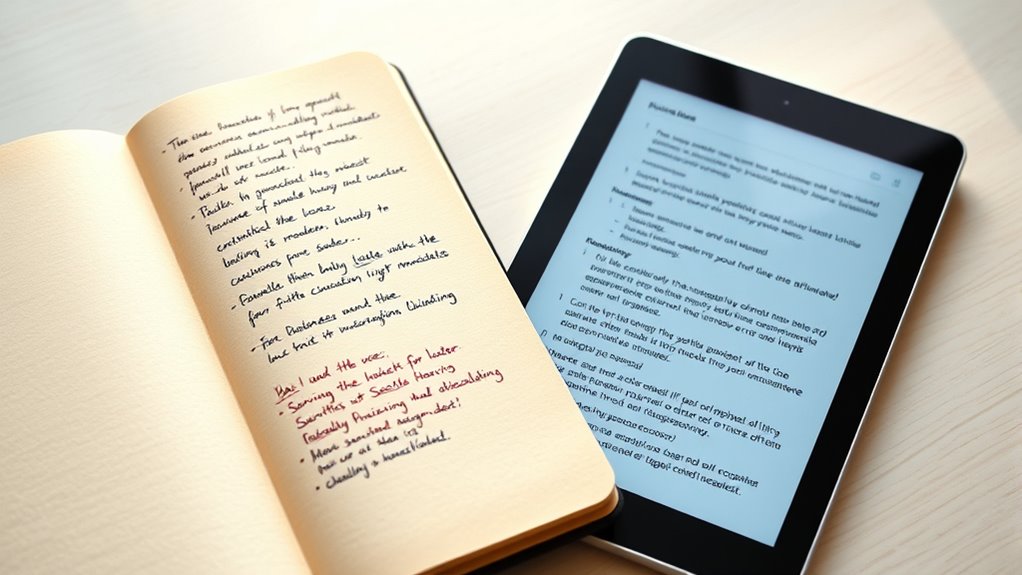

Choosing between a paper notebook and a tablet depends on your habits and priorities. If you love tactile feedback, quick jotting, and sketching, a paper notebook suits you best. But if you prefer searchability, organization, and digital backup, a tablet can boost your productivity. Consider what helps you absorb information and stay organized. Keep your preferences in mind, and you’ll find the best fit. To explore more options, continue exploring the details ahead.
Key Takeaways
- Choose paper for tactile feedback, quick sketches, and memory reinforcement; opt for tablets for digital organization and multimedia notes.
- Consider personal habits: handwritten notes enhance retention, while typing allows fast, searchable note-taking.
- Tablets offer cloud backup, easy editing, and cross-device access; paper notebooks provide a distraction-free, tangible experience.
- Handwriting on paper is ideal for quick ideas and sketches; digital methods excel in detailed organization and multimedia inclusion.
- Your decision depends on whether tactile feel and manual organization or digital convenience and searchability are your priorities.

Have you ever wondered which note-taking app truly stands out from the rest? When it comes to choosing between a paper notebook and a tablet, your decision hinges on how you prefer to handle digital organization and your handwriting habits. If you’re someone who enjoys the tactile feel of pen on paper, a traditional notebook might seem more appealing. But if you’re tech-savvy and want instant access to your notes across devices, a tablet can be a game-changer. Your handwriting habits play a significant role here—some find that writing by hand helps them remember information better, while others appreciate the efficiency of typing.
Digital organization is a key advantage of tablets. With digital notes, you can easily search through pages, categorize entries, and sync everything across your devices. No more flipping through pages or losing important notes in a cluttered bag. Apps like OneNote, Evernote, or Notability let you create folders, add tags, and even embed images or audio clips, making your notes thorough and accessible. This seamless organization boosts productivity and ensures your notes are always within reach, whether you’re at home or on the go. On the other hand, paper notebooks require manual organization—highlighting, tabbing, or flipping through pages to find what you need. While this might seem less efficient, some people find that physically writing and flipping through pages helps reinforce their memory and understanding. Additionally, digital note-taking benefits are increasingly recognized, making tablets a popular choice for students and professionals alike.
Your handwriting habits also influence which option works best for you. If you naturally write quickly and comfortably by hand, a paper notebook could be more satisfying. It offers a flow that digital devices sometimes can’t match, especially if you prefer cursive or sketching. However, if your handwriting is inconsistent or you find it hard to read your own notes later, a tablet with handwriting recognition might be better. Many stylus-enabled tablets allow you to write naturally, then convert your handwriting into typed text. This way, you get the benefit of handwriting’s cognitive advantages while maintaining the clarity and editability of digital notes.
Ultimately, your choice depends on how you like to process information. Do you crave the tactile experience and simplicity of paper, or do you prefer the versatility and organization features of a tablet? Consider your habits—if you tend to jot down quick ideas, a paper notebook might be more convenient. But if you want your notes to be searchable, easily editable, and backed up in the cloud, a tablet could be the smarter option. Recognizing your habits and needs helps you pick the method that truly works best for you, ensuring your note-taking process supports your productivity and learning style.

HUION Note 2-in-1 Digital Notebook Drawing Tablet With Battery-free Pen, Bluetooth Wireless Paper Tablet Electronic Writing Pad for Note-taking, Digital Art & Meeting, Refillable A5 Notepad, 9.5x7inch
Creative Paper Tool: Huion Note is an app-based paper product that consists of a digital pen, regular A5…
As an affiliate, we earn on qualifying purchases.
As an affiliate, we earn on qualifying purchases.
Frequently Asked Questions
Which Option Is More Environmentally Friendly?
You’ll find that paper notebooks are more environmentally friendly if you focus on paper recycling, as they can be reused and recycled multiple times. However, tablets tend to have lower long-term environmental impact because of digital energy consumption, especially if you use them extensively without constantly replacing devices. Overall, choosing eco-friendly options like recycled paper or energy-efficient devices helps minimize your environmental footprint regardless of your note-taking method.
How Secure Are Digital Notes From Hacking?
They say, “Better safe than sorry,” and that holds true for your digital notes. While digital notes are generally secure, cybersecurity risks exist, especially if you don’t use strong passwords or keep software updated. Encryption methods protect your data, making hacking harder. To stay safe, enable two-factor authentication, use secure Wi-Fi, and back up your notes regularly. Stay vigilant—your digital notes can be quite secure if you take the right precautions.
Can Tablets Replace Handwritten Art and Sketches?
Yes, tablets can replace handwritten art and sketches. With advanced digital art and sketching tools, you can create detailed, vibrant digital art that rivals traditional methods. Tablets offer versatility, allowing you to experiment with different brushes, layers, and effects easily. Plus, you can instantly edit or share your work without needing physical supplies. However, if you prefer the tactile feel of paper, a tablet might still be a digital alternative rather than a complete replacement.
What Is the Cost Difference Over Time?
Think of your notes as a garden—cost analysis is the watering schedule. Over time, a paper notebook may seem cheaper initially, but expenses add up with frequent replacements. Tablets require an upfront investment and occasional upgrades, yet their expense comparison often favors long-term savings due to digital storage and reusable pages. You’ll find that, financially, tablets can be more economical in the long run, especially with regular use.
How Do Note-Taking Methods Impact Memory Retention?
Your note-taking method impacts memory retention considerably. Handwriting speed with a paper notebook encourages slower, more deliberate notes, which boosts understanding and recall. Digital organization with tablets allows quick jotting, but may reduce retention due to less engagement. You retain information better when you combine slow, thoughtful handwriting with organized digital notes, making it easier to review and remember key concepts later.

ChaoQ Stylus Pen for Touchscreen, 3pcs High Sensitivity and Precision Stylus Pen for iPad iPhone Android and All Touch Screens (Black/Silver/Blue)
Stylus Pen for Touchscreen: No Bluetooth or charging needed—use instantly on any capacitive touch screen (iPad, iPhone, Android,…
As an affiliate, we earn on qualifying purchases.
As an affiliate, we earn on qualifying purchases.
Conclusion
Ultimately, choosing between a paper notebook and a tablet comes down to your personal style. Imagine Sarah, who jots quick ideas in her paper notebook during meetings, but switches to her tablet for detailed sketches. Both tools serve her well, just like they can for you. Whether you prefer the tactile feel of paper or the digital convenience, the best choice is the one that fits seamlessly into your workflow. Try both and see which sparks your creativity most.

Classic Lined Journal Notebook 8.5×11" A4 Hardcover Leather – Brown – 200 Pages College Ruled Large with Sticky Tabs, Pockets, and Pen Loop for Writing and Journaling – Big Hardback Men and Women
DURABLE AND PREMIUM LEATHER-FEEL HARDCOVER FOR EVERYDAY USE – Elevate your writing experience with our 8.5×11” hardcover notebook…
As an affiliate, we earn on qualifying purchases.
As an affiliate, we earn on qualifying purchases.

iflytek AINOTE 2, 10.65" E-Ink Tablet, AI Note Taking Tablet for Meeting, Ultra-Thin 4.2mm Digital Notebook with Voice-to-Text, 16-Language Transcription, Handwritten-to-Text, Ideal for Work&Study
Paper-Like Writing Experience (Frontlight-Free E-Ink Device):With 8 brush styles and low-latency handwriting performance, AINOTE 2 offers a writing…
As an affiliate, we earn on qualifying purchases.
As an affiliate, we earn on qualifying purchases.