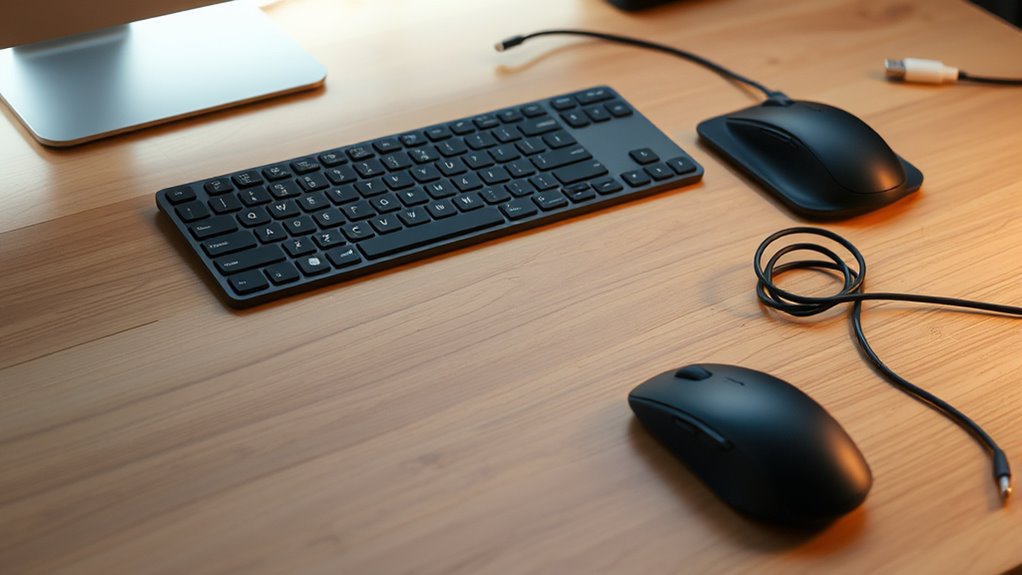
Choosing between wireless and wired keyboards and mice depends on your priorities. Wireless options offer a cleaner, more flexible workspace and better ergonomics, but require occasional charging and can have minor connectivity issues. Wired devices provide reliable, low-latency performance ideal for demanding tasks, though they can clutter your desk. To find the best fit for your needs, consider how much you value mobility, workspace tidiness, and performance—more details await if you continue exploring.
Key Takeaways
- Wireless keyboards and mice improve workspace aesthetics and flexibility, reducing clutter and allowing ergonomic positioning.
- Wired devices offer reliable, low-latency connections ideal for demanding tasks like gaming or professional work.
- Wireless options depend on batteries, which require periodic charging or replacement, potentially causing downtime.
- Wired peripherals provide constant power and performance without interference issues, ensuring consistent operation.
- Choice depends on your priorities: portability and tidiness favor wireless, while reliability and performance favor wired.

Deciding between a wireless or wired keyboard and mouse often comes down to your priorities for convenience, performance, and reliability. If you value a clutter-free workspace and mobility, wireless devices might seem like the obvious choice. They eliminate cords, giving your setup a cleaner look and allowing you to move freely without being tethered to your desk. But before you make the switch, consider the ergonomic benefits. Wireless keyboards and mice can be positioned more comfortably, reducing strain on your wrists and shoulders since you’re not limited by cable length. You can adjust the distance and angle more freely, which helps prevent repetitive strain injuries over time. Additionally, many wireless options come with ergonomic designs, like contoured shapes or palm rests, that promote better posture.
Wireless keyboards and mice enhance comfort and flexibility by reducing strain and offering ergonomic designs.
However, battery life considerations are essential. Wireless devices rely on batteries, which means you’ll need to keep an eye on their charge levels or replace batteries periodically. Some models offer long-lasting batteries that can go weeks or even months without needing a recharge, but you’ll still face the inconvenience of downtime if the battery runs out unexpectedly. If you work long hours or need uninterrupted performance, this becomes an indispensable factor. Conversely, wired devices draw power directly from your computer, so they’re always ready to use and won’t run out of juice. This can be particularly important in high-performance tasks or gaming, where latency and responsiveness are critical.
Performance-wise, wired keyboards and mice generally provide a more dependable connection with minimal lag. There’s no risk of interference from other wireless devices, which can sometimes cause delays or dropouts with wireless peripherals. If you’re into fast-paced gaming or demanding applications, a wired setup offers the consistency you need. Wireless devices, while improving steadily, still occasionally face connection issues depending on the environment, though modern Bluetooth or proprietary wireless tech has minimized these concerns considerably.
Ultimately, your choice hinges on what matters most to you. If you prioritize a tidy, flexible workspace with ergonomic benefits and are okay managing battery life, wireless peripherals are a great fit. But if you seek maximum reliability, minimal latency, and don’t mind the clutter of cords, wired options remain a solid choice. Both have their advantages, so weigh these factors carefully based on your usage habits and workspace needs.
Frequently Asked Questions
How Do Wireless Keyboards and Mice Impact Overall Desk Aesthetics?
Wireless keyboards and mice enhance your desk aesthetics by promoting minimalism and reducing clutter. Without cords tangling or crowding your workspace, your setup looks cleaner and more organized. This streamlined appearance helps create a sleek, modern vibe that’s visually appealing. Plus, you gain more desk space for other essentials, making your environment feel more spacious and less chaotic. Overall, switching to wireless devices boosts aesthetic minimalism and keeps your workspace tidy.
Are There Specific Tasks Where Wired Devices Outperform Wireless?
Wired devices outperform wireless ones in tasks requiring consistent, immediate response, like gaming or precision editing. You won’t face battery life concerns or interference issues, which can cause lag or disconnections with wireless options. For critical, high-accuracy tasks, a wired keyboard or mouse guarantees you maintain seamless performance without worrying about running out of battery or signal disruptions.
What Are the Long-Term Cost Differences Between Wired and Wireless Setups?
You’ll likely spend less long-term with a wired setup because there’s no need to worry about battery lifespan or replacement costs. Wireless devices may seem convenient initially, but over time, replacing batteries adds up, both in cost and effort. Wired keyboards and mice are a one-time investment, saving you money and hassle in the long run, making them more economical for sustained use.
How Does Device Latency Affect Competitive Gaming Performance?
Device latency markedly impacts your competitive gaming performance, especially with wireless setups. Signal interference can cause delays, making your actions less precise and slower than wired options. Additionally, battery life influences latency; when your wireless device’s battery runs low, you may experience increased lag. To stay ahead, choose wireless devices with strong signals and long-lasting batteries, or opt for wired peripherals to avoid latency issues altogether.
Can Wireless Keyboards and Mice Cause Compatibility Issues With Older Computers?
Wireless keyboards and mice might dance around compatibility issues with older computers. Bluetooth interference can cause connection hiccups, making your setup feel like an out-of-tune orchestra. Driver compatibility may be a stumbling block, especially if your system’s old and lacks the latest updates. However, with the right adapters and driver updates, you can often smooth out these rough patches and enjoy wireless freedom, even on vintage machines.
Conclusion
So, whether you’re ready to ditch the cords and dance freely or prefer the steady, tethered reliability of wired gear, the choice is yours. Just remember, going wireless is like adopting a pet dragon—exciting, cool, but don’t be surprised if it occasionally breathes fire on your desk. Wired, on the other hand, is your trusty old dog—loyal, predictable, and always ready to sit. Choose your adventure—cords or no cords, your desk, your rules.