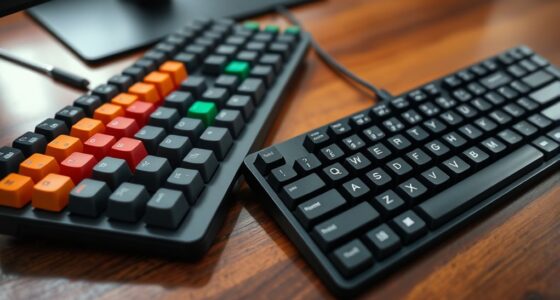
Choosing the right mechanical keyboard switch depends on your typing and gaming habits. Linear switches offer smooth keystrokes for quick responses, while tactile switches provide a noticeable bump to confirm actuation. Some switches also have an audible click for extra feedback. Consider how much force you prefer and whether you want quieter or audible sounds. Exploring different switch types helps you find the perfect feel—stick around to learn more about making the best choice for you.
Key Takeaways
- Understand switch types: linear, tactile, and clicky, to match your preferred feedback and sound level.
- Consider actuation force and travel distance for comfort and responsiveness during typing or gaming.
- Match switch mechanism features with your activity: smooth movement for gaming, tactile bump for typing accuracy.
- Test different switches to feel their response and determine which provides the best balance of feel and performance.
- Know how components like stems, springs, and housings influence switch feel to customize your keyboard experience.
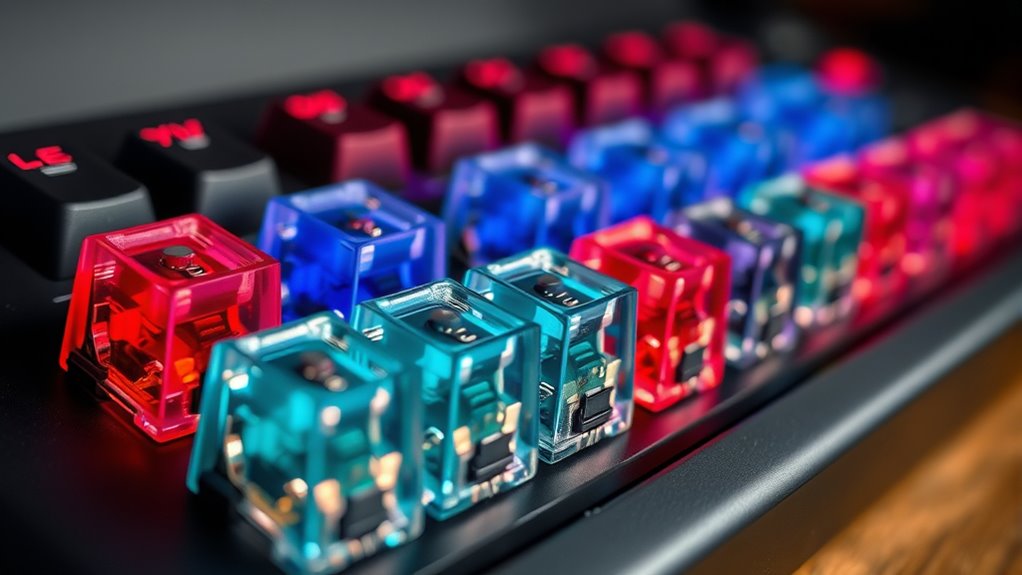
If you’re looking to upgrade your keyboard experience, understanding mechanical switches is vital. The core of any mechanical keyboard lies in its key switch mechanisms, which determine how each key feels and responds. These mechanisms vary widely, offering different tactile feedback options to suit your typing style and preferences. Whether you prefer a soft, quiet press or a more pronounced bump, knowing the ins and outs of these switches helps you pick the perfect match.
Mechanical switches work based on key switch mechanisms that register a keystroke once the key hits a certain actuation point. These mechanisms are composed of several components, including the stem, spring, and housing, each influencing the switch’s performance. The design of these parts impacts how the switch feels when pressed and how much force you need to actuate it. For example, some switches feature a linear mechanism, meaning they move smoothly without any tactile bump, ideal for fast gaming or those who prefer a seamless keystroke. Others incorporate tactile feedback options, offering a noticeable bump at the actuation point, which can help improve accuracy and typing confidence.
Mechanical switches consist of components like stems, springs, and housings that influence feel and performance.
Tactile feedback options are vital because they let you know when a key has registered without needing to bottom out fully. This can reduce finger fatigue and increase typing speed over time. You might find switches with a gentle bump, providing just enough feedback without being intrusive, or switches with a more pronounced bump for a distinct feel. Some users even prefer clicky switches, which produce a satisfying tactile click along with feedback—great for those who enjoy audible confirmation of their keystrokes. Each tactile feedback option caters to different needs, whether you’re typing for extended periods or gaming intensely.
Furthermore, the choice of key switch mechanisms and tactile feedback options influences your overall typing experience. For instance, if you’re a programmer or writer who spends hours at a time on the keyboard, you might favor switches with lighter actuation forces and subtle tactile feedback. Gamers, on the other hand, might choose switches with faster actuation and more pronounced feedback to ensure quick, accurate responses. The variety of options available means you can tailor your keyboard to match your preferences precisely.
Ultimately, understanding key switch mechanisms and tactile feedback options empowers you to select a mechanical switch that elevates your typing comfort and efficiency. By considering how each switch feels and responds, you can find one that enhances your gaming, coding, or everyday typing experience, making your keyboard truly your own. Additionally, exploring backyard transformation essentials can help you create an outdoor workspace that complements your customized keyboard setup.
Frequently Asked Questions
Are Mechanical Switches Suitable for Gaming or Typing?
Mechanical switches are great for both gaming and typing because they offer precise feedback and fast response times. You can enhance your experience by customizing your keyboard aesthetics, like choosing keycaps and lighting, to suit your style. Switch lubrication also helps reduce noise and smooth out keystrokes, making your gaming or typing sessions more comfortable. Overall, mechanical switches are versatile and customizable, perfect for any keyboard enthusiast.
How Long Do Mechanical Switches Typically Last?
They say, “A stitch in time saves nine,” and that’s true for mechanical switches. You can expect a switch lifespan of about 50 million keystrokes, thanks to rigorous durability testing. This means your keyboard will likely last several years, even with heavy use. Mechanical switches are built to endure, so you don’t need to worry about frequent replacements, making them a reliable choice for both gaming and typing.
Can I Customize or Modify My Mechanical Switches?
Yes, you can customize and modify your mechanical switches. You might enjoy switch lubing, which reduces friction and noise, or switch swapping, where you replace switches for a different feel or sound. These modifications allow you to personalize your keyboard’s performance and sound profile. Just make certain you handle the switches carefully during lubing or swapping to avoid damage, and enjoy your uniquely tailored typing experience!
What Are the Differences Between Linear, Tactile, and Clicky Switches?
You’ll notice that linear switches have a smooth switch sound with minimal resistance, providing a quick switch actuation. Tactile switches offer a bump during actuation, giving you feedback without much noise. Clicky switches produce a distinct click sound at actuation, making typing satisfying but louder. Your choice depends on whether you prefer quiet, responsive, or feedback-rich switches, all influencing your overall typing experience and switch sound profile.
Are Mechanical Switches Compatible With All Keyboard Models?
Switch compatibility varies with keyboard models and their design. While many mechanical switches fit standard layouts like ANSI or ISO, some keyboard variations require specific switch types or have proprietary connectors. Check your keyboard’s compatibility before buying new switches. You might need adapters or custom modifications for certain models. Always verify switch compatibility to guarantee seamless integration, especially if you’re customizing or upgrading your keyboard for ideal performance and comfort.
Conclusion
Choosing the right mechanical switch is like finding the missing piece of a puzzle—you’ll reveal a whole new world of typing comfort and precision. Whether you prefer the gentle whisper of linear switches or the satisfying click of tactile ones, your perfect switch awaits. Don’t be afraid to experiment and discover what feels like home under your fingertips. Remember, the right switch isn’t just a detail; it’s the heartbeat of your keyboard experience.