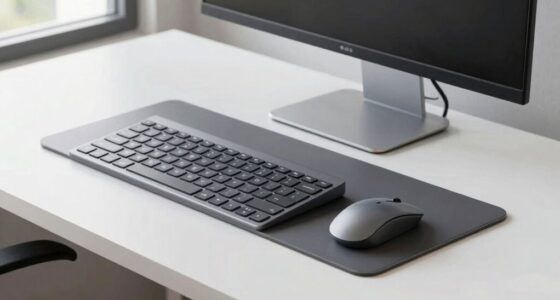
Before mounting a heavy ultrawide monitor, make sure your wall can support its weight and that you choose a compatible mount with proper VESA specs. Check the wall space to avoid obstructions and guarantee easy adjustment options like tilt, swivel, and height for comfort. Double-check all screws and installation steps for safety and stability. Proper planning helps prevent issues later, and if you keep exploring, you’ll discover how to set up a secure, ergonomic workspace.

Get your wardrobe favorites delivered free with Prime
- Fast, free delivery on millions of items
- Prime Video, Amazon Music and more included
- Member-only deals all year
Key Takeaways
- Confirm wall strength and compatibility to support the monitor’s weight securely.
- Ensure the mount’s VESA pattern and weight capacity match your ultrawide monitor.
- Use adjustable mounts for optimal ergonomic positioning and reduce neck strain.
- Follow installation instructions carefully, tightening all screws and double-checking stability.
- Plan monitor placement to avoid obstructing workspace and ensure smooth, safe movement.
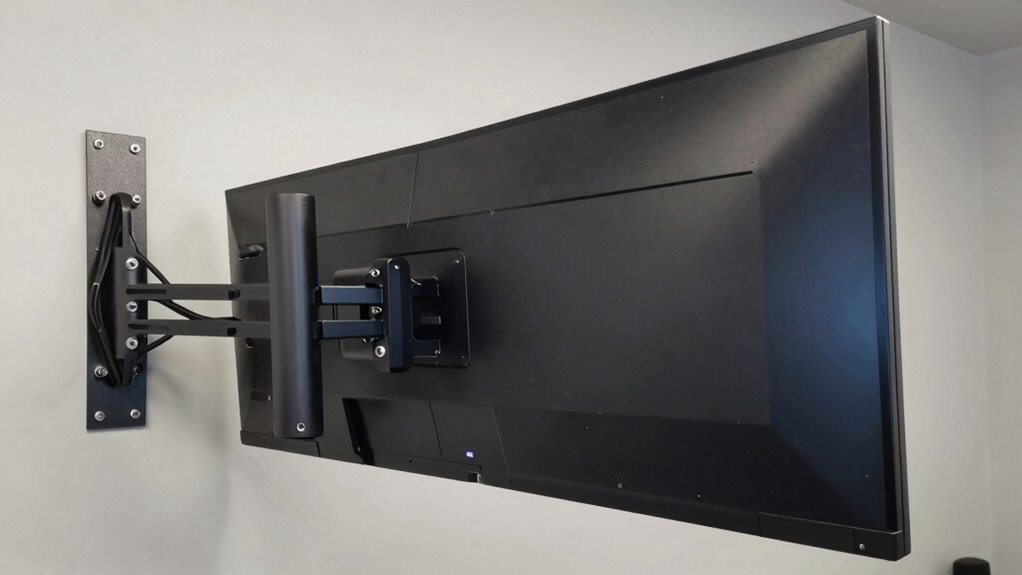
Once you’ve confirmed your wall can support the weight, focus on adjustment techniques. Proper adjustment allows you to position your monitor for maximum comfort and productivity. Look for mounts offering tilt, swivel, and height adjustment—these features help you find the perfect viewing angle and reduce neck strain. When mounting, start by attaching the mounting plate securely to your wall, ensuring all screws are tightened properly. Then, attach the monitor to the arm or bracket, but don’t tighten everything fully until you’ve tested its positioning. This way, you can make fine adjustments to tilt or swivel, guaranteeing you won’t have to undo and redo the setup later.
It’s essential to understand the VESA compatibility of your ultrawide monitor before purchasing a mount. Many ultrawide models use custom mounting solutions or larger VESA patterns, so verify that your monitor’s mounting holes align with the mount’s specifications. If your monitor lacks standard VESA mounting points, you might need an adapter, which can add complexity but ensures compatibility. When adjusting the mount, keep in mind that ultrawide monitors can be quite wide, so make sure your wall space is sufficient to avoid obstructing other parts of your room or workspace. Additionally, considering the weight capacity of your mount is crucial for safety and stability. It’s also helpful to review installation instructions carefully beforehand to ensure a smooth setup process. Understanding wall compatibility is vital to prevent issues during installation and to maintain a secure setup. Proper planning and awareness of mount specifications will help you avoid potential issues during installation and ensure your setup is both safe and ergonomic.
Finally, take your time during installation. Double-check that all screws and bolts are tight and that the mount’s movement is smooth and stable. Proper adjustment techniques combined with verifying wall compatibility will give you a secure, ergonomic setup that enhances your work environment. With the right planning, mounting your heavy ultrawide monitor becomes a straightforward task that results in a sleek, functional workspace tailored to your needs.
heavy ultrawide monitor wall mount
As an affiliate, we earn on qualifying purchases.
As an affiliate, we earn on qualifying purchases.
Frequently Asked Questions
Can I Use a Wall Mount With a Curved Ultrawide Monitor?
Yes, you can use a wall mount with a curved ultrawide monitor if it’s compatible. Check the mount’s specifications for mount compatibility, making sure it supports the weight and size of your curved display. Look for mounts designed for ultrawide or large screens, and confirm they accommodate the curvature. Properly mounting your curved display ensures stability and ideal viewing without risking damage or imbalance.
What Safety Precautions Should I Take During Installation?
During installation, you should guarantee ergonomic positioning by adjusting the mount height for comfortable viewing, preventing neck strain. Always wear safety gloves and use a sturdy ladder to avoid falls. Secure the monitor firmly to the wall mount, and double-check that all screws are tight. Keep cables organized with proper management to prevent tripping hazards and maintain a clean workspace. Prioritizing safety minimizes risks and creates a more efficient setup process.
How Do I Adjust Monitor Height After Mounting?
Tackle tweaking your titan-sized ultrawide monitor by adjusting its arm or mounting bracket. Loosen the mounting screws, then slide the monitor up or down to achieve ergonomic positioning. Tighten the screws securely once you’ve found the ideal viewing angle. This simple step ensures comfort, reduces strain, and creates a customized workspace. Remember, precise positioning promotes productivity and preserves your posture, making your setup as comfortable as possible.
Are Special Mounts Needed for Ultra-Thin Ultrawide Monitors?
You don’t need special mounts for ultra-thin ultrawide monitors, but make sure your mount is VESA compatible and supports the monitor’s weight capacity. Check the monitor’s VESA pattern and weight specifications first. Most standard mounts handle ultra-thin ultrawide screens if they meet these criteria. Prioritize a sturdy, high-capacity mount to prevent sagging or damage, especially since ultrawide monitors can be heavier than typical screens.
What Tools Are Required for Mounting a Heavy Ultrawide Monitor?
To mount a heavy ultrawide monitor, you’ll need a drill, screwdriver, level, and possibly a stud finder. Make sure your mount is VESA compatible and supports the monitor’s weight capacity. Check the monitor’s VESA pattern and weight specifications beforehand. Use the drill to secure the mount into sturdy wall studs or anchors. The screwdriver helps tighten screws, while the level ensures perfect alignment for a safe, secure setup.
As an affiliate, we earn on qualifying purchases.
Conclusion
Mounting your heavy ultrawide monitor might seem intimidating, but with the right tools and precautions, you’ll be up and running smoothly. Always double-check your mount’s weight capacity and make sure your wall can handle the load. Remember, it’s better to be safe than sorry—so don’t cut corners. Once securely mounted, you’ll enjoy a seamless viewing experience that’s worth every effort. After all, a sturdy setup is the foundation for a great workspace!
ergonomic monitor mount with tilt and swivel
As an affiliate, we earn on qualifying purchases.
As an affiliate, we earn on qualifying purchases.
As an affiliate, we earn on qualifying purchases.
Columbus Day / Indigenous Peoples' Day Picks
long weekend sales
As an affiliate, we earn on qualifying purchases.