
Finding the best office setup gear for video editors involves balancing performance, versatility, and budget. The Elgato Stream Deck MK.2 stands out as the overall top choice for its customizable control surface that streamlines editing workflows. For those prioritizing lighting, the Elgato Key Light Neo offers professional-grade illumination with Wi-Fi control, while the Blackmagic Design DaVinci Resolve Speed Editor provides tailored editing shortcuts. Every editor faces tradeoffs between cost, complexity, and expandability — continue reading for a detailed breakdown of these key tools and how they can elevate your workspace.
Key Takeaways
- The top picks excel in workflow automation, lighting quality, and hardware versatility, which are essential for efficient video editing.
- Customizability and integration with existing software significantly differentiate premium options from budget-friendly gear.
- Lighting solutions that offer remote control and adjustable settings provide the most flexibility for varied editing environments.
- Controllers like the Stream Deck series are vital for streamlining repetitive tasks, but choosing the right size depends on your workflow complexity.
- Balancing upfront investment with future expandability ensures your office gear remains useful as your editing needs evolve.




More Details on Our Top Picks
Elgato USB Hub for Stream Deck +, 2 USB-C, 2 USB-A Ports, Power Delivery, SD/microSD Card Reader
This USB hub is tailored for streamers and editors using the Stream Deck +, offering four accessible ports that streamline your setup. Its support for 100W power delivery ensures quick charging of devices, and data transfer speeds up to 5 Gb/s handle file transfers efficiently. Compared to basic hubs, this model emphasizes fast data and power, but the need for additional accessories like a power supply can complicate setup. Designed specifically for the Stream Deck +, it may be less useful for those with different hardware configurations. It’s a solid choice for those who need reliable, expandable connectivity without sacrificing speed, but less so for users seeking universal compatibility without extra gear.
Pros:- Expands connectivity with multiple USB-C and USB-A ports
- Supports fast charging and data transfer, saving time
- Plug-and-play installation with no driver requirement
Cons:- Power supply is not included, requiring extra purchase
- Limited compatibility outside Stream Deck + ecosystem
Best for: Video editors who rely on multiple peripherals and want a clean, high-speed connection hub
Not ideal for: Users with non-Stream Deck + setups or those who prefer all-in-one docking stations
- Number of USB-C Ports:2
- Number of USB-A Ports:2
- Power Delivery:Up to 100W
- Data Transfer Speed:Up to 5 Gb/s
- Card Reader:SD/microSD
- Compatibility:Mac/PC
Bottom line: This hub suits editors needing a dedicated, high-speed connection point for multiple peripherals within a streamlined workspace.
Elgato Prompter – Teleprompter with Built-in Screen for YouTube, Twitch, Zoom, and More, 1080p, Supports DSLR/Webcam/Smartphone
This Elgato teleprompter integrates a built-in 1080p display, making it easier for video editors to read scripts without juggling separate devices. Compared to external teleprompters that require additional monitors or tablets, this one simplifies setup and reduces clutter. Its compatibility with various cameras and software, plus support for DSLR, webcam, and smartphones, increases its versatility. However, it requires DisplayLink software for Mac and Android, which can be a hassle for some users, and details on size and price are lacking. This pick makes the most sense for creators who want a straightforward, integrated prompter that minimizes gear, but less so if software compatibility or monitor size is a concern.
Pros:- Built-in display reduces the need for extra devices
- Supports multiple camera types and streaming software
- Easy to set up with desktop control options
Cons:- DisplayLink software needed for Mac and Android, adding setup steps
- Limited details on monitor size and overall dimensions
Best for: Content creators and remote professionals who need reliable, integrated script display during recordings or calls
Not ideal for: Users seeking a portable or budget-friendly teleprompter with minimal setup complexity
- Display Resolution:1080 pixels
- Supports:DSLR, Webcam, Smartphone
- Compatibility:Mac, PC, Stream Deck
- Software Requirements:DisplayLink software for Mac, DisplayLink Presenter for Android
Bottom line: Ideal for creators who want a sleek, integrated teleprompter that simplifies on-camera communication.
Elgato Stream Deck MK.2 – Studio Controller with 15 Customizable LCD Keys for App and Software Control
This version of the Stream Deck MK.2 provides 15 customizable LCD keys, allowing quick access to controls, macros, and shortcuts that streamline editing and streaming tasks. Compared to the smaller Stream Deck Mini, this model offers more flexibility for multi-tasking, but its limited number of keys might still be restrictive for users with highly complex workflows. The support for numerous plugins enhances its utility across different software, and compatibility with both Mac and PC broadens its appeal. However, its reliance on a USB connection limits portability, and some users might find configuration complex. It’s a solid choice for those who want quick, personalized control but not the best option for very heavy multitasking needs.
Pros:- Highly customizable with 15 LCD keys for efficiency
- Supports a wide range of plugins for diverse workflows
- Compatible with both Mac and Windows
Cons:- Requires USB connection, limiting mobility
- Setup can be complex for new users
Best for: Video editors and streamers seeking customizable, quick-access controls to optimize workflow
Not ideal for: Users who prefer a portable, wireless control device or require extensive key mappings
- Number of Keys:15
- Connectivity Technology:USB
- Interface:USB 2.0
- Dimensions:118 x 84 x 25 mm
- Weight:145 g
- Platform Compatibility:macOS 10.15+, Windows 10 (64-bit)
Bottom line: This controller is well-suited for editors who want tailored, rapid access to key functions without extensive hardware bulk, but not for those needing wireless flexibility.
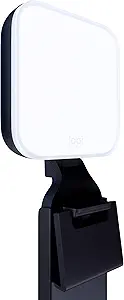
Logitech G Litra Beam Premium LED Gaming Key Light with TrueSoft, Adjustable Desktop Mount, Brightness/Color Temp Settings, Desktop App Control for PC/Mac
This compact LED light from Logitech G stands out for delivering customizable, professional-quality lighting that enhances video clarity and skin tones. Unlike the larger, more complex Litra Glow, this model offers flexible positioning with multiple mount points and app-controlled presets, making it ideal for streamers and content creators who need quick, tailored lighting adjustments. The TrueSoft technology ensures smooth, natural light without harsh shadows, beneficial for serious editing or live streaming. However, the reliance on an app for full customization may slow workflows for those who prefer simple, plug-and-play solutions. Its limited portability and higher price compared to basic desk lamps mean it’s best suited for dedicated creators working at a fixed setup.
Pros:- Provides high-quality, adjustable lighting with professional color accuracy
- Flexible positioning with multiple mount points and adjustable stand
- App-controlled presets for quick, consistent lighting setups
Cons:- Requires app setup for full customization, which may slow workflow
- Limited portability—designed primarily for desktop use
- Higher cost compared to basic desk lights
Best for: Video editors who need professional-quality, customizable desktop lighting for streaming or face-cam recordings
Not ideal for: On-the-go creators or those seeking a budget-friendly, simple lighting solution without app setup
- Technology:TrueSoft
- Color Temperature Range:2700K–6500K
- Adjustable Stand:Yes
- Mount Points:3
- Control:Desktop app, USB, Bluetooth
- UL Testing:Yes
Bottom line: This light is best for creators who prioritize adjustable, studio-grade lighting over portability or low cost.
Blackmagic Design DaVinci Resolve Speed Editor Bundle with DaVinci Resolve 18 Studio (Activation Card)
This bundle from Blackmagic offers a small, portable editing tool that integrates seamlessly with DaVinci Resolve, making it ideal for editors who want quick access to essential functions on a compact device. Its built-in battery and dedicated search dial streamline workflow, especially compared to traditional keyboard shortcuts. Unlike full-sized control surfaces, its limited buttons mean it’s best for users who prefer a focused, minimalist approach. However, the lack of detailed compatibility info with newer Resolve versions and the need for setup could pose hurdles for some users. Overall, it’s a smart pick for editors seeking mobility without sacrificing key editing controls.
Pros:- Compact, lightweight design for easy portability
- Built-in battery allows wireless operation
- Dedicated search dial and shortcut keys enhance editing speed
Cons:- Limited details on compatibility with newer Resolve updates
- Requires setup to maximize functionality
- Lacks extensive controls found on larger consoles
Best for: Video editors using DaVinci Resolve who need a portable, dedicated control surface
Not ideal for: Editors working exclusively with other software or those needing extensive control options
- Size:Small and portable
- Battery:Built-in
- Connectivity:Bluetooth or USB
- Includes:DaVinci Resolve 17 Studio activation
Bottom line: This device is perfect for Resolve users wanting a portable, streamlined editing accessory.
Logitech Litra Glow Premium LED Streaming Light with TrueSoft Technology for Video Conferencing and Streaming
The Logitech Litra Glow excels at delivering natural, flattering light that enhances skin tones and reduces harsh shadows, making it ideal for video calls and streaming. Compared to the G Litra Beam, it offers a softer, more cinematic light with a frameless diffuser, which creates a more flattering appearance on camera. Its adjustable brightness and color temperature provide customization, but it requires Logitech’s G HUB software for full control—adding a layer of complexity. Its portable design and USB power make it a versatile choice for professionals who need consistent, high-quality lighting on the move. Still, its higher price point may deter budget-conscious buyers.
Pros:- Delivers natural, cinematic skin tones with full-spectrum color accuracy
- Soft diffuser eliminates harsh shadows and flatters the subject
- Adjustable brightness and color temperature for custom looks
Cons:- Requires Logitech G HUB software for full control
- Limited to USB power, needing sufficient ports or hubs
- Higher cost compared to basic ring lights
Best for: Video content creators or professionals seeking soft, natural lighting for face-cams and streams
Not ideal for: Users who want simple, plug-and-play lighting without installing software or those on a tight budget
- Technology:TrueSoft
- Light Type:LED
- Color Accuracy:Full-spectrum
- Diffuser:Frameless
- Mount:3-way monitor mount
- Power Source:USB
Bottom line: This light is suited for creators prioritizing flattering, professional-quality face lighting with customizable options.
Elgato Stream Deck XL – Advanced Studio Controller with 32 Macro Keys
The Elgato Stream Deck XL offers a robust, highly customizable control surface with 32 LCD keys, making it a standout for managing complex editing and streaming workflows. Its wide integration with platforms like OBS, Twitch, and YouTube allows for instant scene changes, media launching, and device control—all accessible via tactile, visual buttons. Compared to smaller options like the Stream Deck Mini, the XL provides greater flexibility and control, though it comes at a higher price. The setup process can be complex for newcomers, but once configured, it dramatically streamlines live production and editing tasks. This makes it an excellent investment for streamers and editors who need quick, reliable workflow management.
Pros:- 32 fully customizable LCD keys for complex workflows
- Wide compatibility with streaming and automation platforms
- Visual feedback confirms each command execution
Cons:- Expensive compared to smaller or simpler controllers
- Requires initial setup and configuration, which can be time-consuming
Best for: Video editors and streamers who want customizable, one-touch control over multiple platforms and tools
Not ideal for: Casual users or those on a tight budget who don’t need extensive macro control
- Number of Keys:32
- Connectivity:USB
- Compatibility:Mac and PC
Bottom line: Ideal for power users who need a versatile, macro-rich control surface to enhance editing and streaming workflows.
Elgato Wave Mic Arm LP – Premium Low Profile Microphone Arm with Cable Management, Fully Adjustable for Podcasting, Streaming, Gaming, and Home Office
The Elgato Wave Mic Arm LP stands out for its durability and sleek low profile design, making it ideal for video editors who need a reliable microphone stand that doesn’t clutter the workspace. Compared with bulkier arms, its all-metal construction ensures longevity, while full 360-degree horizontal and 90-degree vertical adjustability offers maximum flexibility for positioning mics exactly where needed. The integrated magnetic cable channels keep cords tidy, reducing visual distraction during editing sessions. However, its maximum load of 2 kg may limit support for heavier microphones, and the full extension requires adequate space. This arm makes the most sense for editors who want a sturdy, unobtrusive mic mount that can adapt to different recording environments, but those using heavier mics should consider alternatives. It’s built for professionals and serious hobbyists prioritizing longevity and clean setup.
Pros:- All-metal, anti-torsion construction for durability
- Full 360-degree horizontal and 90-degree vertical adjustability
- Magnetic cable management channels for tidy setup
- Low profile design unobstructs view
Cons:- Maximum load limited to 2 kg, unsuitable for heavier mics
- Requires sufficient space for full reach and rotation
Best for: Video editors who need a durable, adjustable mic arm that occupies minimal space and maintains a clean workspace
Not ideal for: Editors working with heavier microphones or those with limited desk space, as the load capacity or reach may be restrictive
- Material:All-metal, anti-torsion
- Color:Black
- Finish:Powder Coated
- Horizontal reach:740 mm / 29.1 in
- Desk clearance (lower arm):70 mm / 2.8 in
- Maximum load:2 kg / 4.4 lbs
Bottom line: This mic arm is perfect for video editors seeking a sturdy, flexible, and unobtrusive microphone support.
Elgato Key Light Neo – Professional Video Call Light with Adjustable Monitor Mount, Wi-Fi & Manual Control
The Elgato Key Light Neo offers premium lighting tailored for video editors who need consistent, adjustable illumination for streaming, video calls, or content creation. Its up to 1000 lumens brightness and adjustable color temperature help create a flattering, professional look—much like the Logitech G G Litra Beam but with more control. The seamless monitor mounting makes setup quick and clutter-free, and control via Wi-Fi adds convenience over manual-only lights. Its reliance on external USB power and higher price point compared to basic lights might be drawbacks for some. This pick is ideal for editors who prioritize adaptable lighting quality over simple, standalone lamps, especially those working in varied lighting conditions.
Pros:- Bright, adjustable lighting suitable for professional use
- Seamless monitor mounting for easy setup
- Wi-Fi and manual control options for flexibility
- Eco-friendly zero plastic packaging
Cons:- Requires external USB power supply
- Higher cost compared to basic LED lights
Best for: Video editors needing flexible, professional lighting that integrates seamlessly with a desk setup
Not ideal for: Editors on a tight budget or those requiring standalone lights without monitor mounting capabilities
- Brightness:up to 1000 lumens
- Control:Wi-Fi and manual
- Mounting:Adjustable monitor mount
- Power:USB-powered
- Technology:Edge-lit
- Environmental:Zero plastic packaging
Bottom line: This light excels for editors who want adaptable, high-quality illumination with minimal desk clutter.
Elgato Stream Deck Mini
The Elgato Stream Deck Mini makes a compelling case for streamlining workflow through customizable shortcuts, especially in editing environments that utilize multiple applications like Adobe Creative Suite or Zoom. Its 8 LCD keys allow quick access to commands, reducing mouse reliance and speeding up repetitive tasks. Compared to larger models like the Stream Deck XL, its compact size fits well into tighter setups, though this means fewer keys for complex workflows. The need to install software and configure each key can be a hurdle for less tech-savvy users. It’s ideal for editors who want a dedicated, personalized macro pad but may be overkill for those with simple, straightforward tasks.
Pros:- Easy to customize and set up
- Supports multiple applications for versatile use
- Allows execution of multiple actions simultaneously
- Compact design fits in small desks
Cons:- Limited to 8 keys, restricting complex workflows
- Requires software setup and configuration
- May be overkill for minimal tasks
Best for: Video editors looking for a small, highly customizable control pad to enhance productivity without taking up much space
Not ideal for: Editors with very complex workflows requiring dozens of shortcuts, who might find the 8 keys limiting
- Compatibility:Mac and PC
- Connectivity:USB
- Number of Keys:8
- Customizable Keys:Yes
- Multi-action Support:Yes
- Size:Compact
Bottom line: This device is perfect for editors seeking a compact, customizable workflow booster for common tasks.
Elgato Stream Deck Neo – 8 Customizable Keys, Touch Points, and Workflow Control for Mac & PC
The Elgato Stream Deck Neo enhances productivity for video editors with its combination of 8 customizable keys and 2 touch points, providing a versatile interface for controlling multiple applications. Compared with the Mini, it offers additional touch points for more nuanced control, ideal for editors managing complex workflows involving Zoom, PowerPoint, or even smart home devices. Its drag-and-drop setup simplifies customization, and the eco-friendly, plastic-free packaging appeals to sustainability-conscious users. The main limitation lies in its 8-key format, which might not suffice for highly intricate workflows, and some users may find the price high relative to simple controllers. This makes it a good choice for those seeking a sustainable, flexible macro device to streamline multi-application control.
Pros:- Highly customizable keys and touch points for workflow automation
- Seamless app integration including Zoom and PowerPoint
- Eco-friendly packaging and sustainable design
- Easy drag-and-drop setup
Cons:- Limited to 8 keys and 2 touch points, may restrict complex workflows
- Requires compatible software for full functionality
- Price may be high compared to basic models
Best for: Video editors who want a customizable, eco-conscious device for multi-application automation and workflow control
Not ideal for: Users with very complex workflows needing dozens of keys or those on a tight budget
- Number of Keys:8
- Touch Points:2
- Compatibility:Mac & PC
- Connectivity:USB
- Eco-Friendly:Yes
Bottom line: This device is ideal for eco-conscious editors who want flexible, multi-application workflow automation in a compact form.
How We Picked
Products were selected based on their ability to improve a video editor’s workspace through enhanced productivity, usability, build quality, and compatibility. We prioritized versatile gear that integrates seamlessly into common editing workflows, especially tools that automate tasks or improve visual quality. Cost-effectiveness was balanced against advanced features, with a focus on items that deliver long-term value and adaptability. Devices that stand out for ease of setup and intuitive control earned higher rankings, while those with limited compatibility or excessive complexity rated lower. Our goal was to highlight gear that significantly enhances editing efficiency without unnecessary complexity or expense.Factors to Consider When Choosing Best Office Setup Gear For Video Editors
Choosing the right office setup gear for video editing requires assessing several key factors to ensure your workspace is both efficient and comfortable. Beyond immediate features, consider how each piece integrates with your existing setup, future expandability, and your specific workflow needs. Investing wisely can prevent costly upgrades later and help maintain your creative momentum. Here are the main factors to keep in mind when selecting your gear.Performance and Compatibility
Ensure each device can handle the demands of high-resolution editing, whether through sufficient processing power, connectivity options, or software compatibility. For example, a lighting setup should support remote control apps if you frequently adjust settings, while controllers should integrate smoothly with your editing software to automate repetitive tasks. Compatibility issues can cause frustration and reduce efficiency, so verify that gear works well with your current hardware and software ecosystem.
Ease of Use and Setup
Simplicity in setup and operation is key to avoiding delays. Devices with intuitive controls, clear instructions, and minimal fuss save time and reduce learning curves. For example, a plug-and-play lighting system with app control is preferable over complex mounting systems that require professional installation. The goal is gear that enhances your workflow, not adds complication or downtime.
Build Quality and Durability
Since gear like lighting and controllers are used frequently, durability matters. Investing in well-made products reduces the need for replacements and repairs. Look for sturdy construction, quality materials, and positive user reviews about longevity. Cheaper options might save money upfront but often lack the robustness needed for daily use, especially in demanding editing environments.
Expandability and Future-Proofing
A workspace evolves, so choosing gear that can grow with your needs is wise. Modular controllers, adjustable lighting, and USB hubs with multiple ports allow easy upgrades. Avoid overly specialized products that can’t adapt as your workflow changes. This approach saves money in the long run and keeps your setup flexible for new tools and techniques.
Cost vs. Value
While high-end gear offers advanced features, it’s essential to evaluate whether the added expense translates into meaningful benefits for your specific work. Budget-conscious options can be effective if well-chosen, but sacrificing necessary features for savings can hinder productivity. Focus on acquiring core items that deliver clear improvements and consider potential upgrades as your budget allows.
Frequently Asked Questions
How do I choose the right lighting for my video editing workspace?
Lighting significantly impacts your workspace comfort and video quality. Look for adjustable LED lights with color temperature controls to match your ambient light and reduce eye strain. Remote control features or smartphone apps add convenience, especially if you frequently change settings. Consider your space size and whether you need soft, diffuse lighting or more direct illumination to suit your editing style. Investing in quality lighting can improve your work environment and the final video appearance.
Are controllers like the Elgato Stream Deck worth it for video editing?
Controllers such as the Elgato Stream Deck can dramatically streamline your workflow by automating repetitive tasks and providing quick access to shortcuts. They are especially useful if you handle complex edits or work across multiple applications. However, they come with a learning curve, and their utility depends on how much you can customize and integrate them into your specific process. For casual editors, a simpler setup might suffice, but for professional workflows, these controllers can save significant time.
Should I prioritize wireless or wired gear for my office setup?
Wired gear generally offers more reliable and faster connections, which is beneficial for data-heavy tasks like editing 4K videos. Wireless options provide flexibility and cleaner setup but can sometimes introduce latency or connection issues. For essential peripherals such as controllers or external drives, wired connections tend to be more dependable. For accessories like lighting or earbuds, wireless options can improve flexibility but verify their stability and compatibility first.
What’s more important: a high-quality monitor or good lighting?
Both are vital but serve different purposes. A high-quality monitor ensures accurate color grading and detailed visuals, which are crucial in video editing. Good lighting enhances your workspace ergonomics, reduces eye strain, and improves overall comfort during long editing sessions. Ideally, invest in both, prioritizing your specific workflow needs. If budget is tight, focus on a calibrated monitor first, then upgrade lighting gradually.
Can I upgrade my office gear easily as my skills grow?
Yes, choosing modular and compatible gear makes upgrades straightforward. For example, picking a USB hub with multiple ports allows adding new peripherals without replacing existing equipment. Controllers with expandability options and lighting systems that support remote control or app integration also facilitate future upgrades. Planning your setup around adaptable gear ensures your workspace remains efficient and relevant as your editing skills and demands increase.
Conclusion
For those starting out or with limited budgets, a solid monitor and basic lighting can significantly improve your work. The Elgato Stream Deck Mini offers a simple entry point for workflow automation, while the Logitech Litra Glow provides affordable, professional-quality lighting. Professionals seeking a fully integrated, high-performance setup should consider the Elgato Stream Deck MK.2 combined with advanced lighting like the Elgato Key Light Neo for maximum efficiency. For creators focused on video quality, investing in a high-end monitor and durable lighting will pay off over time. Ultimately, your choice depends on your current needs, budget, and future plans—aim to balance immediate improvements with room for growth.