To set up your desk for comfort and productivity, position your keyboard so your elbows stay close to your body at a 90° angle with relaxed wrists. Keep your monitor at eye level about an arm’s length away to reduce neck strain. Use an adjustable chair that supports your lower back and keeps your feet flat on the floor. Regularly tweak your setup to maintain good posture, and you’ll find long work hours become much more comfortable—discover how next.
Key Takeaways
- Keep your keyboard at elbow height with wrists straight to prevent strain during extended typing sessions.
- Position your monitor so the top is at eye level and about an arm’s length away for optimal viewing.
- Use an ergonomic chair that supports your lower back and adjust height so hips are slightly higher than knees.
- Maintain relaxed shoulders and avoid hunching; regularly tweak your setup for ongoing comfort.
- Continuously evaluate and adjust your workspace to promote natural arm, neck, and back positions throughout the day.
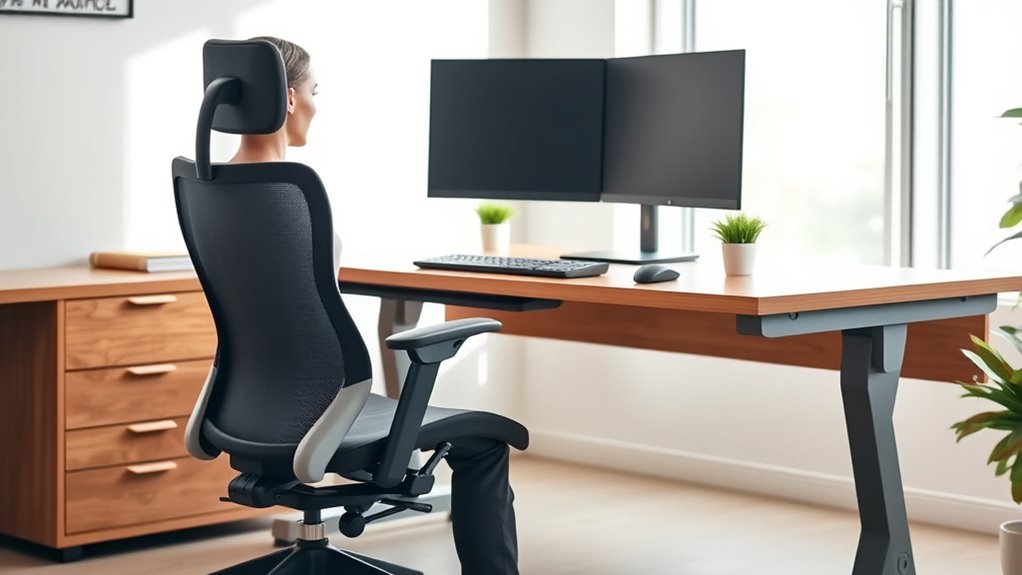
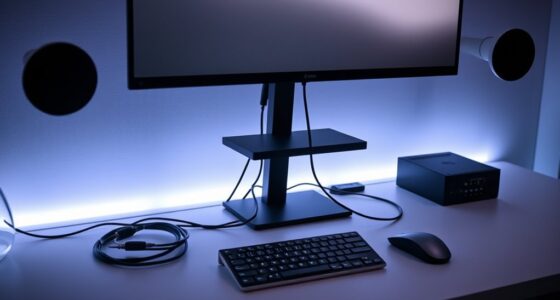
Setting up your desk with proper ergonomics is essential for maintaining comfort and preventing strain during long hours of work. The way you position your keyboard and monitor plays a significant role in reducing discomfort and increasing productivity. When it comes to keyboard positioning, you want to guarantee that it’s at a height that allows your elbows to stay close to your body and form roughly a 90-degree angle. Keep your wrists straight and relaxed, avoiding any bending upwards or downwards, which can cause strain over time. If your keyboard has adjustable feet, use them to fine-tune the height so your hands naturally rest on the keys without reaching or stretching. Placing the keyboard too high or too low will force your shoulders and arms into awkward positions, leading to muscle fatigue and discomfort.
Equally important is monitor height. Your monitor should be positioned so that the top of the screen is at or just below eye level. This setup encourages a neutral neck position, preventing you from tilting your head up or down for extended periods. To achieve this, use monitor risers or adjustable stands if necessary. When your monitor is at the correct height, you won’t need to lean forward or backward to see the screen clearly, which helps maintain good posture and reduces neck strain. The distance from your eyes to the monitor should be about an arm’s length away, providing a clear view without leaning forward or squinting. Proper monitor placement also minimizes eye strain and fatigue, especially during long work sessions. Additionally, selecting energy-efficient hardware can contribute to a more sustainable workspace while supporting your ergonomic setup.
In addition to these key points, make sure your chair supports your lower back and allows your feet to rest flat on the floor. Adjust the chair height so your hips are slightly higher than your knees, promoting good blood flow and reducing pressure on your lower back. Keep your shoulders relaxed and avoid hunching forward or shrugging your shoulders up toward your ears. Remember, small adjustments to your keyboard position and monitor height can make a big difference in comfort and productivity. Take the time to set up your workspace correctly, and you’ll notice less fatigue, fewer aches, and a more efficient workday. Proper ergonomics isn’t a one-time fix; revisit and tweak your setup regularly to assure it continues to support your comfort during long hours at your desk.

Logitech G413 SE Full-Size Mechanical Gaming Keyboard - Backlit Keyboard with Tactile Mechanical Switches, Anti-Ghosting, Compatible with Windows, macOS - Black Aluminum
Take your gaming skills to the next level: The Logitech G413 SE is a full-size keyboard with gaming-first...
As an affiliate, we earn on qualifying purchases.
Frequently Asked Questions
How Often Should I Adjust My Desk Setup During the Day?
You should adjust your desk setup every 30 to 60 minutes to maintain good desk posture and keyboard positioning. Regular movement helps prevent strain and discomfort. Check your monitor height, keep your wrists straight, and sit upright. Stand up, stretch, or change your position to stay comfortable and productive. Small, frequent adjustments make a big difference in avoiding long-term ergonomic issues and keeping your workspace optimized.
What Are the Best Ergonomic Accessories for Small Desks?
Think of your small desk as a cozy cockpit—every accessory matters. To maximize desk space and guarantee proper accessory placement, invest in a compact monitor stand, a slim keyboard tray, and a multi-functional desk organizer. These ergonomic accessories help keep your essentials within reach, reduce clutter, and promote good posture. By thoughtfully arranging your accessories, you create a workspace that’s both efficient and comfortable, even in tight quarters.
How Do I Customize My Chair for Optimal Support?
To customize your chair for ideal support, start by adjusting the lumbar support so it fits snugly against your lower back, maintaining proper spinal curvature. Then, tweak the armrests so your shoulders stay relaxed, and your elbows rest comfortably at a 90-degree angle. These adjustments help reduce strain, improve posture, and keep you comfortable during long work sessions. Regularly recheck and fine-tune these settings for continued support.
Can Ergonomic Setups Prevent Long-Term Injuries?
Workplace ergonomics actively helps prevent long-term injuries by promoting proper posture, supporting your spine, and reducing strain. When you prioritize ergonomic setups, you’re less likely to suffer from repetitive stress injuries or chronic discomfort. It’s a proactive approach that protects your health, prevents pain, and promotes productivity. So, yes, thoughtful ergonomic adjustments can substantially reduce injury risks and keep you comfortable and healthy at work.
What Are Signs My Current Desk Setup Is Causing Discomfort?
You may notice discomfort in your neck, shoulders, or back, which signals poor posture awareness. Eye strain or headaches could indicate inadequate lighting optimization. If you’re constantly adjusting your chair or leaning forward, your setup might be off. Pay attention to how you feel after work—persistent soreness, tingling, or fatigue are signs your current desk setup isn’t supporting you properly. Adjusting your workspace can improve comfort and prevent future issues.

HUANUO Dual Monitor Stand for 13″–40″, Premium Dual Monitor Mount with USB, Height Adjustable Monitor Stand for 2 Monitors, VESA Mount with Clamp/Grommet Base, Holds 26.4lbs per Arm, HNDS7
Improved Stability for Ultrawide Monitors: The upgraded dual monitor stand combines solid aluminum arms, a larger base, and...
As an affiliate, we earn on qualifying purchases.
Conclusion
Now that you know how to set up your desk ergonomically, imagine yourself sinking into that perfect position each day. With your monitor at eye level, your wrists comfortably supported, and your chair just right, you’re ready to conquer any task. But the real secret? Small adjustments can make a huge difference. So, keep tweaking, stay alert, and watch as your workspace transforms into a haven of comfort and productivity—waiting to release your best work yet.

VIVO Premium Aluminum Monitor Arm for Ultrawide Screens up to 49 inches and 33 lbs, Heavy Duty Single Desk Mount, Pneumatic Height, Max VESA 100x100, Black, STAND-V101G1
Ultrawide Compatibility: Fits ultrawide monitors up to 49" and standard flat and curved monitors up to 32” including...
As an affiliate, we earn on qualifying purchases.

VIVO Heavy Duty Aluminum Ultrawide Monitor Tension Arm for up to 49 inch Screens, Holds 44 lbs, Premium Desk Mount Stand Designed for Samsung Odyssey G9 and More, Black, STAND-V101V
Fits Ultra Wide Screens: Single mount for ultra-wide monitors up to 49” in size and 44 lbs in...
As an affiliate, we earn on qualifying purchases.