To effectively zone your home office, create clear boundaries with designated areas for work and personal tasks. Use visual cues like rugs, wall colors, or bookshelves, and physical dividers such as screens or furniture to separate spaces. Incorporate ergonomic furniture and lighting tailored to each zone, and establish routines that signal the start and end of your workday. Mastering these tricks will help you boost productivity and find better work-life balance as you explore more strategies ahead.
Key Takeaways
- Create distinct zones with visual cues like rugs or wall colors to differentiate work and relaxation areas.
- Use physical dividers such as screens or furniture to clearly separate activity-specific spaces.
- Incorporate ergonomic furniture tailored to each zone for comfort and productivity.
- Establish routines that mark the start and end of work, reinforcing boundary transitions.
- Adjust lighting and sound to reinforce activity boundaries and support focus or relaxation as needed.
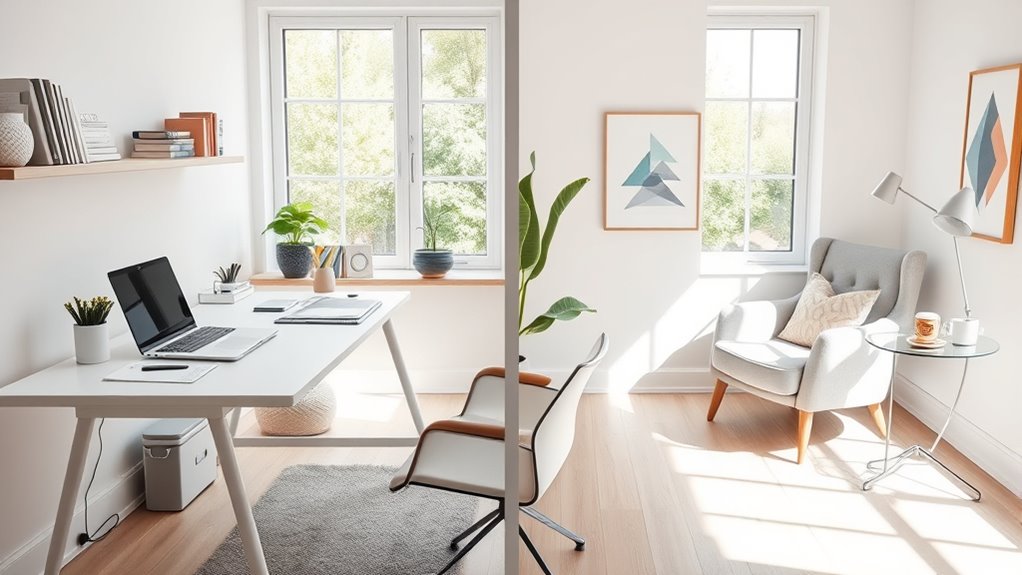
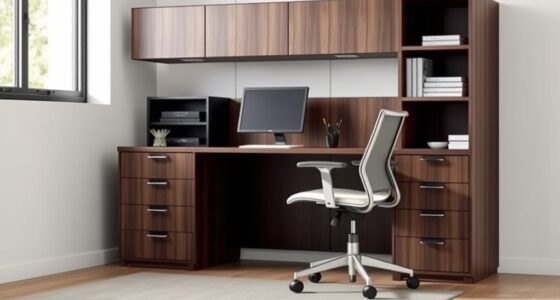
Creating designated zones within your home office can boost productivity and help you separate work from personal life. When you clearly define areas for different activities, you’re less likely to get distracted and more likely to stay focused during work hours. One effective way to do this is by investing in ergonomic furniture that not only supports your health but also signals to your brain that it’s time to work. Position your desk and chair in a way that promotes good posture, reduces fatigue, and encourages alertness. An ergonomic setup can make a significant difference, especially if you spend long hours at your desk.
Creating designated home office zones with ergonomic furniture enhances focus and supports your well-being.
To visually distinguish your work zone from your personal space, incorporate decorative accents that subtly reinforce the boundaries. For example, a stylish rug under your desk, a different color or pattern for the wall behind your workspace, or a dedicated bookshelf can create a sense of separation. Decorative accents aren’t just about aesthetics—they help your brain associate specific areas with specific activities. When you see a particular piece of decor or a distinct color scheme, it cues your mind to switch into work mode or relax mode accordingly.
Additionally, consider using physical dividers or furniture arrangements to delineate zones. A bookshelf, folding screen, or even a curtain can serve as a visual barrier, making it easier to mentally switch between work and personal life. This physical separation can also help reduce clutter, which is often a source of distraction. Keep work-related items confined to your designated zone, and reserve the rest of your space for personal belongings, hobbies, or relaxation.
Lighting plays a vital role in zoning as well. Use task lighting, such as a desk lamp, in your work area to create a focused environment. In contrast, softer lighting in your personal zone can promote relaxation when you’re not working. This subtle adjustment helps your brain associate specific lighting with certain activities, further reinforcing the boundary between work and leisure.
Furthermore, incorporating sound therapy into your workspace can enhance focus and reduce stress, helping you stay in the right mindset for work or relaxation. Finally, establish routines that signal the start and end of your workday. When you leave your designated work zone, step away from your ergonomic furniture and switch off your work-related devices. This mental and physical boundary ensures you don’t blur the lines between work hours and personal time, helping you maintain a healthy work-life balance. With thoughtful zoning, ergonomic furniture, and decorative accents, you’ll create a home office that’s both productive and inviting—a space where you can focus during work and unwind when it’s time to relax.

NEO Chair Office Desk Gaming Chair Computer High Back Mesh Seat with Rolling Wheels Ergonomic Adjustable Comfy Flip-up Armrests Lumbar Support Height for Home (Black)
All-Day Ease – Breathable mesh backrest provides targeted lower back support, encouraging healthy posture and lasting comfort through…
As an affiliate, we earn on qualifying purchases.
As an affiliate, we earn on qualifying purchases.
Frequently Asked Questions
How Do I Create a Functional Zoning Plan on a Small Budget?
To create a functional zoning plan on a small budget, start with budget-friendly decor like painted tapes or fabric screens to define areas. Use DIY zoning solutions such as repurposed furniture or open shelving to separate work from personal space. Incorporate rugs or curtains to add visual boundaries without spending much. These simple, cost-effective ideas help you establish a clear, organized home office zone without breaking the bank.
What Are the Best Colors to Define Work and Personal Areas?
Choose colors based on color psychology and contrast to define your work and personal areas. Opt for calming shades like blue or green in your workspace to foster focus and productivity. Use warmer, inviting tones such as soft yellow or peach in personal zones to promote relaxation. Incorporate color contrast between the zones, like a darker accent wall or different wall colors, to clearly delineate each space and boost your zoning effectiveness.
How Can I Minimize Distractions in a Shared Home Office Space?
To minimize distractions in a shared home office, use soundproofing techniques like heavy curtains, rugs, or acoustic panels to block noise. Incorporate visual privacy solutions such as room dividers or frosted glass to prevent visual disruptions. Keep your workspace organized and designate specific areas for work and personal use. By controlling sound and sight, you create a focused environment that boosts productivity and reduces interruptions.
What Furniture Options Optimize Space and Separation?
Think of your space as a canvas, and the right furniture as your brushstrokes. Folding desks save space and can be tucked away when not in use, creating a clean, open feel. Modular shelves act like walls of organization, defining your work zone without overwhelming the room. These pieces work together to maximize space and create a clear boundary, helping you switch seamlessly between work and personal life.
How Do I Maintain Boundaries With Family Members During Work Hours?
To maintain boundaries with family during work hours, prioritize family communication and set clear expectations upfront. Let them know your work schedule and explain the importance of respecting your space and focus. Use visual cues like a closed door or a sign to signal when you’re busy. Consistently reinforce these boundaries, and encourage open dialogue to address any concerns, ensuring everyone understands and respects your work time.

Kecreque Room Divider 4 Panel Partition Room Dividers & Folding Privacy Screens w/ 3 Metal Feet,88" W Portable Wall Doubles as a Dressing Screen Wall Divider for Office Bedroom Children's Room,White
PRIVACY SCREEN:Room partition consists of 4 polyester fibre panels with high confidentiality,anti-wrinkle,wear-resistant,waterproof,daily maintenance of the room screen divider…
As an affiliate, we earn on qualifying purchases.
As an affiliate, we earn on qualifying purchases.
Conclusion
Think of your home office as a garden: when each area has its own clear space, everything blooms beautifully. By zoning your workspace, you create a balanced environment where work and personal life don’t clash. This separation helps you stay focused, reduces stress, and keeps your mind fresh. So, set those boundaries like fences around your garden, and watch your productivity grow while your personal space remains peaceful and undisturbed.

Airlonv LED Desk Lamp for Office Home, Eye-Caring Desk Light with Stepless Dimming Adjustable Flexible Gooseneck, 10W USB Adapter Desk Lamp with Clamp for Reading, Study, Workbench (Black)
Stepless Dimming Mode: The desk light offers effortless switching of color temperatures (2700K-6500K) and stepless dimming (1% -…
As an affiliate, we earn on qualifying purchases.
As an affiliate, we earn on qualifying purchases.

RELEANY Washable Area Rugs 5'x7' Non-Slip Modern Abstract Soft for Living Room Entryway Bedroom Nursery, Print Pattern, Blue Grey Navy Gray
Tides Series – Effortless style that flows with your life.This modern machine-washable non-slip rug features reinforced edges and…
As an affiliate, we earn on qualifying purchases.
As an affiliate, we earn on qualifying purchases.