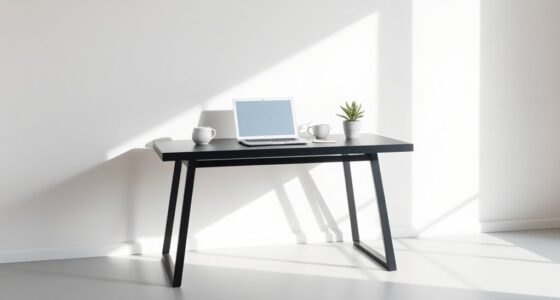
To create a calm home office for clear video meetings, focus on ergonomic furniture for comfort and good posture, and incorporate soundproofing solutions like acoustic panels or heavy curtains to block out noise. Use plants and natural elements to add tranquility and improve air quality. Keep your workspace organized and away from busy areas to minimize distractions. These simple updates can transform your space into a peaceful, professional environment—discover more tips to enhance your home office setup.
Key Takeaways
- Invest in ergonomic furniture to ensure comfort and proper posture during long meetings.
- Incorporate soundproofing solutions like acoustic panels and heavy curtains to minimize noise distractions.
- Optimize your workspace with proper lighting and a clutter-free environment for better focus.
- Use natural elements such as plants to create a calming, inviting atmosphere.
- Position your desk away from noisy appliances and external sources for clearer audio and concentration.

Creating a calm and efficient home office is vital for productive video meetings, especially as remote work becomes more prevalent. Your workspace influences how you communicate, stay organized, and maintain focus during virtual interactions. To start, investing in ergonomic furniture is a smart move. An ergonomic chair with good lumbar support helps you sit comfortably for hours, reducing strain and fatigue. Pair it with a desk that offers enough surface area for your equipment and documents, guaranteeing you don’t feel cramped or distracted. When your body feels comfortable, your mind stays engaged, making your meetings more effective.
A comfortable ergonomic chair and spacious desk boost focus and reduce fatigue during remote meetings.
Soundproofing solutions are equally significant for a professional and distraction-free environment. Noises from household activities, traffic, or neighbors can interrupt your calls and diminish your focus. To combat this, consider adding sound-absorbing panels or acoustic foam to your walls. These materials help dampen external noise and prevent echo, creating a clearer audio experience for everyone on the call. You might also use a door sweep or draft stopper to block sound leakage from under the door, and choose curtains or heavy drapes for windows to reduce outside noise. If your space allows, placing your desk away from noisy appliances or busy areas can make a notable difference. Incorporating soundproofing techniques can significantly improve your overall call quality and focus. Additionally, selecting the right workspace environment can further enhance your concentration and calmness during meetings. Ensuring proper acoustic treatments in your home office can help create a more peaceful and focused atmosphere, especially in busy households.
Furthermore, integrating natural elements such as plants can improve air quality and add a sense of tranquility to your workspace.
ergonomic office chair with lumbar support
As an affiliate, we earn on qualifying purchases.
As an affiliate, we earn on qualifying purchases.
Frequently Asked Questions
How Can I Improve My Home Office Wi-Fi Stability?
To improve your home office Wi-Fi stability, start by optimizing your wireless signal. Place your router in a central, elevated spot away from thick walls and electronic interference. Avoid placing it near metal objects or microwaves, which can disrupt the signal. Consider upgrading to a dual-band router or adding a Wi-Fi extender if needed. These steps help guarantee a stronger, more reliable connection for smooth video meetings.
What Are the Best Ergonomic Accessories for Home Offices?
You should invest in an ergonomic keyboard and a supportive chair to boost comfort and reduce strain during work. An ergonomic keyboard helps maintain natural wrist positions, preventing discomfort over long hours. Pair it with a supportive chair that offers proper lumbar support and adjustable height to keep your posture aligned. These accessories promote better ergonomic practices, helping you stay comfortable and focused during video meetings and work sessions.
How Do I Reduce Background Noise During Video Calls?
To reduce background noise during video calls, start by applying soundproofing techniques like adding heavy curtains, rugs, or foam panels to absorb sound. Keep your microphone close to your mouth and use a directional microphone to minimize capturing ambient noise. Regularly check your microphone placement to guarantee it’s aimed away from noisy sources. These steps help create a clearer audio environment, making your meetings more professional and less distracting.
What Lighting Setups Enhance Video Meeting Clarity?
Think of your lighting as the guiding sun and steady lanterns for clarity. Use natural lighting by positioning your desk near windows to create soft, even light that mimics daylight. Complement this with adjustable LED lights to eliminate shadows and highlight your face. This balanced setup enhances video meeting clarity, making you appear more professional and approachable, while reducing eye strain and ensuring your message shines brightly.
How Can I Organize Cables and Tech Clutter Effectively?
You can organize cables and tech clutter by implementing effective cable management solutions, such as cable clips, sleeves, and under-desk trays. Regular tech decluttering helps you identify essential devices, reducing unnecessary equipment. Keep cords tidy and out of sight to create a clean, calm workspace. This not only improves aesthetics but also enhances safety, prevents accidental unplugging, and makes your home office more efficient and stress-free during video meetings.
soundproof acoustic panels for home office
As an affiliate, we earn on qualifying purchases.
As an affiliate, we earn on qualifying purchases.
Conclusion
Creating a calm, efficient home office sets the stage for smoother video meetings and a more productive day. With a few simple tweaks—like decluttering, good lighting, and comfy seating—you’ll feel more at ease, even during the wildest Zoom calls. Remember, don’t forget to add a touch of your personality to make your space truly yours. So, channel your inner Marie Kondo, and turn your office into a sanctuary—no flux capacitor needed!
desk with ample surface area for home workspace
As an affiliate, we earn on qualifying purchases.
As an affiliate, we earn on qualifying purchases.
heavy blackout curtains for windows
As an affiliate, we earn on qualifying purchases.
As an affiliate, we earn on qualifying purchases.