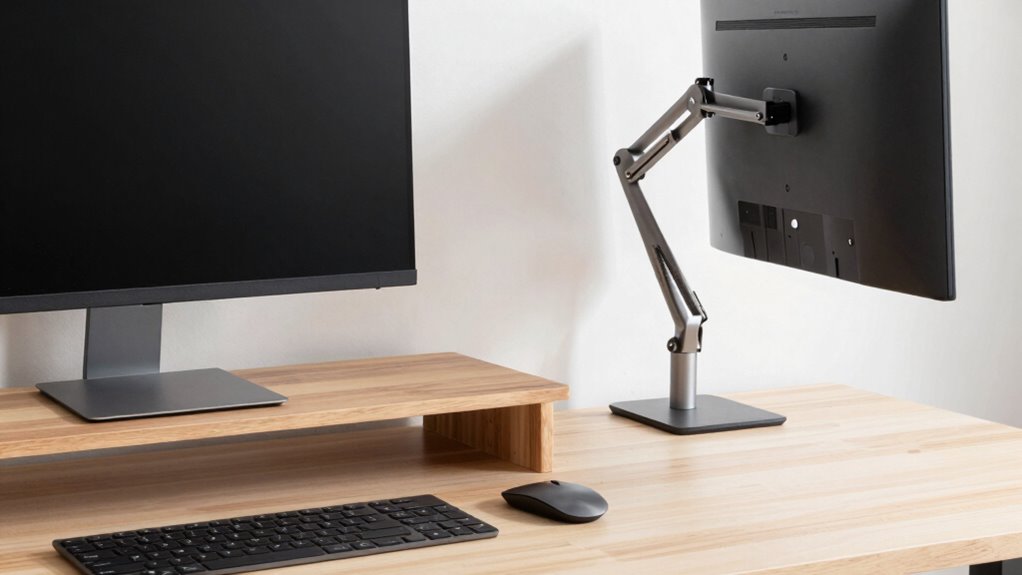

If you want a sleek, simple look, monitor risers are a budget-friendly choice that quickly lift your screen to eye level, reducing neck strain, but they offer limited adjustability. Monitor arms provide more flexibility with height, tilt, and position, helping you customize your workspace and keep it clutter-free. Both options fit minimalist styles, but if you value long-term comfort and adaptability, exploring the details further can help you find the perfect fit.
Key Takeaways
- Monitor risers offer a simple, affordable, and quick upgrade for elevating screens in minimalist office setups.
- Monitor arms provide adjustable positioning, enhancing ergonomic comfort and workspace flexibility.
- Risers create a clean, uniform look, while monitor arms add modern, high-tech aesthetics.
- Risers are easy to set up but less adaptable; monitor arms require installation but offer personalized adjustments.
- Both solutions help reduce clutter and improve workspace organization, fitting different aesthetic and functional needs.
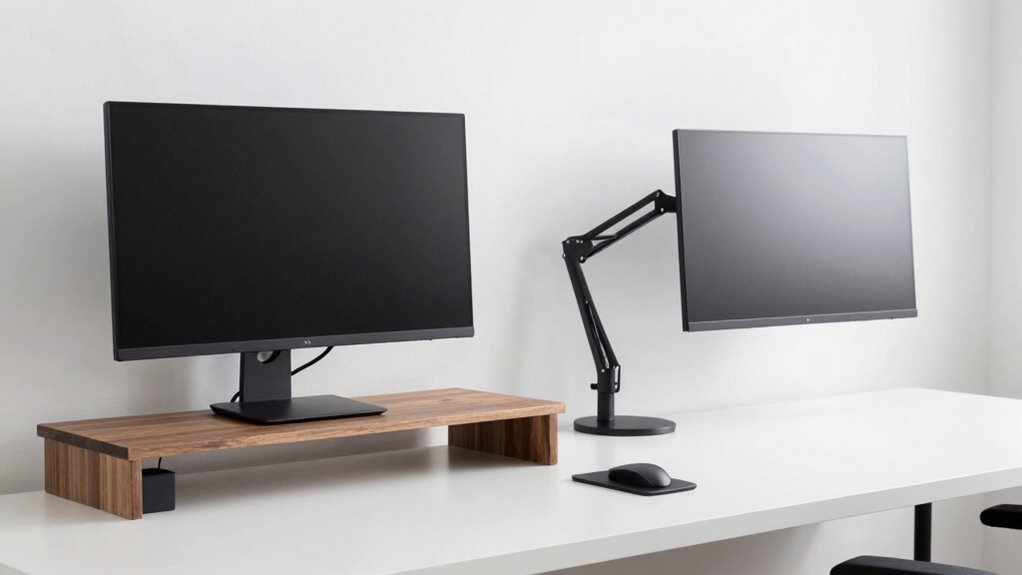
When designing a minimalist office, choosing the right monitor setup can make a considerable difference in both aesthetics and functionality. Your goal is to create a space that’s clean, uncluttered, and visually appealing, while also supporting your productivity and comfort. This is where the decision between monitor risers and monitor arms comes into play. Both options help elevate your screen, but they do so in different ways, offering unique ergonomic benefits and aesthetic appeal. Understanding these differences can help you select the best solution for your minimalist workspace.
Monitor risers are simple platforms that lift your monitor to a more comfortable height. They’re typically compact, sleek, and easy to incorporate into a minimalist design. Because they come in a variety of materials and styles, you can choose a riser that complements your desk’s aesthetic. Whether you prefer a wood finish, metal, or a minimalist black design, risers add a subtle elevation that can make your workspace look more organized and intentional. From an aesthetic perspective, they create a clean, uniform look and reduce clutter by raising the monitor without adding much visual weight. Additionally, they are often more budget-friendly and easier to set up than adjustable options. Ease of setup is another advantage, making them suitable for quick upgrades or temporary arrangements.
From an ergonomic standpoint, monitor risers improve your posture by bringing your screen to eye level, which reduces neck and eye strain. This simple elevation can prevent you from leaning forward or craning your neck downward, promoting better spinal alignment. However, since risers are fixed platforms, they offer limited flexibility in adjusting height and angle once placed. This means you might need to experiment with different risers to find one that offers the best ergonomic fit for your body and desk setup. Some risers also include features like non-slip pads to ensure stability during use.
On the other hand, monitor arms provide adjustable flexibility that can appreciably enhance both ergonomic benefits and aesthetic appeal. With a monitor arm, you can effortlessly change the height, tilt, and distance of your screen, allowing for a customized setup that suits your body and workspace. This adjustability not only improves comfort but also helps keep your desk tidy, as cables and the monitor itself are often hidden or better managed. A sleek, minimalist monitor arm can add a modern, high-tech look to your office, enhancing the overall aesthetic without sacrificing simplicity. Moreover, they often incorporate cable management features, which are essential for maintaining a clutter-free workspace.
While monitor arms might seem more complex, they are typically designed with minimalist sensibilities in mind, often featuring clean lines and unobtrusive hardware. They also free up desk space more effectively than risers, maintaining a sleek, uncluttered surface. Choosing a high-quality monitor arm ensures stability and durability, making it a worthwhile investment for long-term ergonomic support and visual harmony in your minimalist office. Additionally, many monitor arms are compatible with adjustable monitor setups, allowing you to optimize your workspace further.
Ultimately, your choice depends on your specific needs for adjustability, aesthetic preferences, and workspace constraints. Both monitor risers and monitor arms serve to elevate your screen, but one may align better with your desire for a tidy, stylish, and ergonomically supportive environment.
monitor riser for minimalist office
As an affiliate, we earn on qualifying purchases.
As an affiliate, we earn on qualifying purchases.
Frequently Asked Questions
Which Option Is More Budget-Friendly for Minimalist Setups?
Monitor risers are generally more budget-friendly for minimalist setups because they have a lower initial cost compared to monitor arms. When you compare the cost, risers require a one-time purchase and don’t need additional mounting hardware. Monitor arms, while versatile, can be more expensive and may involve ongoing costs for adjustments or replacements. So, if you’re eyeing budget impact, risers are the more economical choice.
How Do Monitor Risers and Arms Affect Cable Management?
Monitor risers often have built-in cable management features, helping you conceal cables and keep wiring organized, which enhances a minimalist look. Monitor arms typically offer better wiring organization by allowing you to route cables neatly along the arm, reducing clutter. Both options improve cable concealment, but arms give you more flexibility to hide and organize wires efficiently. Your choice depends on how much cable management you prioritize for your minimalist setup.
Can Both Options Be Easily Adjusted for Ergonomic Comfort?
Did you know that 90% of people experience discomfort from poor monitor positioning? Both options can be easily adjusted for ergonomic comfort, but monitor arms typically offer superior flexibility. They allow you to fine-tune ergonomic positioning and adjustable height more precisely, reducing strain. Risers provide some height adjustment, but arms give you a broader range of motion, helping you create a workspace tailored to your ergonomic needs.
Are There Specific Materials That Last Longer in Either Option?
Both monitor risers and monitor arms can feature durable materials, but monitor arms often have an edge in longevity due to high-quality metals like aluminum or steel, which resist wear and corrosion. Risers made from sturdy wood or reinforced plastic can also last long if they have good construction. Longevity factors include material durability, build quality, and proper maintenance, so choose options with solid materials to guarantee your setup remains stable and functional over time.
How Do Aesthetic Preferences Influence the Choice Between Risers and Arms?
Your aesthetic preferences play a big role in choosing between risers and arms because they impact design consistency and visual harmony. If you prefer a sleek, streamlined look, monitor arms often blend seamlessly with modern decor. Conversely, risers can add a subtle, minimalist touch that maintains clean lines. Think about how each option complements your overall workspace style to create a cohesive, visually appealing environment.
As an affiliate, we earn on qualifying purchases.
Conclusion
Ultimately, whether you choose a monitor riser or arm depends on your workspace needs. While risers offer a simple, affordable lift, arms provide adjustable ergonomics that can boost comfort and productivity. Some say that investing in an arm transforms your desk into a streamlined, modern space—possibly true, as studies suggest ergonomic setups improve focus. So, consider your minimalist goals and comfort priorities; either way, your workspace will look sleek and efficient.
As an affiliate, we earn on qualifying purchases.
As an affiliate, we earn on qualifying purchases.