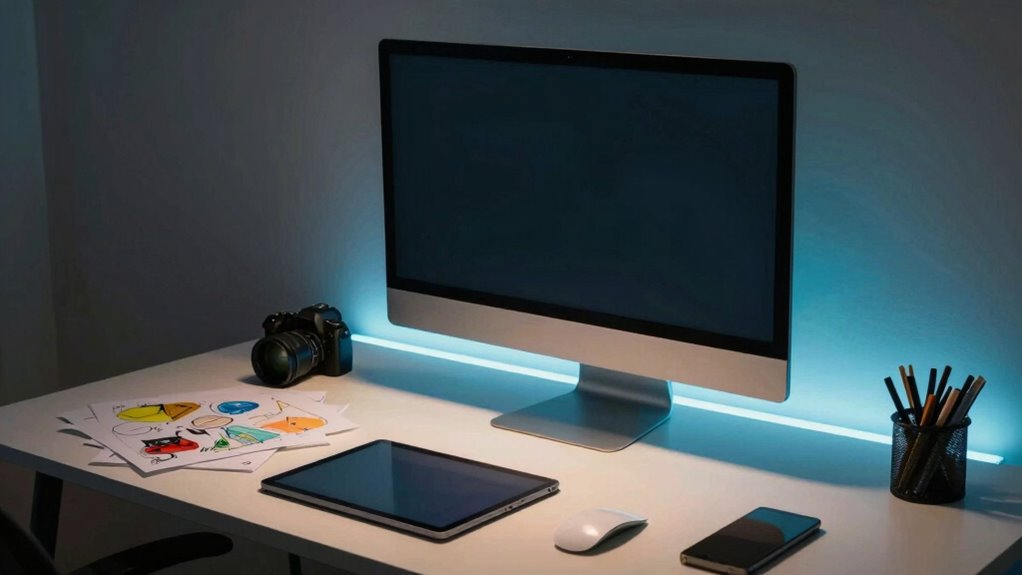

Bias lighting is a subtle backlight placed behind your monitor or along your desk edges to reduce eye strain and improve visual comfort during long creative sessions. It creates a soft glow that enhances contrast and color accuracy, making images more vivid and true to life. Proper setup involves indirect lighting with a neutral color temperature around 6500K, which helps your eyes adapt smoothly and minimizes glare. Keep exploring to learn how to optimize your workspace for even better comfort and performance.
Key Takeaways
- Bias lighting reduces eye strain and glare, enhancing visual comfort during long creative sessions.
- Proper color temperature (around 6500K) ensures natural, accurate color perception on your workspace.
- It balances monitor brightness with ambient light, preventing discomfort from harsh contrasts.
- Bias lighting improves color accuracy and clarity, making colors appear more vivid and true-to-life.
- Proper setup involves soft, indirect light behind the monitor to optimize workspace without distraction.
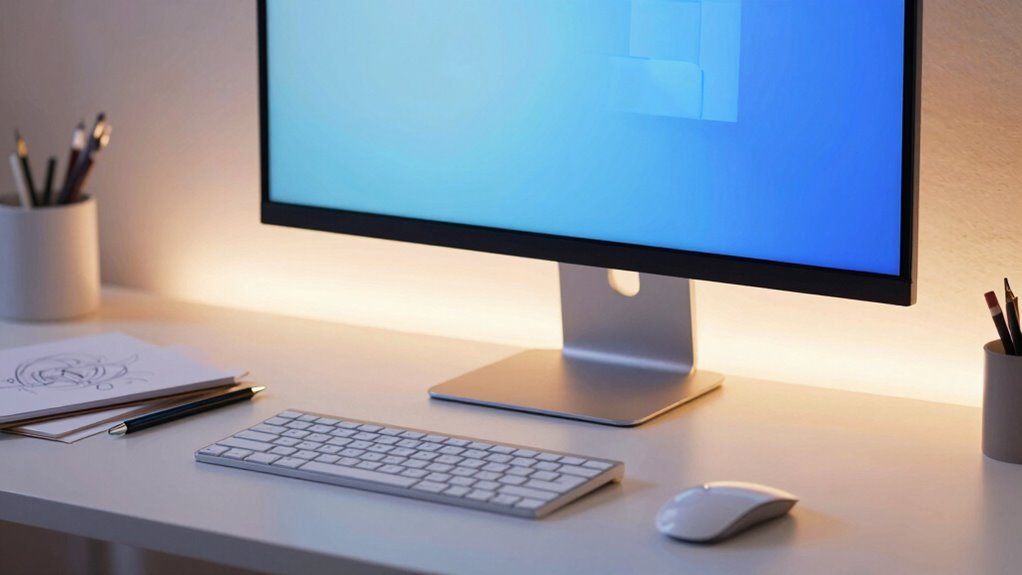
If you spend long hours at a creative desk, bias lighting can make a significant difference in your work environment. This subtle, behind-the-monitor lighting reduces eye strain and enhances your overall visual comfort. When choosing bias lighting, one key factor to consider is color temperature. A balanced color temperature, typically around 6500K, closely matches natural daylight, creating a neutral environment that minimizes glare and prevents your eyes from overworking. If the lighting is too warm (lower Kelvin), it can make your workspace feel cozy but may distort color perception, which is essential for tasks like photo editing or design. Conversely, if it’s too cold (higher Kelvin), your eyes might strain more over time, especially during long sessions. A well-chosen color temperature helps your eyes adapt smoothly, reducing fatigue and increasing accuracy in your work.
Ambient contrast plays a critical role in how comfortable and effective your workspace feels. When you set up bias lighting properly, it creates a gentle glow around your monitor that balances the brightness of the screen with the surrounding environment. This contrast helps prevent your pupils from dilating excessively, which can cause discomfort and fatigue. By increasing ambient contrast in a subtle way, bias lighting enhances the perceived sharpness of your display without overwhelming your visual field. This means you can work longer without feeling the harshness of direct light hitting your eyes or the strain caused by a stark difference between your screen and your surroundings. Additionally, understanding how ambient contrast impacts visual comfort can help you optimize your workspace for prolonged creative sessions. Being mindful of visual ergonomics and how your lighting setup influences it can further improve your overall comfort. For example, adjusting your bias lighting to match the color temperature of your workspace can create a more cohesive visual environment.
You’ll find that bias lighting also improves your perception of colors on your screen. Because it reduces ambient contrast, colors appear more vivid and true to life, which is especially important for creative professionals like photographers, graphic designers, or video editors. The right bias lighting doesn’t just brighten your workspace; it creates a more harmonious environment that minimizes reflections and glare, allowing your work to shine with clarity. The key is to position the lights so that they cast a soft, indirect glow, ideally behind your monitor or along the edges of your desk, so the light enhances your workspace without creating additional distractions or visual clutter. When you understand how color temperature and ambient contrast work together, you can craft a workspace that’s both comfortable and optimized for your creative flow.

Luminoodle Color Bias Lighting, USB TV and Monitor Backlight LED Strip Lights Kit with Dimmer, Remote – 6.6 ft for 24" to 60" TV – Medium
- Eye-Friendly Lighting: 6500K True White for eye comfort
- Enhanced Contrast: Adjustable colors and brightness
- Easy Installation: USB-powered LED strip with 15 lights
As an affiliate, we earn on qualifying purchases.
As an affiliate, we earn on qualifying purchases.
Frequently Asked Questions
How Does Bias Lighting Improve Color Accuracy for Digital Artwork?
Bias lighting improves your digital artwork’s color accuracy by reducing eye strain and creating a consistent ambient glow around your monitor. This ambient glow helps with better color calibration, ensuring your screen’s colors appear more true to life. When your eyes aren’t strained, you can focus more on precise color adjustments, making your creative process more accurate. Overall, bias lighting helps you produce artwork with better color fidelity and less visual fatigue.
Can Bias Lighting Reduce Eye Strain During Long Editing Sessions?
Yes, bias lighting can reduce eye strain during long editing sessions. Imagine your workspace as a peaceful lake, where ambient ambiance creates a gentle glow that eases your eyes, preventing fatigue. By providing soft, indirect light, bias lighting minimizes harsh contrasts and glare, helping you maintain task focus without discomfort. This subtle illumination supports your eyes, making extended editing more comfortable and less tiring.
What Are the Best Color Options for Bias Lighting on a Creative Desk?
The best color options for bias lighting on your creative desk are warm white and soft amber, which provide a gentle ambient glow that reduces eye strain. You should also consider colors that promote color harmony, such as cool blue or subtle green, to create a relaxing environment. These hues help balance your workspace’s lighting, making your editing sessions more comfortable and enhancing your overall color accuracy.
How Do I Install Bias Lighting Without Damaging My Monitor or Desk?
To install bias lighting without damaging your monitor or desk, start by choosing a flexible, adhesive-free strip that can be easily repositioned. Attach the lighting behind your monitor, ensuring it’s not directly touching the screen or surface to prevent damage. Position the lights to enhance monitor placement and avoid glare. Use remote controls or apps to synchronize the lighting with your screen, creating a seamless viewing experience while protecting your equipment.
Is Bias Lighting Suitable for All Types of Creative Work, Like Photography or Video Editing?
Bias lighting is suitable for most creative work, including photography and video editing, as it reduces eye strain and enhances color accuracy. You can also enjoy ambient music while working, creating a more focused environment. Keep your desk organized to maximize efficiency, and make sure your bias lighting is properly installed to avoid glare or reflections. This setup helps you see details better and stay comfortable during long editing sessions.

HAMLITE TV Bias Lighting 6500K True White for 70 72 75 80 82 85 Inch TV, 18Ft USB TV LED Backlight with RF Remote Cover 4 Sides Behind TV Background Room Decor Gaming Light for Men Ambient Mood Light
- Light Color Temperature: 6500K true white light
- Coverage: 18ft LED strip for 4 sides
- Compatibility: Fits 70-85 inch TVs and more
As an affiliate, we earn on qualifying purchases.
As an affiliate, we earn on qualifying purchases.
Conclusion
Think of bias lighting as the steady glow of a lighthouse guiding your creative journey through darkness. It’s not just about illumination but about setting the mood, reducing eye strain, and inspiring your imagination to sail smoothly. When you embrace this subtle glow, you’re creating a sanctuary where ideas flourish and focus deepens. Let your desk become a beacon of creativity, shining brightly with the warm, steady light that fuels your passion and keeps your vision clear.

velted RGB Light Bar, Music Sync RGB IC LED Lights Bars, USB Powered Ambient Lighting, Remote Control Color Changing Gaming TV Backlight, 8 Dynamic Modes for PC Room Monitor Desk
- Music Sync Modes: Three modes sync with ambient sounds
- Colorful Lighting: Eight dynamic modes with IC technology
- Wide Compatibility: USB powered for PC, monitor, TV, and more
As an affiliate, we earn on qualifying purchases.
As an affiliate, we earn on qualifying purchases.

Power Practical LED Strip Lights Backlight, USB Light Strips w/Remote for 15 Ambient Color Bias Lighting Options & 10 Brightness Modes, for TV/Computer Decor/Indoor Use, Size(<24" TV)
- Eye-Friendly Lighting: 6500K true white color reduces eye strain
- Customizable Backlight: Adjust colors and brightness with remote
- Easy Installation: USB-powered for simple setup
As an affiliate, we earn on qualifying purchases.
As an affiliate, we earn on qualifying purchases.