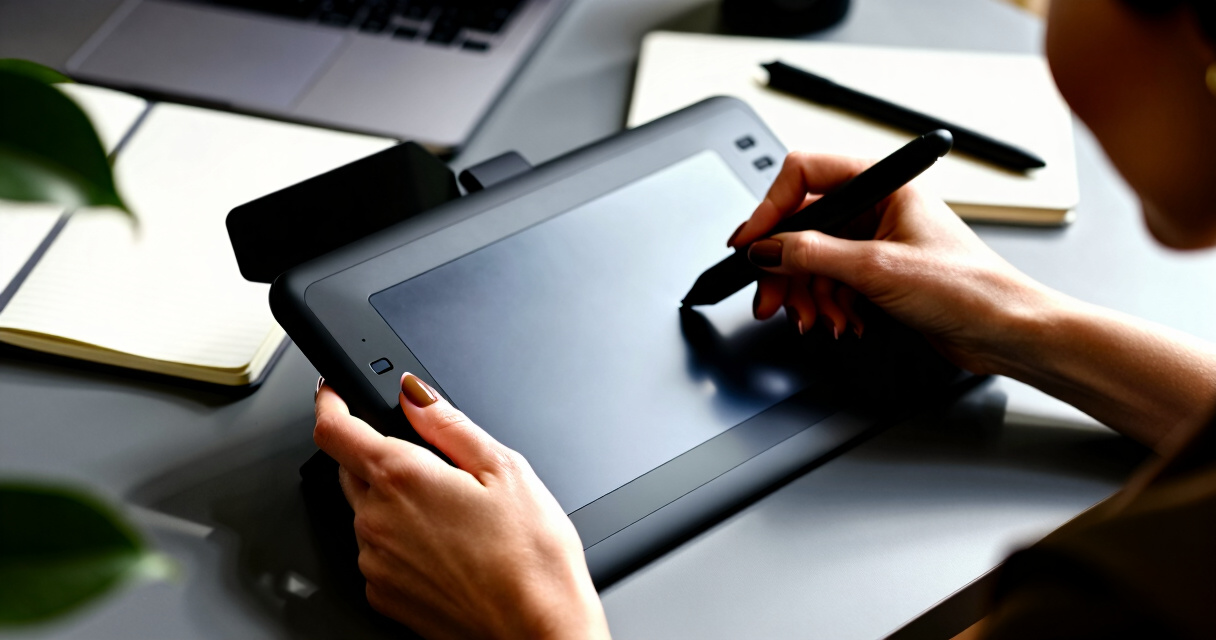

Finding the best premium graphic tablets in 2026 means balancing top-tier performance with advanced features designed for professional artists and designers. The XPPen Artist 15.6 Pro V2 stands out as an excellent all-rounder, offering a high-quality display and customizable controls. For those seeking standalone convenience, the XPPen Magic Drawing Pad provides a paper-like experience with impressive power. However, these premium models often face tradeoffs like higher prices and complex feature sets—it’s important to consider what aligns best with your workflow. Continue reading for a detailed breakdown of each option and how they compare.
Key Takeaways
- The highest pressure sensitivity (16K levels) is offered by multiple models, supporting detailed brushwork.
- Standalone tablets provide a more natural drawing experience but tend to cost more than screenless options.
- Build quality and display quality are key differentiators among premium models, affecting durability and visual accuracy.
- Hotkeys and customizable controls significantly enhance workflow efficiency for professional users.
- Price varies widely within this category; understanding your specific needs helps justify higher costs.


More Details on Our Top Picks
XPPen Magic Drawing Pad 12.2 Inch Standalone Drawing Tablet with 16K Pressure Stylus, 8GB RAM, 256GB Storage, Android 14, Paper-Like Screen
This standalone drawing tablet stands out for its impressive 16K pressure stylus, which delivers exceptional detail and sensitivity, surpassing many competitors like the XPPen Artist 15.6 Pro V2. Though it lacks the high-end color accuracy of larger screens, its paper-like display and portability make it ideal for artists on the move. Unlike traditional pen displays, it doesn’t require a connection to a PC, offering true independence. The tradeoff is its higher price and Android-only ecosystem, which may limit software choices for some users. Overall, this pick makes the most sense for digital creators who need a versatile, lightweight device for sketching and on-the-go work.
Pros:- High-precision 16K pressure stylus for detailed artwork
- Paper-like screen enhances traditional drawing feel
- Long battery life supports all-day creative sessions
- Lightweight and portable for use anywhere
Cons:- Expensive compared to non-standalone drawing tablets
- Limited software ecosystem—Android apps may be restrictive
Best for: Mobile artists and freelance creatives needing a portable, standalone device
Not ideal for: Studio professionals requiring extensive color accuracy and high-end software integration
- Display Size:12.2 inches
- Resolution:2160 x 1440
- Color Gamut:115% sRGB
- Stylus Pressure Levels:16K
- Battery Capacity:8000 mAh
- Battery Life:13 hours
- RAM:8 GB
- Storage:256 GB (expandable up to 1TB)
Bottom line: This device suits artists who prioritize portability and precision over extensive software flexibility.
XPPen Artist 15.6 Pro V2 Drawing Tablet with Screen, 16K Pen Pressure Stylus, Adjustable Stand, 8 Shortcut Keys, Full-Laminated Anti-Glare Glass
The XPPen Artist 15.6 Pro V2 is designed for artists who demand precise color and detail, with a 15.6-inch full laminated screen that rivals the clarity of higher-end monitors like the XPPen Artist 13.3 Pro. Its 16K pressure-sensitive stylus and tilt support facilitate natural shading and intricate strokes. Unlike standalone models, this device requires connection to a computer, but offers superior color fidelity and a more traditional studio experience. Its adjustable stand and customizable shortcut keys boost workflow efficiency, though its weight and price may be barriers for casual users. This tablet makes the most sense for professionals working in detailed illustration, animation, or design projects where color accuracy is critical.
Pros:- Full laminated, anti-glare display with excellent color accuracy
- Tilt support and high pressure sensitivity for natural shading
- Adjustable stand and shortcut keys for ergonomic workflow
- Wide compatibility with major OS and software
Cons:- Requires connection to a computer, reducing portability
- Heavier at 3.66 kg, less suited for travel
- Higher price point for professional features
Best for: Professional digital artists and designers prioritizing color fidelity and ergonomic comfort
Not ideal for: Artists seeking a portable, standalone device or casual hobbyists
- Screen Size:15.6 inches
- Resolution:1920×1080
- Color Gamut:99% sRGB, 96% Adobe RGB, 96% Display P3
- Pen Pressure Levels:16,384
- Brightness:250 cd/m²
- Contrast Ratio:1000:1
- Weight:3.66 kg
- Additional Features:Full lamination, tilt support, adjustable stand
Bottom line: Ideal for professionals needing detailed color work in a studio setting with ergonomic features.
XPPen Deco 01 V3 Drawing Tablet – 10×6 Inch, 16,384 Pressure Levels, Battery-Free Stylus, 8 Hotkeys, Compatible with Windows, Mac, Android
The Deco 01 V3 offers a generous 10×6 inch active area with a battery-free stylus that boasts 16,384 pressure levels, rivaling more expensive models like the Artist 13.3 Pro. Its broad compatibility across Windows, Mac, Android, and Chrome OS makes it a flexible choice for beginners exploring digital art, teaching, or casual gaming. The hotkeys provide quick access to tools, although some users may find the hotkey customization limited compared to higher-end tablets. While initial setup can seem complex, its versatility and affordability give it an edge for users looking for a reliable entry into premium digital drawing without sacrificing portability. It’s best suited for those starting out or needing a multi-purpose device for various creative and educational tasks.
Pros:- Large active drawing area for detailed work
- High pressure sensitivity with 16,384 levels
- Supports multiple OS including Android and Chrome OS
- Lightweight and portable design
Cons:- Setup can be complex for first-time users
- Limited hotkey customization compared to premium models
- Requires app downloads for Android compatibility
Best for: Beginners, students, and hobbyists seeking a versatile, affordable premium tablet
Not ideal for: Advanced professionals requiring high-end color accuracy or extensive workflow features
- Active Area:10 x 6.25 inches
- Pressure Levels:16,384
- Stylus:Battery-free, tilt support
- Connectivity:USB-C with adapters
- Compatibility:Windows 7+, macOS 10.13+, Android 10.0+, Chrome OS
- Hotkeys:8 customizable
- Dimensions:8 mm thin
Bottom line: Best suited for beginners and multi-platform users seeking a balance of features and affordability.
XPPen Artist 13.3 Pro Drawing Tablet with Screen, Full-Laminated FHD Display, 8 Shortcut Keys, and Tilt Function
The Artist 13.3 Pro balances affordability with high-quality features, including a full-laminated FHD display with 88% NTSC color coverage, making it a strong alternative to larger, more expensive pen displays like the Artist 15.6 Pro. Its tilt support and customizable shortcut keys cater to detailed shading and workflow efficiency, though it’s not standalone and requires a connection to a computer. Compared to standalone devices like the Magic Drawing Pad, this model offers better color fidelity and a more traditional drawing experience, but at the cost of portability. It’s best suited for professional artists or serious enthusiasts who need precise color and shading capabilities within a studio environment.
Pros:- Excellent color accuracy with 88% NTSC coverage
- Supports tilt function for shading realism
- Customizable shortcut keys for workflow speed
- Full-laminated, glare-resistant display
Cons:- Requires connection to a computer, limiting portability
- Higher price compared to non-screen tablets
- Steeper learning curve for new users
Best for: Artists and designers requiring accurate colors and natural shading tools in a professional setting
Not ideal for: Travelers or those seeking a truly portable, standalone device
- Display Size:13.3 inches
- Resolution:1920×1080
- Color Gamut:88% NTSC
- Pen Pressure Levels:8192
- Tilt Support:Yes, up to 60 degrees
- Shortcut Keys:8
- Viewing Angle:178 degrees
- Additional Features:Full lamination, tilt support
Bottom line: Perfect for artists needing detailed color work and natural shading in a desktop setup.
PicassoTab A10 Drawing Tablet
The PicassoTab A10 offers a complete package for artists, students, and animators seeking a standalone device with a 10-inch IPS HD display powered by Android 14. Its octa-core processor and 128GB of storage support multitasking and creative apps, making it a flexible choice for those who want a tablet they can use independently without a computer. While it doesn’t match the color accuracy or stylus sensitivity of dedicated pen displays like the Artist series, its inclusion of pre-installed apps and accessories adds value for casual and educational users. Its limited battery life details and lack of expandable storage are notable tradeoffs, but for a portable all-in-one device, it delivers solid performance. This makes the most sense for users who prioritize convenience and versatility in a budget-friendly premium tablet.
Pros:- Vivid IPS HD display for clear visuals
- Octa-core processor supports multitasking
- Pre-installed drawing apps and accessories
Cons:- Battery life not specified, may vary with use
- Limited camera quality info
- No expandable storage option mentioned
Best for: Students, casual artists, and animators needing a standalone Android device
Not ideal for: Those needing extensive stylus sensitivity or expandable storage
- Display:10 inches
- Operating System:Android 14
- Processor:MediaTek Octa-core
- Storage:128GB
- RAM:6GB
- Display Type:IPS HD
- Resolution:2000×1200
- Connectivity:Wi-Fi, USB-C
Bottom line: A versatile, all-in-one Android tablet ideal for students and casual creators on the go.
HUION Inspiroy H1060P Graphics Drawing Tablet with 8192 Pressure Sensitivity and Customizable Hot Keys
The HUION Inspiroy H1060P makes a compelling case for artists who need a large, functional workspace with customizable controls. Its 10 x 6.25-inch working area surpasses many competitors like the XPPen Deco 01 V3, offering more room for detailed illustrations. The battery-free stylus with 8192 pressure levels and tilt support ensures natural, precise strokes—ideal for professional workflows. While it boasts 12 hotkeys for quick access to shortcuts, it requires a USB adapter for Mac compatibility, which can be inconvenient. Additionally, connecting to phones via OTG may be limited, especially on Samsung Galaxy S series devices, which could frustrate mobile artists. Compared to the XPPen Artist 15.6 Pro, which offers a built-in screen, this tablet is better suited for those preferring a traditional drawing surface over a display-based device.
Pros:- Generous working area ideal for complex illustrations
- Stylus with tilt support for more natural strokes
- Multiple hotkeys improve workflow efficiency
- Broad OS compatibility including Linux
Cons:- Requires additional adapters for Mac, adding complexity
- Limited support for connecting to newer Samsung Galaxy S phones
- Cursor may not display on some devices, reducing usability
Best for: Professional artists and serious hobbyists who want a large, adaptable drawing surface with customizable shortcuts and broad OS support.
Not ideal for: Mobile users who need seamless phone connectivity or artists who prefer integrated screens over a dedicated drawing tablet surface.
- Working Area:10 x 6.25 inches
- Stylus:Battery-free PW100 with ±60° tilt support
- Pressure Sensitivity:8192 levels
- Hot Keys:12 programmable keys, 16 soft keys
- Compatibility:Windows 7+, macOS 10.12+, Android 6.0+, Linux (Ubuntu)
- Dimensions:10mm slim structure
Bottom line: The HUION Inspiroy H1060P suits professionals needing a large, versatile tablet but may fall short for mobile artists reliant on seamless phone integration.

How We Picked
Our evaluation focused on performance, build quality, display clarity, and usability. We prioritized tablets with high-pressure sensitivity, reliable stylus responsiveness, and sturdy construction suitable for professional work. Ease of use, features like customizable hotkeys, and compatibility with multiple operating systems also influenced our rankings. We aimed to highlight options that deliver the best overall experience for serious artists and designers, balancing price against premium features. Products were ranked based on how well they meet these criteria and their reputation within the creative community.Factors to Consider When Choosing Best Premium Graphic Tablets
Choosing the best premium graphic tablet involves considering several key factors that impact your workflow, comfort, and investment longevity. Beyond specifications, understanding how a device integrates into your creative process can save you from costly mismatches. Here are the main aspects to evaluate when selecting a top-tier tablet:Display Quality and Size
The resolution and color accuracy of a tablet’s display directly affect your ability to work precisely and see true-to-life colors. Larger screens provide more workspace but can be less portable, so consider your typical working environment. Full-laminated screens reduce glare and improve the feel of drawing directly on the surface, which is a hallmark of premium models. Balance your space needs with your budget—higher resolution and larger sizes generally come at a premium.
Stylus Performance and Pressure Sensitivity
The stylus is your primary tool, so high levels of pressure sensitivity—often 8K or more—allow for nuanced brush control. Battery-free styluses reduce maintenance and provide more natural feedback, mimicking traditional tools. Responsiveness and tilt sensitivity contribute to a seamless drawing experience, especially for detailed work or complex shading. Prioritize models that offer precise, lag-free stylus input for professional-grade results.
Build Quality and Durability
Premium tablets should feel sturdy and well-made, with materials that withstand daily use. An anti-glare, scratch-resistant surface helps maintain clarity over time. The connection points and stylus holder should be secure, reducing accidental damage. Investing in a durable device can extend its lifespan and minimize frustration during intense creative sessions. Remember, higher build quality often correlates with better long-term value.
Compatibility and Connectivity
Check that the tablet seamlessly works with your preferred operating system—Windows, macOS, or Android—and supports your existing software. Wireless connectivity offers freedom of movement, but some models still rely on cables for stability. Compatibility with standard stylus pressure levels and hotkeys can streamline your workflow. Ensuring broad compatibility reduces potential frustrations and future-proofs your investment.
Price and Value
Premium tablets come at a wide range of prices, often reflecting their feature sets and build quality. While it might be tempting to choose the most advanced model, consider whether you truly need every feature. Sometimes, investing slightly less on a model with proven reliability can provide better value. Focus on features that align with your needs—such as standalone operation or extra hotkeys—and avoid overpaying for bells and whistles that won’t be used daily.
Frequently Asked Questions
Is a standalone premium tablet worth the extra cost?
For professional artists who value portability and a natural drawing experience, standalone tablets can justify their higher price tags. They eliminate the need for a computer connection, offering a more intuitive workflow, especially in mobile setups or studio environments. However, if you already own a powerful PC or Mac, a screen-equipped model that connects directly might be more economical, providing nearly the same drawing experience without the standalone premium price.
How important is color accuracy in choosing a premium tablet?
Color accuracy becomes critical if you work in fields like digital painting, photo editing, or design where precise color matching matters. High-end models often feature wider color gamuts and calibrated screens that deliver more accurate hues. Cheaper or less advanced screens may have color shifts or lower contrast, which can affect your final output. For professional work, investing in a tablet with excellent color fidelity can prevent costly revisions later.
Can I use a premium graphic tablet for 3D modeling or animation?
Absolutely, many premium tablets excel in 3D modeling and animation workflows thanks to their high sensitivity and precision. Features like tilt detection and customizable hotkeys help streamline complex tasks. However, ensure the device supports your preferred software and has enough screen real estate for detailed work. Some models with larger or higher-resolution screens offer better control for these demanding applications.
If you’re just starting out, focus on an intuitive interface, decent pressure sensitivity, and good build quality. While premium features are appealing, they can sometimes be overwhelming for beginners. A model with user-friendly controls and a comfortable stylus can help you develop your skills without frustration. Remember, a device that feels natural and easy to use will accelerate your learning curve.
Is it better to buy a larger or smaller premium tablet?
The choice depends on your working style and portability needs. Larger tablets provide more drawing space, which can boost productivity and comfort for detailed work. Smaller models are easier to carry and fit into tight workspaces, making them better for mobile artists. Consider your typical environment—if you often work away from your desk, a compact yet capable model might be more practical, even if it offers slightly fewer features.
Conclusion
For the most well-rounded experience, the XPPen Artist 15.6 Pro V2 offers a compelling balance of display quality, features, and value, making it ideal for serious artists and professionals. If budget is less of a concern and you prioritize portability, the XPPen Magic Drawing Pad provides a standalone, paper-like drawing experience perfect for mobile creatives. Beginners or those seeking a durable, feature-rich device should consider models with intuitive controls and reliable stylus performance, while seasoned professionals may find the highest sensitivity and customization options worth the investment. Ultimately, choosing the right premium tablet depends on your specific workflow, workspace, and artistic goals.