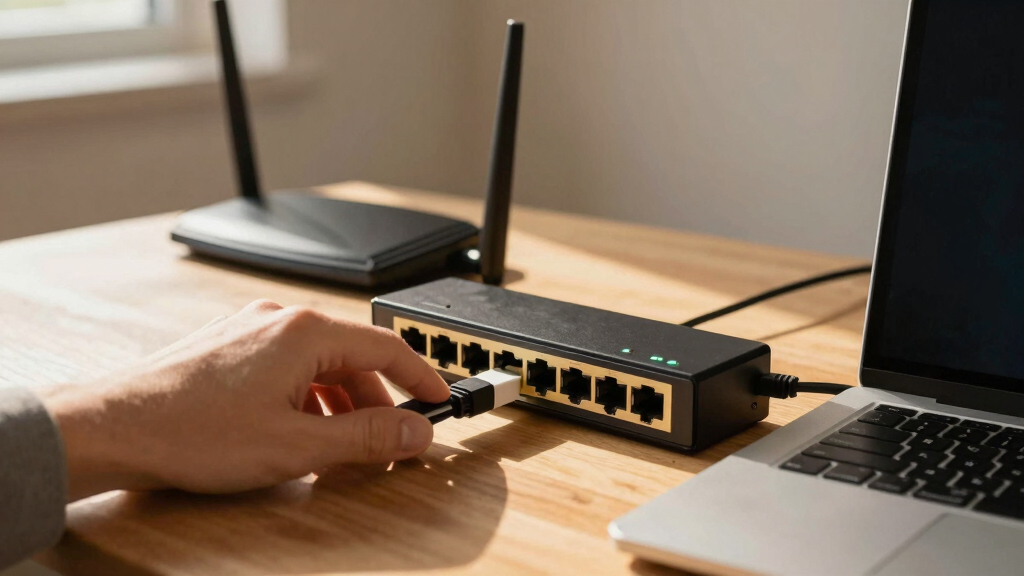

Choosing the best Ethernet switch for a home office involves balancing performance, ease of setup, and budget. The NETGEAR GS308 stands out as the best overall due to its reliability and straightforward design, while the BrosTrend 2.5Gb Switch offers faster speeds for power users. Many switches in this category face tradeoffs between unmanaged simplicity and managed features, or between port count and space efficiency. Continue reading for a detailed breakdown to find the perfect fit for your home network.
Listen free for 30 days with Audible
Thousands of audiobooks and originals — cancel anytime.
Start your free trialAs an affiliate, we earn on qualifying purchases.
Key Takeaways
- Managed switches provide more control and future-proofing, but often come at a higher cost and complexity.
- Port count varies from 5 to 16; consider your current and future device needs to choose appropriately.
- Faster speeds like 2.5Gb or 10Gb are available but often require compatible devices and can increase costs.
- PoE (Power over Ethernet) ports are useful if powering network devices directly, adding convenience but increasing price.
- Build quality and size matter—compact switches save space, while sturdy metal housings suggest better durability.
| NETGEAR 8-Port PoE Gigabit Ethernet Smart Managed Switch (GS308EP) |  | Best Overall for Managed PoE Needs | Number of Ports: 8 Gigabit Ethernet ports | PoE+ Ports: 8 | Total Power Budget: 62W | VIEW LATEST PRICE | See Our Full Breakdown |
| NETGEAR 8-Port Gigabit Ethernet Unmanaged Switch (GS308) | 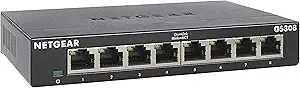 | Best Value for Simple Expansion | Number of Ports: 8 | Port Speed: Gigabit Ethernet | Operation: Unmanaged | VIEW LATEST PRICE | See Our Full Breakdown |
| BrosTrend 2.5Gb Ethernet Switch, 8 Port Unmanaged Network Switch for Gaming, NAS, and PC |  | Best for High-Speed Home Networks | Speed: 2.5 Gbps | Ports: 8 | Switching Capacity: 40 Gbps | VIEW LATEST PRICE | See Our Full Breakdown |
| NETGEAR 16-Port Gigabit Ethernet Unmanaged Switch (GS316) |  | Best for Larger Home Office Networks | Number of Ports: 16 | Port Speed: Gigabit Ethernet | Mounting Options: Desktop or Wall Mount | VIEW LATEST PRICE | See Our Full Breakdown |
| UGREEN 2.5Gb Switch, 6-Port Ethernet Switch with 10Gb SFP+ and VLAN Support |  | Best for Versatile High-Speed Connections and Advanced Features | Ports: 5 x 2.5Gb, 1 x 10Gb SFP+ | Supported speeds: 2.5Gbps, 10Gbps | Jumbo frames: 12,000 | VIEW LATEST PRICE | See Our Full Breakdown |
| NETGEAR 5-Port Gigabit Ethernet Unmanaged Switch (GS305) |  | Best Overall for Simplicity and Quiet Operation | Number of Ports: 5 | Port Speed: Gigabit Ethernet | Mounting Options: Desktop or wall mount | VIEW LATEST PRICE | See Our Full Breakdown |
| NETGEAR 5-Port PoE Gigabit Ethernet Unmanaged Switch (GS305P) – 4 PoE+ Ports |  | Best for Power over Ethernet in Small Spaces | Number of Ports: 5 | PoE Ports: 4 | PoE+ Power Budget: 63W | VIEW LATEST PRICE | See Our Full Breakdown |
| TP-Link 8 Port Gigabit Easy Smart Managed Switch (TL-SG108E) |  | Best for Small to Medium Business Management | Number of Ports: 8 Gigabit Ethernet | Management: Easy Smart Managed | VLAN Support: Supports up to 32 VLANs | VIEW LATEST PRICE | See Our Full Breakdown |
| NETGEAR 8-Port Gigabit Ethernet Easy Smart Managed Switch (GS308E) |  | Best for Easy Management and Reliability | Number of Ports: 8 | Port Type: Gigabit Ethernet | Managed Features: Easy Smart Managed | VIEW LATEST PRICE | See Our Full Breakdown |
| Linksys LGS116 16-Port Gigabit Unmanaged Network Switch – Desktop or Wall Mount, Metal Housing |  | Best Overall for High-Capacity Home Office Networks | Number of Ports: 16 | Data Transfer Rate: 1000 Mbps | Interface: RJ45 | VIEW LATEST PRICE | See Our Full Breakdown |
| TP-Link TL-SG105 5 Port Gigabit Unmanaged Ethernet Switch |  | Best Compact and Quiet for Small Home Offices | Number of Ports: 5 | Port Data Transfer Rate: 1000 Mbps | Interface: RJ45 | VIEW LATEST PRICE | See Our Full Breakdown |
More Details on Our Top Picks
NETGEAR 8-Port PoE Gigabit Ethernet Smart Managed Switch (GS308EP)
The NETGEAR GS308EP stands out for its straightforward management interface, making it an excellent choice for users who want control without complexity. Compared with the unmanaged GS308, it offers PoE+ support, enabling you to power devices like VoIP phones or cameras directly from the switch. However, its power budget of 62W might limit deployment options for larger PoE setups, and its management features are basic compared to higher-end models. This switch is ideal for small home offices needing reliable, manageable power distribution, but it’s less suited for extensive or demanding PoE deployments.
Pros:- Easy setup and management with user-friendly software
- Supports PoE+ for powering compatible devices
- Flexible desktop or wall mounting options
Cons:- Limited advanced managed features
- Power budget may be insufficient for larger PoE deployments
Best for: Home office users who want simple management and PoE support for small device networks
Not ideal for: Larger setups requiring extensive managed features or high PoE power budgets
- Number of Ports:8 Gigabit Ethernet ports
- PoE+ Ports:8
- Total Power Budget:62W
- Mounting Options:Desktop or wall mount
- Warranty:3-year limited hardware
Bottom line: This switch makes the most sense for small, manageable networks where PoE is needed without complex management.
NETGEAR 8-Port Gigabit Ethernet Unmanaged Switch (GS308)
The NETGEAR GS308 offers plug-and-play simplicity, making it ideal for expanding a home network without fuss. Unlike the managed GS308EP, it lacks configuration options, but it makes up for that with silent operation and energy efficiency. This switch is perfect for those who want a reliable, no-nonsense device that just works, though it’s limited to basic networking without any advanced features. Compared to the UGREEN 2.5Gb switch, it doesn’t support high-speed ports but provides a straightforward upgrade path for gigabit needs.
Pros:- Easy plug-and-play setup
- Silent operation suitable for quiet environments
- Supports wall and desktop mounting
Cons:- Limited to unmanaged switch functionality
- No advanced management features
Best for: Home users seeking a reliable, unmanaged switch for basic network expansion
Not ideal for: Tech-savvy users needing VLANs or advanced management features
- Number of Ports:8
- Port Speed:Gigabit Ethernet
- Operation:Unmanaged
- Mounting Options:Desktop or Wall Mount
- Warranty:3-year limited hardware
- Energy Efficiency:Yes
Bottom line: This switch is best for straightforward network expansion where ease of use outweighs advanced features.
BrosTrend 2.5Gb Ethernet Switch, 8 Port Unmanaged Network Switch for Gaming, NAS, and PC
The BrosTrend 2.5Gb Ethernet Switch delivers blazing-fast 2.5 Gbps speeds on all ports, making it a standout for demanding home setups like gaming or NAS. Unlike the traditional gigabit switches like the GS308, its higher speed capacity supports smoother streaming and file transfers. Its fanless, plug-and-play design ensures silent operation, which is ideal for home environments. The main limitation is its unmanaged nature, meaning you won’t get VLAN or link aggregation options—features you might find in higher-end managed switches. Still, for users who need speed without complexity, this model provides a compelling upgrade.
Pros:- Supports 2.5Gbps speeds on all ports
- Fanless, silent operation
- Plug-and-play setup
Cons:- Limited to unmanaged switch functionality
- No fiber SFP ports for fiber connections
Best for: Gamers, streamers, and NAS users who need high-speed connections without management complexity
Not ideal for: Those requiring managed features, fiber connections, or extensive network control
- Speed:2.5 Gbps
- Ports:8
- Switching Capacity:40 Gbps
- Design:Fanless, Desktop/Wall Mount
Bottom line: This switch is perfect for high-speed, straightforward connections in a home environment that demands more than gigabit speed.
NETGEAR 16-Port Gigabit Ethernet Unmanaged Switch (GS316)
The NETGEAR GS316 offers a significant upgrade in port count, making it suitable for users with multiple devices or expanding networks. Its plug-and-play setup is straightforward, and the 16 ports provide ample room for future growth. While it shares the unmanaged simplicity of the GS308, its larger size caters to more extensive home office setups or small workgroups. However, lacking management features and advanced options means it’s best for those who prioritize quantity over control. Compared with smaller switches, this model excels in capacity but sacrifices configurability.
Pros:- Easy to set up and expand
- Supports wall and desktop mounting
- Energy-efficient design
Cons:- Limited to basic unmanaged functionality
- No advanced management options
Best for: Home offices with many wired devices or small network segments needing more ports
Not ideal for: Users seeking managed features, VLAN support, or detailed network control
- Number of Ports:16
- Port Speed:Gigabit Ethernet
- Mounting Options:Desktop or Wall Mount
- Warranty:3-year limited hardware
- Energy Efficiency:Yes, IEEE802.3az
Bottom line: Ideal for larger home office environments where port quantity is more important than management features.
UGREEN 2.5Gb Switch, 6-Port Ethernet Switch with 10Gb SFP+ and VLAN Support
The UGREEN 2.5Gb Switch combines high-speed connectivity with advanced network features like VLAN and Link Aggregation, making it suitable for tech-savvy users who need flexibility. Its five 2.5Gb ports and single 10Gb SFP+ port support diverse setups, including NAS, gaming, and small business applications. Unlike simpler unmanaged switches, it offers modes that enhance network segmentation and performance. The tradeoff is that it requires compatible modules for fiber connections, and the unmanaged aspect limits configuration control. Nonetheless, its durable metal case and lightning protection add to its reliability for demanding setups.
Pros:- Supports 2.5Gbps and 10Gbps speeds
- VLAN and Link Aggregation support
- Durable metal construction with lightning protection
Cons:- SFP+ module not included, additional purchase needed
- Limited to unmanaged switch features
Best for: Power users needing high-speed, flexible, and segmented networks in a home or small office
Not ideal for: Those seeking plug-and-play simplicity or basic gigabit-only connectivity
- Ports:5 x 2.5Gb, 1 x 10Gb SFP+
- Supported speeds:2.5Gbps, 10Gbps
- Jumbo frames:12,000
- Modes:Standard, Link Aggregation, VLAN
- Build:Metal case with lightning protection
Bottom line: This switch suits users who require high-speed, versatile, and segmented networks with some technical expertise.
NETGEAR 5-Port Gigabit Ethernet Unmanaged Switch (GS305)
The NETGEAR GS305 stands out as the best choice for those wanting a straightforward, reliable switch without fuss. Its plug-and-play design makes setup effortless, especially compared to more complex options like the TP-Link TL-SG108E, which offers management features that may be unnecessary for basic home use. The silent operation and energy efficiency support a quiet, eco-friendly environment, perfect for noise-sensitive spaces. However, its limited 5-port capacity and lack of advanced features mean it’s best suited for small setups. It’s a solid pick for users who prioritize ease and reliability over advanced management or expansion.
Pros:- Easy plug-and-play setup with no configuration needed
- Silent operation ideal for noise-sensitive environments
- Supports both desktop and wall mounting
Cons:- Limited to 5 ports, restricting future expansion
- Basic unmanaged switch without advanced features like VLAN or QoS
- Restricted to U.S. & Canada only
Best for: Home users needing a simple, quiet switch with minimal configuration
Not ideal for: Users looking for managed features, VLAN support, or more than five ports
- Number of Ports:5
- Port Speed:Gigabit Ethernet
- Mounting Options:Desktop or wall mount
- Warranty:3-year limited hardware
- Energy Efficiency:Supports IEEE802.3az
- Operation:Silent operation
Bottom line: A reliable, no-fuss switch perfect for small home offices prioritizing silence and simplicity.
NETGEAR 5-Port PoE Gigabit Ethernet Unmanaged Switch (GS305P) – 4 PoE+ Ports
The NETGEAR GS305P is tailored for users needing PoE+ capabilities in a compact form. With 4 PoE+ ports supporting up to 63W total power, it’s ideal for powering IP cameras, VoIP phones, or wireless access points without extra power supplies. Compared to the NETGEAR GS308E, which offers broader managed features, the GS305P focuses on simplicity and PoE integration, making it more suitable for small, power-driven setups. Its sturdy metal case and silent operation make it perfect for quiet environments. The main tradeoff is its limited PoE power budget, which may not suffice for multiple high-power devices simultaneously.
Pros:- Supports 4 PoE+ ports with a 63W power budget
- Plug-and-play setup with no software required
- Compact, sturdy metal case with silent operation
- Flexible mounting options
Cons:- Limited PoE power for multiple high-demand devices
- No managed features or VLAN support
- Designed only for U.S. & Canada usage
Best for: Small offices or home setups deploying PoE devices like cameras or VoIP phones
Not ideal for: Large networks with many high-power PoE devices or advanced management needs
- Number of Ports:5
- PoE Ports:4
- PoE+ Power Budget:63W
- Data Transfer Rate:1000 Megabits Per Second
- Switch Type:Unmanaged
- Case Material:Metal
Bottom line: An excellent choice for powering multiple PoE devices in small, quiet home or office environments without complexity.
TP-Link 8 Port Gigabit Easy Smart Managed Switch (TL-SG108E)
The TP-Link TL-SG108E offers a step up in management capabilities, making it suitable for users who want to fine-tune their home office network. Its web interface supports VLANs, QoS, and network monitoring, features that are overkill for basic setups but valuable for those needing more control. Compared with the unmanaged NETGEAR GS308E, this switch provides better security and performance options, though it requires some familiarity with network management. Its energy-efficient design and flexible installation options make it a practical choice for tech-savvy home users or small business owners who want advanced features without enterprise complexity.
Pros:- Web interface for easy management and configuration
- Supports VLANs, QoS, and network monitoring
- Energy-efficient design reduces power consumption
- Flexible desktop or wall-mount installation
Cons:- Requires some network knowledge for proper setup
- No PoE support, limiting device compatibility
- Not suitable for large enterprise networks
Best for: Home offices or small businesses needing basic network management with VLAN and QoS support
Not ideal for: Users seeking a plug-and-play device or without network management experience
- Number of Ports:8 Gigabit Ethernet
- Management:Easy Smart Managed
- VLAN Support:Supports up to 32 VLANs
- Power Consumption:Up to 58% savings
- Installation:Desktop or wall-mount
- Warranty:3 years
Bottom line: A versatile switch for those wanting manageable network features in a small, home-based environment.
NETGEAR 8-Port Gigabit Ethernet Easy Smart Managed Switch (GS308E)
The NETGEAR GS308E strikes a balance between manageability and simplicity, making it ideal for home offices that want reliable network control without the complexity of enterprise-level equipment. Its easy-to-use web interface allows basic management tasks, similar to the TP-Link TL-SG108E, but with a more durable build and a longer 5-year warranty. While it lacks advanced features like VLAN segmentation, it supports essential management functions for stable, predictable performance. Its silent operation and energy-efficient design make it a practical upgrade over unmanaged models for users who want some control but not a steep learning curve.
Pros:- Easy-to-use web management interface
- Supports desktop and wall mounting
- Silent operation and energy-efficient
- Long 5-year warranty for peace of mind
Cons:- Limited advanced managed features
- Designed primarily for U.S. & Canada
- Lacks PoE support
Best for: Home office users wanting manageable, reliable Gigabit connectivity without advanced network features
Not ideal for: Those requiring VLANs, PoE, or complex network segmentation
- Number of Ports:8
- Port Type:Gigabit Ethernet
- Managed Features:Easy Smart Managed
- Mounting Options:Desktop or Wall Mount
- Warranty:5-year limited
- Operation:Silent
Bottom line: A dependable, low-hassle managed switch suitable for home offices needing reliable network control.
Linksys LGS116 16-Port Gigabit Unmanaged Network Switch – Desktop or Wall Mount, Metal Housing
The Linksys LGS116 stands out for its combination of high port count and reliability, making it ideal for users who need to connect multiple devices without complex management. Compared to the smaller TP-Link TL-SG105, this model offers more ports, which is crucial for expanding a home office network as your setup grows. Its metal housing and wall-mount option add durability and flexibility, but the unmanaged nature means you won’t get advanced traffic control or network segmentation. The energy-saving features help reduce power use, yet the requirement for an external power supply adds an extra step during setup. This switch makes the most sense for users who prioritize capacity and straightforward operation over fine-tuned network control, especially in a larger home office environment.
Pros:- Supports up to 16 Gigabit ports for extensive device connectivity
- Durable metal housing suitable for wall or desktop mounting
- Energy-efficient with power-saving features
- Plug-and-play setup simplifies installation
Cons:- Limited to unmanaged switch features, no traffic prioritization or VLANs
- Requires an external power supply, adding to setup complexity
- No advanced management options for fine-tuning network performance
Best for: Home office setups with multiple devices needing reliable, high-speed connections and minimal configuration.
Not ideal for: Users looking for advanced network management features or VLAN support, as this switch lacks such capabilities.
- Number of Ports:16
- Data Transfer Rate:1000 Mbps
- Interface:RJ45
- Switch Type:Unmanaged
- Case Material:Metal
- Item Weight:1.72 Pounds
- Voltage:12 Volts
- Maximum Temperature:70°C
Bottom line: This switch is best for users who need a high-capacity, reliable network hub without the complexity of management features.
TP-Link TL-SG105 5 Port Gigabit Unmanaged Ethernet Switch
The TP-Link TL-SG105 excels in small spaces where noise and size matter, making it ideal for compact home offices or desks. Unlike the larger Linksys LGS116, this model offers just five ports, which suits users with a modest number of wired devices or those who prefer minimal clutter. Its fanless design ensures silent operation, a stark contrast to some switches with fans that can introduce noise. The durable metal case provides reliable protection, but the limited port count means it won’t scale well for larger setups. While it offers plug-and-play ease and energy efficiency, it doesn’t support advanced features like VLANs or traffic prioritization. This pick makes the most sense for users needing a simple, unobtrusive switch for small or home-based workstations.
Pros:- Plug-and-play setup for quick installation
- Fanless design for silent operation
- Durable metal casing suitable for various environments
- Energy-efficient technology reduces power consumption
Cons:- Limited to 5 ports, not suitable for expanding device needs
- No management features such as VLANs or traffic prioritization
- Requires compatible power supply for optimal operation
Best for: Individuals with a small number of wired devices in a compact or quiet home office environment.
Not ideal for: Larger home offices or setups requiring more than five connections or network management features, as this switch is limited in capacity.
- Number of Ports:5
- Port Data Transfer Rate:1000 Mbps
- Interface:RJ45
- Switch Type:Unmanaged
- Case Material:Metal
- Item Dimensions:3.94 x 3.85 x 0.98 inches
- Item Weight:7.76 ounces
- Voltage:230 Volts
Bottom line: This switch is ideal for small, quiet home offices with minimal device needs and no requirement for advanced network control.
How We Picked
The selection process focused on switches that deliver reliable performance suitable for a home office environment. We prioritized models with solid build quality, user-friendly setup, and good value. Managed and unmanaged options were both considered to suit different user preferences—whether someone wants simple plug-and-play or more control over their network. Compatibility with common home devices, port flexibility, and future-proof features like higher-speed ports or PoE were key factors in our rankings. Cost was balanced against features to offer options for various budgets, ensuring the list covers beginner to advanced users.Factors to Consider When Choosing Best Ethernet Switches For Home Offices
Choosing the right Ethernet switch for a home office depends on several key factors. Understanding these can help you avoid common pitfalls and select a device that scales with your needs. Whether you’re expanding your network or just replacing an aging switch, these considerations will guide your decision to ensure seamless connectivity and future flexibility.Number of Ports and Scalability
Assess how many devices need wired connections now and in the near future. A switch with 5 ports might suffice today but can become limiting as your network grows. Conversely, larger switches with 16 ports provide room for expansion but may be larger and more expensive. Consider your current setup and any planned additions, balancing size, cost, and potential future needs.
Managed vs. Unmanaged Switches
Unmanaged switches are straightforward, offering plug-and-play operation ideal for most home users. Managed switches, on the other hand, allow for advanced configuration, VLAN segmentation, and monitoring—beneficial if you want more control or have a complex setup. The choice depends on your comfort with networking and whether future features justify the extra cost and complexity.
Speed and Performance
Gigabit speeds are standard and sufficient for most tasks, but higher speeds like 2.5Gb or 10Gb become relevant if you transfer large files frequently or use network-attached storage intensively. Compatibility with your devices is critical here; investing in faster ports makes sense only if your devices support these speeds. Otherwise, you might pay more without tangible benefits.
Power over Ethernet (PoE) Capabilities
If you plan to power devices like IP cameras, VoIP phones, or access points directly through your switch, PoE ports simplify installation by eliminating separate power supplies. However, PoE switches tend to be more expensive and have fewer ports for regular devices. Evaluate your specific needs before opting for PoE to avoid overspending on features you won’t use.
Build Quality and Size
Durability matters, especially if your switch will be in a high-traffic area or mounted on a wall. Metal housings typically last longer and dissipate heat better than plastic ones. Size and design also influence placement—compact switches save space but may have fewer ports or less robust cooling. Think about your environment and whether aesthetic or size constraints exist.
Frequently Asked Questions
Do I need a managed switch for my home office?
Most home office setups benefit from unmanaged switches due to their simplicity and affordability. Managed switches are better suited for users who want granular control over their network, such as setting up VLANs or monitoring traffic. For typical use, unmanaged options provide sufficient performance without the complexity, but managed switches do offer future-proofing if your needs grow.
Is 2.5Gb or 10Gb Ethernet worth the extra cost for a home office?
Higher-speed ports can be beneficial if you frequently transfer large files or run demanding applications, but only if your devices support these speeds. Most home devices are limited to Gigabit Ethernet, so investing in 2.5Gb or 10Gb may not provide immediate benefits. Consider your current equipment and potential future upgrades before paying a premium for faster ports.
How important is PoE in a home office switch?
PoE is mainly useful if you’re planning to power network devices like cameras, access points, or VoIP phones directly through your switch. For most typical home setups, PoE isn’t essential and adds to the cost. If you foresee integrating PoE devices, choosing a switch with PoE ports can streamline your setup and reduce clutter.
Should I choose a larger switch with more ports than I need?
Picking a larger switch than your current needs can prevent the need for an upgrade down the line, offering flexibility for future device additions. However, larger switches tend to be more expensive and take up more space. Balance your current requirements with potential growth to avoid overspending or underutilizing ports.
What’s the main difference between unmanaged and smart switches?
Unmanaged switches are plug-and-play and require no configuration, ideal for simple setups. Smart switches offer basic management features like VLAN setup, port prioritization, and traffic monitoring, providing more control without the complexity of fully managed switches. Choose based on whether you want straightforward operation or some network customization options.
Conclusion
For most home office users, the NETGEAR GS308 strikes a balance of reliability, ease of use, and affordability, making it the best overall choice. If you’re looking for the best value, the TP-Link TL-SG105 offers solid performance at a budget-friendly price. For those needing higher speeds or PoE, the BrosTrend 2.5Gb Switch or NETGEAR GS305P are worth considering. Beginners should lean toward unmanaged models, while power users or those planning for future expansion might prefer managed or higher-speed switches. Understanding your current and future network needs will ensure you select the right device for your home workspace.
Pool season Picks
robotic pool cleaners
As an affiliate, we earn on qualifying purchases.