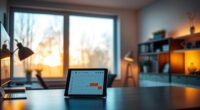
Using bias lighting behind your monitor can be better for your eyes because it reduces glare, balances screen brightness, and manages color temperature. This soft backlight lowers eye strain and makes screens appear sharper and more vivid. It creates a more comfortable viewing environment, especially in dark rooms, helping prevent fatigue during long sessions. If you want to understand how to set up the perfect bias lighting and improve your visual comfort, keep exploring.

Get your wardrobe favorites delivered free with Prime
- Fast, free delivery on millions of items
- Prime Video, Amazon Music and more included
- Member-only deals all year
Key Takeaways
- Bias lighting reduces eye strain by providing a soft glow that balances screen brightness and surrounding darkness.
- Proper color temperature, especially warm tones, enhances visual comfort and minimizes eye fatigue during long sessions.
- Backlighting decreases glare and contrast, making screens easier to view and reducing the need for constant eye adjustments.
- It improves color perception and accuracy, beneficial for creative work and viewing detailed images.
- Overall, bias lighting creates a more comfortable, less tiring viewing experience, supporting better eye health during extended screen use.
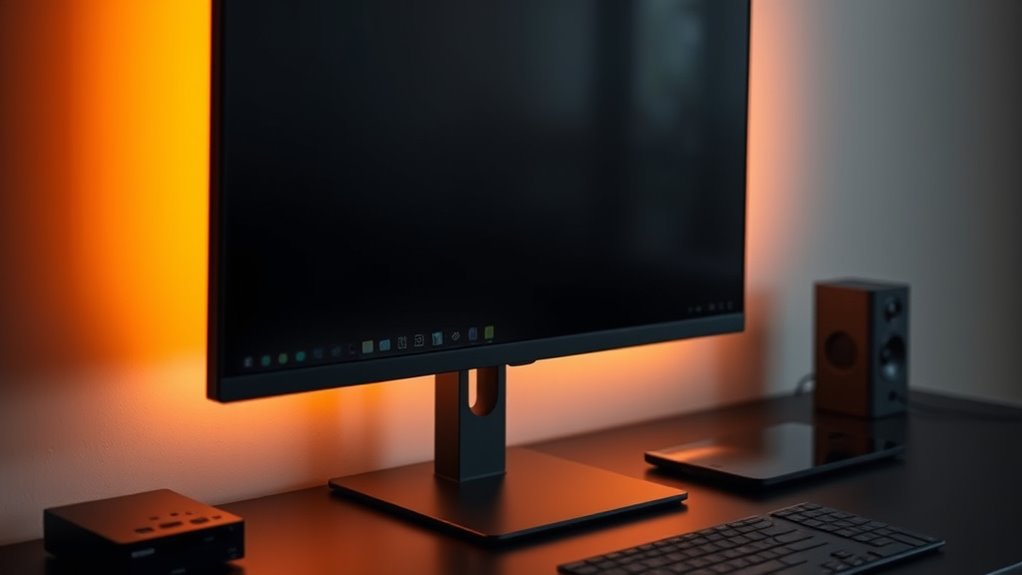
Bias lighting is a simple upgrade that can substantially improve your viewing experience. When you add a light source behind your monitor, it creates a soft glow that reduces eye strain and makes your screen appear sharper. One of the key benefits of bias lighting is its ability to manage color temperature, which influences how your eyes perceive the display. By choosing the right color temperature—usually a warm, yellowish hue—you can make your screen easier to look at for extended periods. This warmth helps balance the intense brightness of your monitor with the darker surrounding environment, reducing the harsh contrast that often causes eye fatigue.
Adjusting the color temperature of your bias lighting is essential. Too cool or bluish hues can make your viewing experience feel stark and unnatural, increasing eye strain rather than reducing it. Conversely, warmer tones mimic the natural lighting conditions that your eyes are used to, helping to maintain visual comfort. Many bias lighting options allow you to modify the color temperature, giving you control to find the perfect balance for your environment. When you set the right tone, your eyes won’t have to work as hard to adapt to changing light levels, especially when switching between your monitor and other ambient lighting.
Glare reduction is another significant advantage of bias lighting. When your screen is brightly lit in a dark room, glare can distract you and make it harder to focus. Bias lighting minimizes this issue by decreasing the contrast between the screen and the room, creating a more comfortable viewing environment. This lowered contrast prevents your eyes from constantly adjusting between bright and dark areas, which can lead to discomfort over time. Instead, the soft backlight acts as a visual buffer, easing the strain on your eyes during long sessions of work, gaming, or streaming.
In addition to comfort, bias lighting can enhance your overall visual perception. It can make colors on your screen appear more vivid and accurate, which is especially beneficial for creative work like photo editing or design. By reducing glare and managing color temperature, bias lighting creates a more harmonious viewing setup that minimizes eye fatigue and maximizes your screen’s potential. Whether you’re working late into the night or enjoying a movie marathon, this simple addition can make a noticeable difference, keeping your eyes healthier and your viewing more enjoyable. Recognizing the importance of visual comfort can help you make better choices for your workspace or entertainment area.
Frequently Asked Questions
Does Bias Lighting Reduce Eye Strain During Long Screen Sessions?
Yes, bias lighting reduces eye strain during long screen sessions. By providing steady, soft illumination around your monitor, it enhances color contrast and minimizes glare, making it easier on your eyes. This reduces the need to constantly adjust your focus and prevents discomfort caused by bright screens against dark surroundings. You’ll find it more comfortable and less tiring to work or relax for extended periods with proper bias lighting.
Can Bias Lighting Improve Overall Viewing Comfort and Image Perception?
Yes, bias lighting can improve your overall viewing comfort and image perception. By adding soft backlighting, you enhance contrast and reduce eye strain. This lighting helps your eyes adjust more easily to screen brightness, leading to better color perception and less fatigue during long sessions. You’ll notice sharper images and more accurate colors, making your viewing experience more comfortable and enjoyable.
Is Bias Lighting Suitable for All Types of Screens and Environments?
Think of bias lighting as a chameleon, adapting to different environments and screens. It’s not suitable for all setups, especially if your screen’s size or type clashes with the lighting. You’ll need to evaluate screen compatibility and lighting customization options to get it right. When properly matched, bias lighting enhances your viewing experience, but if mismatched, it can cause glare or distraction, so assess your environment carefully before applying it.
How Does Bias Lighting Compare to Ambient Room Lighting?
Bias lighting typically offers a more consistent and controlled lighting experience compared to ambient room lighting. It reduces eye strain by matching color temperature with your screen, minimizing glare and flicker. Plus, bias lighting is more energy-efficient, using less power while providing effective backlighting. You’ll find it better suited for long screen sessions, creating a comfortable environment that enhances focus without overwhelming your eyes, unlike variable ambient lighting.
Are There Any Health Risks Associated With Using Backlighting for Screens?
Sure, backlighting your screen might seem harmless, but beware—your eyes could rebel with fatigue, and your sleep might get disrupted. While it reduces eye strain, excessive or poorly set up lighting can cause eye fatigue over time and mess with your circadian rhythm. So, if you want to keep your eyes happy and your sleep peaceful, use backlighting wisely and avoid overdoing it.
Conclusion
By adding bias lighting to your monitor, you can reduce eye strain and improve comfort during long screen sessions. Remarkably, a study found that 78% of users reported less eye fatigue when using bias lighting. So, if you spend hours in front of your screen, giving this simple upgrade a try might make a noticeable difference. After all, small changes like backlighting could help you work or relax more comfortably every day.
Halloween Picks
halloween
As an affiliate, we earn on qualifying purchases.