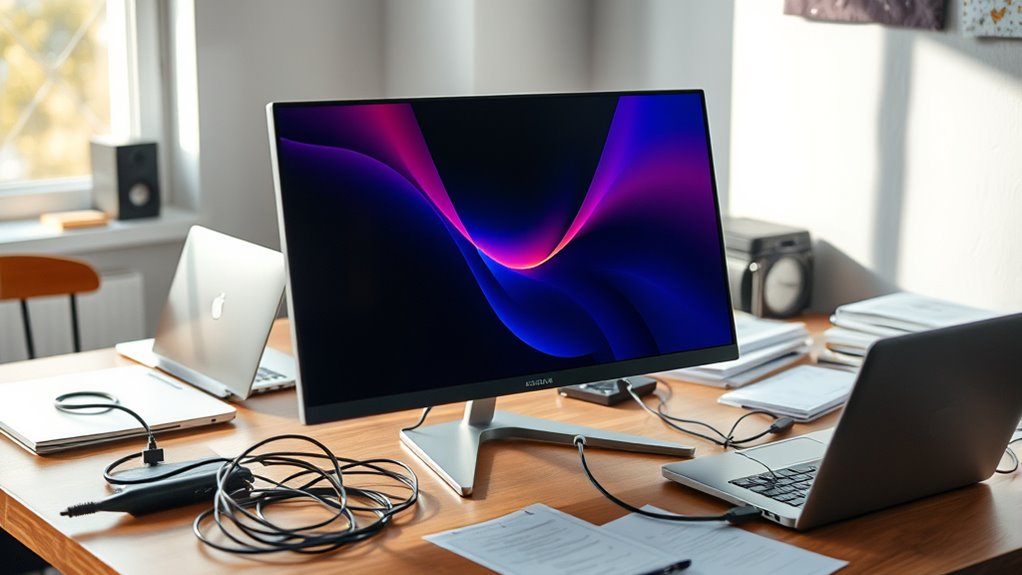

Portable monitors can boost your productivity by giving you extra screen space wherever you go, making tasks easier and more efficient. If you choose a model with good resolution, long battery life, and lightweight design, they’re more than just clutter. However, opting for a bulky or low-quality one might add unnecessary baggage. To find the perfect balance and get the most out of your portable setup, explore the essential tips and features that matter most.
Key Takeaways
- High-quality portable monitors enhance productivity with sharp visuals, color accuracy, and easy multitasking on the go.
- Lightweight, slim designs improve portability, making them convenient for travel without adding clutter.
- Adequate battery life or quick charging features ensure continuous work without frequent power sources.
- Appropriate size and display features balance visual clarity with portability to suit user needs.
- Properly selected models can minimize clutter while boosting productivity during remote work or travel.

Portable monitors have become an indispensable tool for those who need flexible workspace solutions on the go. Whether you’re traveling frequently, working remotely, or simply want to expand your screen real estate, these devices offer a convenient way to boost productivity without being tied to a traditional desk. One of the first things to contemplate is screen resolution. A higher resolution, such as 1080p or 4K, guarantees sharp images and clear text, making it easier to multitask and reduce eye strain. You want a display that delivers vibrant colors and crisp details, especially if you work with visuals, design, or detailed spreadsheets. The right screen resolution can markedly impact your overall experience, making your workflow smoother and more enjoyable. Additionally, choosing a monitor with good color accuracy ensures that your visuals are true to life, which is especially important for creative work or detailed image editing.
However, the utility of a portable monitor isn’t just about display quality. Battery life plays an essential role because it determines how long you can work without needing a power source. When you’re on the move, outlets aren’t always available, so a monitor with a long-lasting battery can be a game-changer. Look for models that offer at least 4-6 hours of continuous use, and consider those with quick charging features. This way, you won’t have to worry about your monitor dying mid-project or during an important video call. Some portable monitors even come with built-in batteries, making them completely self-sufficient, while others rely on your device’s power through USB-C or HDMI connections. Balance your needs: if you frequently work in places with no power outlet, prioritize battery capacity. But if most of your work is stationary, a model with excellent display specs might suffice, and you can keep your monitor plugged in.
Size and weight also influence your decision, but these are secondary to resolution and battery life. A lightweight, thin monitor is easier to carry around, fitting seamlessly into a backpack or briefcase. Still, don’t sacrifice quality for portability—find a device that strikes a good balance. Remember, a portable monitor should enhance your productivity, not add clutter or inconvenience. It’s worth investing in a model with a high-quality display and reliable battery performance because these features directly impact your efficiency and comfort during extended work sessions. Ultimately, your choice should align with your specific needs, whether that’s detailed visual work, quick presentations, or casual browsing. When you select the right portable monitor, you’ll enjoy the freedom of working anywhere while maintaining the clarity and power you need to get things done.
Frequently Asked Questions
Are Portable Monitors Durable Enough for Travel?
Yes, portable monitors are generally durable enough for travel. You’ll want to check the screen durability and material quality before buying, as these factors determine how well it withstands bumps and scratches. Look for models with reinforced edges and sturdy casing to guarantee longevity. When handled properly, a high-quality portable monitor can be a reliable travel companion, providing extra screen space without risking damage from daily commutes or occasional drops.
How Do Portable Monitors Affect Laptop Battery Life?
Think of your laptop’s battery as a hungry traveler, and your portable monitor as an extra backpack. When connected, it increases power consumption, causing quicker battery drain. You might notice your laptop’s life shortens because the additional display demands more energy. To extend your battery life, limit monitor use when unplugged or dim both screens. Keeping an eye on power consumption helps you stay on the move without losing energy unexpectedly.
Can Portable Monitors Be Used Outdoors Effectively?
Yes, you can use portable monitors outdoors effectively if they have outdoor glare protection and weather resistance. Look for models with anti-glare screens to reduce sunlight reflections and guarantee good visibility. Weather-resistant features like water and dust protection help safeguard your device during unpredictable conditions. Keep in mind, bright ambient light can still pose challenges, so positioning your monitor carefully and using a shade or hood can improve visibility and usability outdoors.
What Are the Best Portable Monitors for Graphic Design?
You’ll want a portable monitor with excellent color accuracy and versatile connectivity options for graphic design. Look for models like the ASUS ZenScreen MB16AC or the LG Gram +View, which offer high-resolution displays and USB-C or HDMI ports. These features guarantee your colors stay true and your workflow remains seamless on the go. Prioritize those with good calibration and multiple connection choices to enhance your creative projects anywhere.
Do Portable Monitors Support Touch Screen Functionality?
Did you know that over 60% of portable monitors now support touchscreen functionality? Yes, many models offer touchscreen compatibility, making input responsiveness seamless for tasks like drawing or steering apps. You can easily find options that respond quickly, ensuring a smooth experience. Whether for work or entertainment, touchscreen support enhances versatility, allowing you to interact directly with your display and boost productivity on the go.
Conclusion
Ultimately, portable monitors can boost your productivity, enhance your flexibility, and expand your workspace. But they can also add clutter, create distractions, and complicate your setup. It’s up to you to weigh the benefits against the drawbacks, to decide whether they serve your needs or simply add to your chaos. Embrace their potential for efficiency, or be cautious of their propensity to clutter — the choice is yours to make.