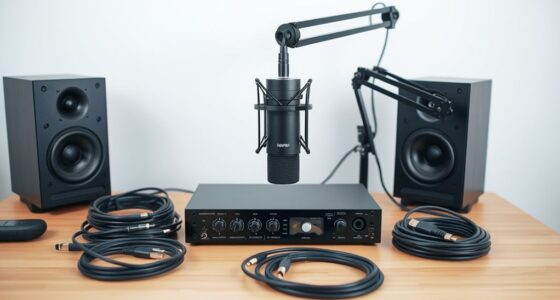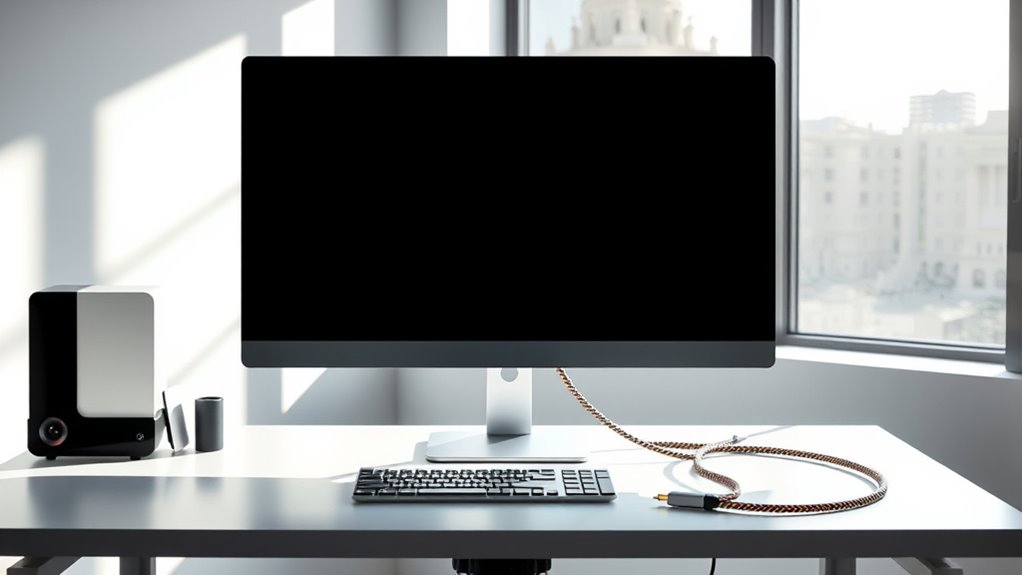

Setting up a single-cable workspace involves choosing compatible devices that support standards like USB-C or Thunderbolt, then connecting everything through a high-quality hub or dock. Organize cables neatly with clips or under-desk trays to keep your area clean and safe. This simplifies your setup, minimizes clutter, and boosts productivity. If you want to learn how to create a sleek, efficient workspace with fewer cables, keep going for helpful tips and tricks.
Key Takeaways
- Use compatible USB-C or Thunderbolt hubs/docks to connect multiple devices with a single cable.
- Ensure all devices support the same connection standards for seamless integration.
- Organize cables with clips or sleeves to keep your workspace tidy and reduce strain on ports.
- Choose high-quality accessories to future-proof your setup and maintain reliability.
- Simplify setup and maintenance to boost productivity and minimize troubleshooting efforts.

A single-cable workspace simplifies your setup by reducing clutter and streamlining connectivity. When you switch to a single cable, you eliminate the mountain of tangled cords that often clutter your desk. This not only makes your workspace look cleaner but also makes it easier to move around and adjust your setup without wrestling with multiple wires. A key benefit here is device compatibility. With a well-chosen single cable, like a Thunderbolt or USB-C cable, you can connect a variety of devices—laptops, monitors, external drives, and peripherals—using just one connection. This setup minimizes the need for multiple adapters and ports, ensuring your devices work seamlessly together. When your devices are compatible with a single cable standard, you save time and frustration, and you don’t have to worry about finding the right port or cable for each device. Proper cable compatibility is essential for a smooth and efficient setup. Cable management becomes a major advantage when adopting a single-cable workspace. Because everything is connected through one cable, you can route that cable neatly along your desk edge or under your desk, avoiding the chaos of loose wires. Good cable management isn’t just about aesthetics; it also protects your equipment. Properly routed cables reduce strain on ports, preventing damage over time, and keep your workspace safer by minimizing tripping hazards. Using cable clips, sleeves, or under-desk trays, you can hide or organize that single cable and any additional connections, creating a clean, professional look. This makes your workspace more efficient because you spend less time untangling cords and more time focusing on your work. To get the most out of your single-cable setup, you need to ensure your devices support the same standards. Check that your laptop, monitor, and accessories all use compatible ports like USB-C or Thunderbolt 3/4. Investing in a high-quality hub or dock can expand the capabilities of your single cable, allowing you to connect multiple peripherals without adding more cords. This not only simplifies your workspace but also future-proofs it against evolving technology. When your devices are compatible and your cable management is ideal, setting up and maintaining your workspace becomes effortless, letting you focus on productivity instead of troubleshooting connectivity issues.

VIVO Premium Aluminum Monitor Arm for Ultrawide Screens up to 49 inches and 33 lbs, Heavy Duty Single Desk Mount, Pneumatic Height, Max VESA 100x100, Black, STAND-V101G1
Ultrawide Compatibility: Fits ultrawide monitors up to 49" and standard flat and curved monitors up to 32” including...
As an affiliate, we earn on qualifying purchases.
Frequently Asked Questions
What Types of Devices Are Compatible With a Single-Cable Setup?
You can connect a wide range of devices with a single-cable setup, including monitors, keyboards, mice, printers, and external drives. Many are compatible thanks to peripheral compatibility features, like USB-C or Thunderbolt ports. Wireless alternatives also exist, allowing you to connect peripherals without cables. Make certain your devices support these standards to simplify your workspace, making it more efficient and clutter-free.
How Do I Troubleshoot Connectivity Issues in a Single-Cable Workspace?
Clear your clutter by checking cable management first—ensure connections are snug and secure. Next, follow troubleshooting steps: restart devices, test with different cables, and verify power sources. If issues persist, inspect ports for damage or dirt. By methodically managing cables and troubleshooting steps, you’ll swiftly solve connectivity glitches, transforming tangled tech troubles into tidy, trouble-free setups.
Can I Upgrade My Existing Workspace to a Single-Cable System Easily?
Yes, you can upgrade your existing workspace to a single-cable system easily. First, check cable compatibility with your devices to guarantee seamless integration. The upgrade process involves replacing or adding a versatile cable and configuring your setup for maximum performance. You might need adapters or new hardware, but overall, it’s a straightforward upgrade that simplifies connectivity, reduces clutter, and improves efficiency.
What Are the Cost Implications of Switching to a Single-Cable Setup?
Switching to a single-cable setup can lead to significant cost savings by reducing clutter and minimizing the need for multiple accessories. However, you should consider initial investment in quality cables and adapters, which may impact your budget considerations. Overall, while upfront costs might be higher, the streamlined setup can save you money long-term through easier maintenance and improved efficiency.
Are There Any Security Concerns With a Unified Cable System?
Yes, there are security concerns with a unified cable system. You should guarantee cable security by using secure connectors and proper shielding to prevent physical tampering. Additionally, implement data encryption protocols to protect sensitive information transmitted through the cable. Regularly update security measures and monitor the system for vulnerabilities. These steps help safeguard your data and maintain the integrity of your single-cable workspace.

VIVO Heavy Duty Aluminum Ultrawide Monitor Tension Arm for up to 49 inch Screens, Holds 44 lbs, Premium Desk Mount Stand Designed for Samsung Odyssey G9 and More, Black, STAND-V101V
Fits Ultra Wide Screens: Single mount for ultra-wide monitors up to 49” in size and 44 lbs in...
As an affiliate, we earn on qualifying purchases.
Conclusion
Imagine your workspace as a well-tuned orchestra, where one cable acts as the conductor guiding every instrument in harmony. With this simple setup, you’re the maestro, orchestrating focus and productivity with ease. Say goodbye to chaos and hello to clarity—your single cable is the baton that unites your tools, transforming clutter into a symphony of efficiency. Embrace this symbol of connection, and watch your work flow smoothly, like music to your ears.

ARES WING Ultrawide Monitor Arm for 17 to 49 Inch Heavy Duty Curved Screen, Holds 44 Lbs, Adjustable Gas Spring Monitor Arm Desk Mount with C Clamp, Grommet Base, 75/100 Vesa Mount, Black
【Support up to 49" & 44lbs Monitors】The 49 inch monitor arm supports most flat, and curved computer screens...
As an affiliate, we earn on qualifying purchases.

HUANUO TitanLift Heavy Duty Monitor Arm for Screens up to 49", Holds 44 lbs, Aluminum Ultrawide Screen Monitor Mount, Fully Adjustable Single Gaming Desk Mount with Dual C-Clamp, Max VESA 100x100mm
Fits up to 49" Ultrawide Screens: Ensure your monitor is compatible with the HUANUO TitanLift monitor arm by...
As an affiliate, we earn on qualifying purchases.