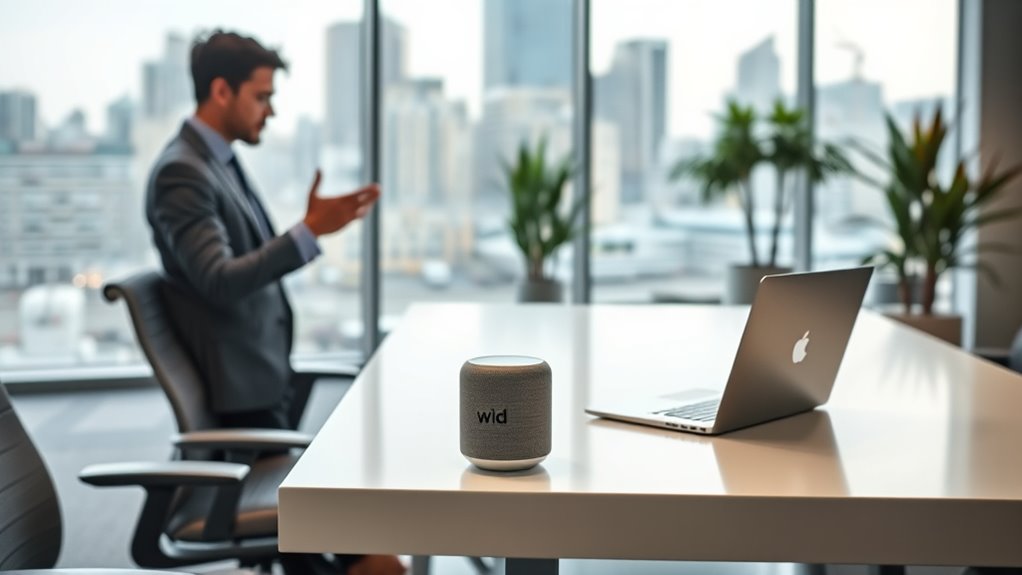

Smart assistants like Alexa can make your workday smoother by handling tasks, providing quick information, and controlling office devices. They boost productivity but also raise privacy concerns since they constantly listen and could record sensitive conversations. Balancing these benefits with security measures is key to maintaining trust and privacy. If you want to find out how to maximize smart assistant benefits while staying safe, there’s more you’d want to know.
Key Takeaways
- Smart assistants boost office productivity by automating routine tasks and providing quick access to information.
- Privacy concerns arise from constant listening and potential data breaches, impacting employee trust.
- Proper security protocols and clear privacy policies are essential to safeguard sensitive workplace information.
- Over-reliance on smart assistants may cause distractions, but they can streamline workflows when managed correctly.
- Balancing device benefits with privacy considerations is key to making smart assistants a boon rather than a bane.
Smart assistants are transforming the modern office by streamlining daily tasks and boosting productivity. With a simple voice command, you can schedule meetings, set reminders, or even control office devices, making your workday more efficient. However, as you embrace these digital helpers, you must also consider the potential downsides, especially regarding privacy concerns and their effect on your overall productivity.
Privacy is a significant issue when it comes to smart assistants in the workplace. These devices constantly listen for wake words, meaning they are always in a state of readiness, which can lead to unintended recordings of sensitive conversations. You might worry about confidential company information being inadvertently captured or stored in the cloud. This creates a dilemma: how much do you trust these devices with your data? If security measures aren’t robust enough, there’s a risk of data breaches or misuse of information, which can have serious repercussions for your organization. Moreover, employees may feel uneasy knowing that their conversations could be monitored or recorded, potentially leading to a decrease in open communication and trust within the team.
Smart assistants in the workplace raise privacy concerns due to continuous listening and potential data security risks.
On the flip side, smart assistants can have a profound positive impact on your productivity. They help free up time by automating routine tasks, allowing you to focus on more complex or creative aspects of your job. For example, instead of manually searching for files or managing calendars, you can ask your assistant to do it for you in seconds. This instant access to information reduces downtime and keeps your workflow smooth. Additionally, these devices can serve as centralized hubs for controlling smart office equipment, such as lighting, thermostats, or conference room setups, which saves you from fiddling with multiple controls and helps create a more efficient environment.
Despite these benefits, it’s crucial to strike a balance. Over-reliance on smart assistants might lead to complacency or distractions, especially if notifications or voice prompts interrupt your concentration. The productivity impact can be both positive and negative, depending on how you integrate these tools into your daily routine. To maximize their advantages while minimizing risks, you should establish clear privacy protocols, such as limiting device access to sensitive information and ensuring your organization’s security standards are up to date. Furthermore, understanding the contrast ratio of your devices can help you evaluate how well the display performs in different lighting conditions and ensure optimal visibility during work hours.
In the end, smart assistants are powerful tools that can enhance your workday, but they also demand cautious use. Being aware of privacy concerns and monitoring how they influence your productivity will help you make smarter choices about adopting these technologies in your office.
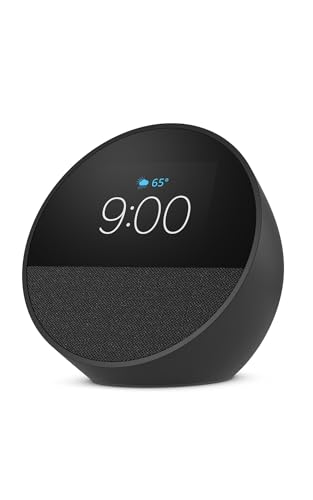
Amazon Echo Spot (newest model), Great for nightstands, offices and kitchens, Smart alarm clock, Designed for Alexa+, Black
MEET ECHO SPOT – A sleek smart alarm clock with Alexa and big vibrant sound. Ready to help…
As an affiliate, we earn on qualifying purchases.
As an affiliate, we earn on qualifying purchases.
Frequently Asked Questions
Can Smart Assistants Replace Human Office Staff Completely?
Smart assistants can’t fully replace human office staff because AI ethics and privacy concerns limit their capabilities. While they handle routine tasks efficiently, human judgment, empathy, and creativity remain essential. You should recognize that relying solely on AI risks privacy breaches and ethical issues. So, instead of complete replacement, see smart assistants as tools that enhance your work, allowing you to focus on more complex, human-centered responsibilities.
How Secure Is Sensitive Information Shared With Office Smart Assistants?
Think of your voice data security like a vault guarding your secrets; smart assistants take privacy concerns seriously but aren’t foolproof. While companies implement encryption and strict policies, vulnerabilities still exist. You should be cautious sharing sensitive info, knowing that some risks remain. Ultimately, trust your judgment and stay informed about how your voice data is handled, ensuring your privacy stays protected amid advancing voice technology.
Do All Employees Feel Comfortable Using Voice-Activated Devices at Work?
Not all employees feel comfortable using voice-activated devices at work due to privacy concerns and varying user familiarity. You might find some colleagues hesitant, worrying about data security or how their voice data is used. Others may be more open if they’re familiar with the technology and trust the security measures in place. It’s essential to address these concerns transparently to help everyone feel more at ease using smart assistants.
What Are the Costs Associated With Implementing Smart Assistants in the Office?
You should conduct a thorough cost analysis to understand the expenses involved in implementing smart assistants. These costs include device purchases, installation, training, and ongoing maintenance. Budget considerations are vital to guarantee you allocate funds wisely without overspending. By evaluating these factors upfront, you can determine if the benefits outweigh the costs and make informed decisions that align with your organization’s financial capabilities.
How Do Smart Assistants Impact Employee Productivity and Collaboration?
A stitch in time saves nine, and smart assistants boost your productivity by streamlining tasks with voice recognition and task automation. They help you stay organized, reduce distractions, and foster collaboration by quickly sharing information. While some may worry about over-reliance, embracing these tools can enhance efficiency, freeing you to focus on high-value work. Ultimately, smart assistants can be your secret weapon for a more productive, collaborative work environment.

64GB Magnetic Digital Voice Recorder – 40 Hours Continuous Recording Device Voice Activated Recorder with AI-Intelligent Triple Noise Reduction – Audio Recorder Device for Lectures Meetings Interviews
Smart Phone Connectivity for File Management: L810 Voice Recorder now supports direct connection to smartphones via an OTG…
As an affiliate, we earn on qualifying purchases.
As an affiliate, we earn on qualifying purchases.
Conclusion
Imagine your office as a bustling ship steering through foggy waters. Smart assistants are like loyal crew members—helping steer, manage tasks, and keep you on course. When used wisely, they’re your trusted allies, guiding you smoothly forward. But if you rely on them blindly, they might lead you astray. Embrace these tools thoughtfully, and they’ll be your compass, helping you sail efficiently rather than drifting aimlessly in the sea of work.

ROCWARE RC08 2K Webcam with Speaker, Webcam for PC, HD Web Cam with Noise Reduction Mic/Harman Speaker/4X Eptz/Privacy Cover/0.2S Auto-Focus/Low Illumination, Computer Camera for Zoom/Teams/Meeting
3A Noise-Canceling Mic & Harman Tuned Full-Range Speaker: The advanced 3A noise-reduction technology microphone web cam dampens the…
As an affiliate, we earn on qualifying purchases.
As an affiliate, we earn on qualifying purchases.

Yoolax Bluetooth Smart Hub, Hub Gateway, Smart Home Bridge Compatible with Alexa/Google Home, App Remote Control, Voice Control(for Bluetooth Motor)
【Adapting Devices】 Connect smart home devices through Bluetooth, WiFi, or cables. A Bluetooth hub can support up to…
As an affiliate, we earn on qualifying purchases.
As an affiliate, we earn on qualifying purchases.